
Loading Experience
Learn one practical digital skill every day — Windows shortcuts, mobile productivity, browser mastery, cyber safety, digital banking, Google Maps & AI tools.
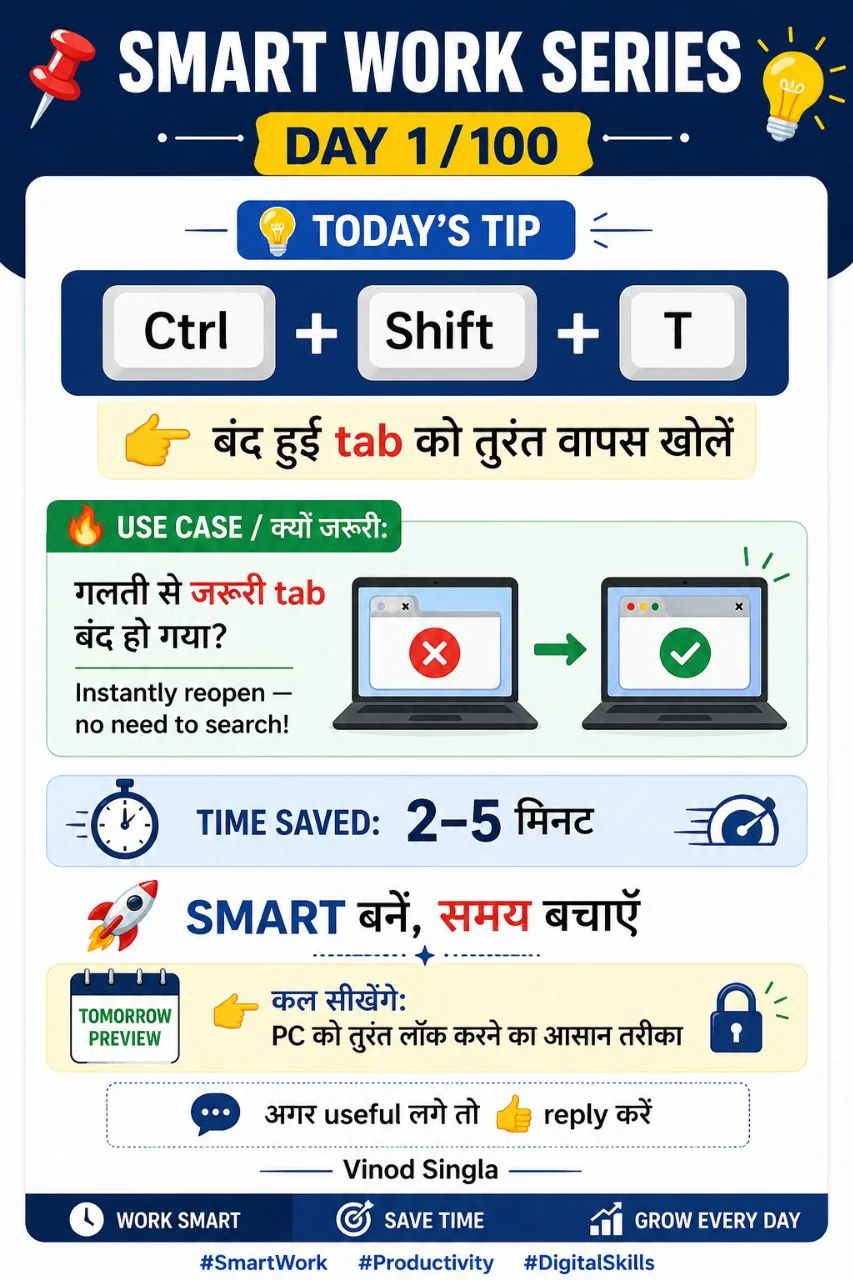
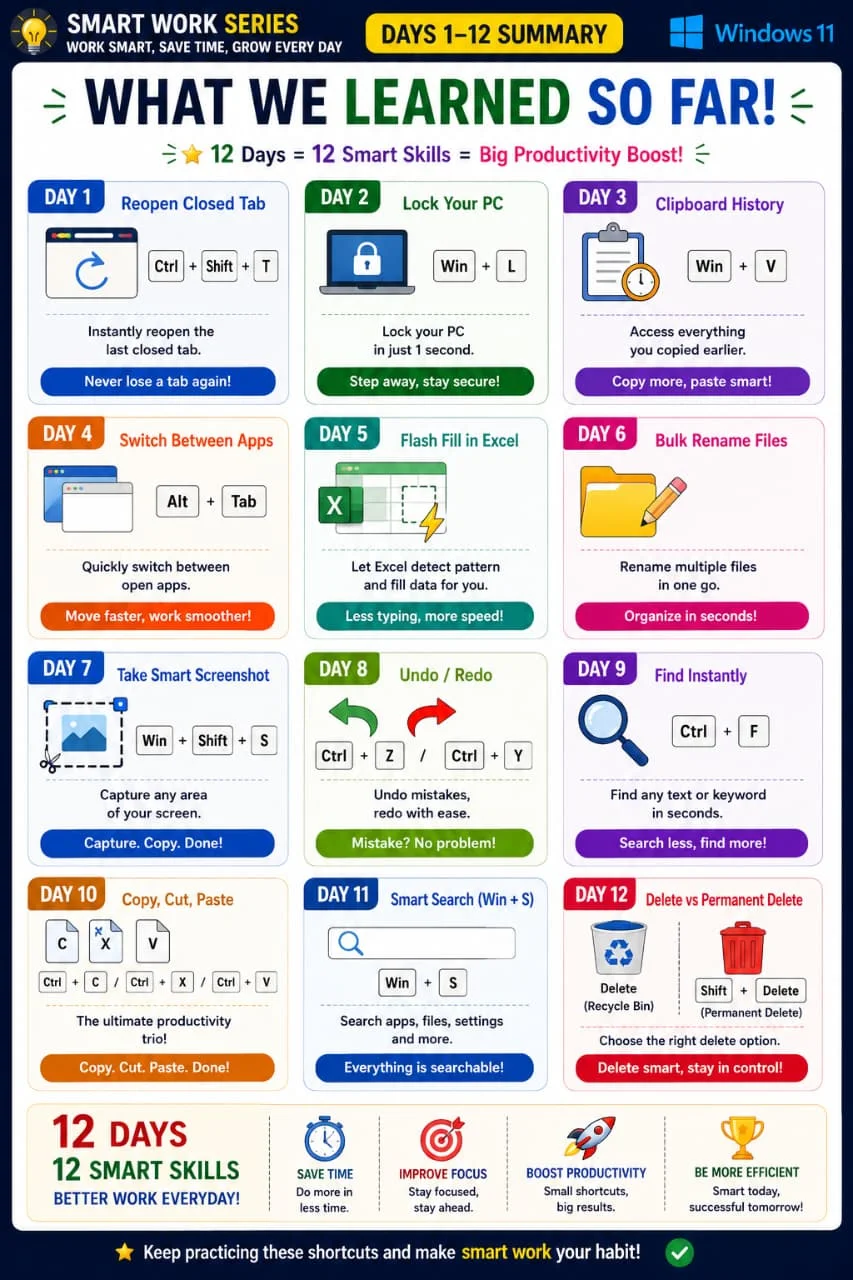
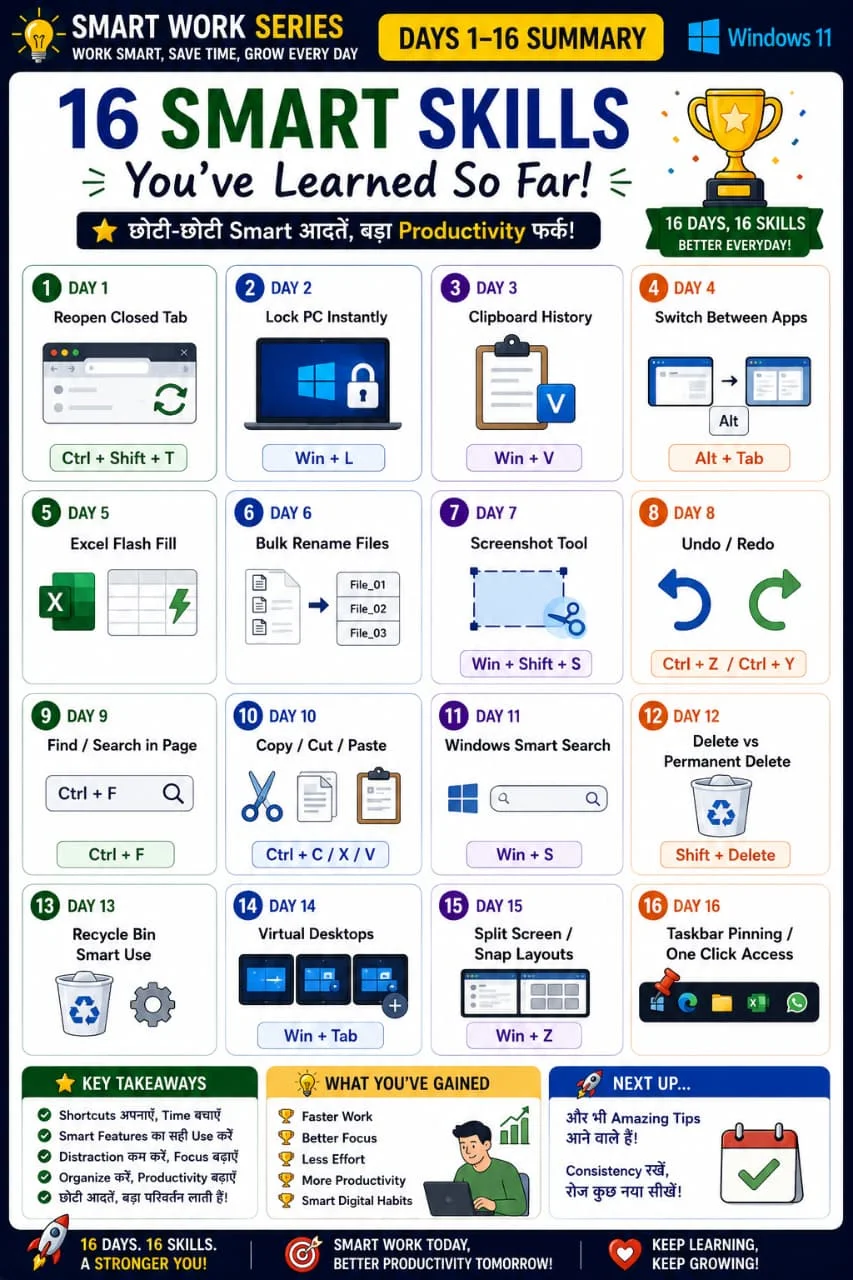
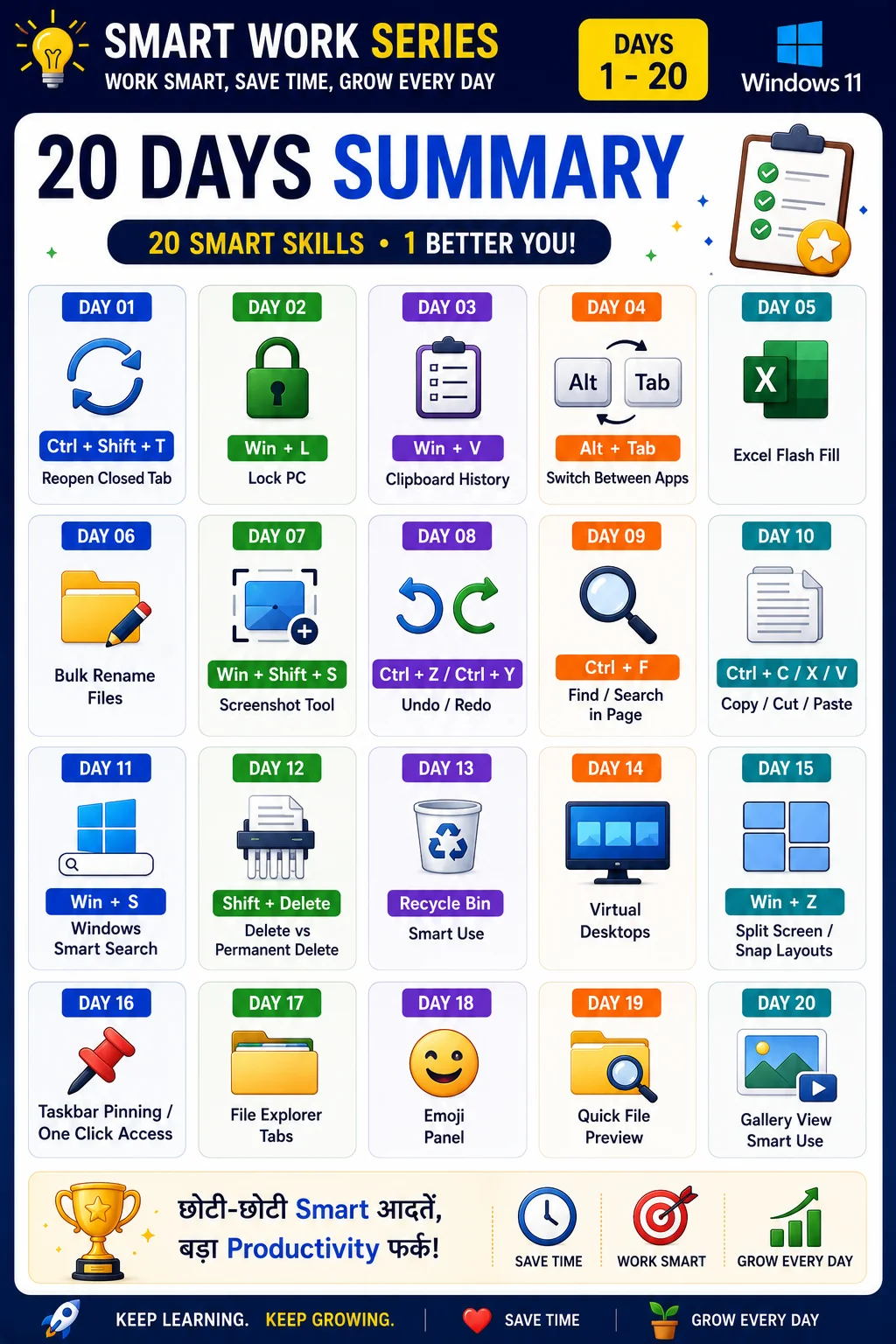
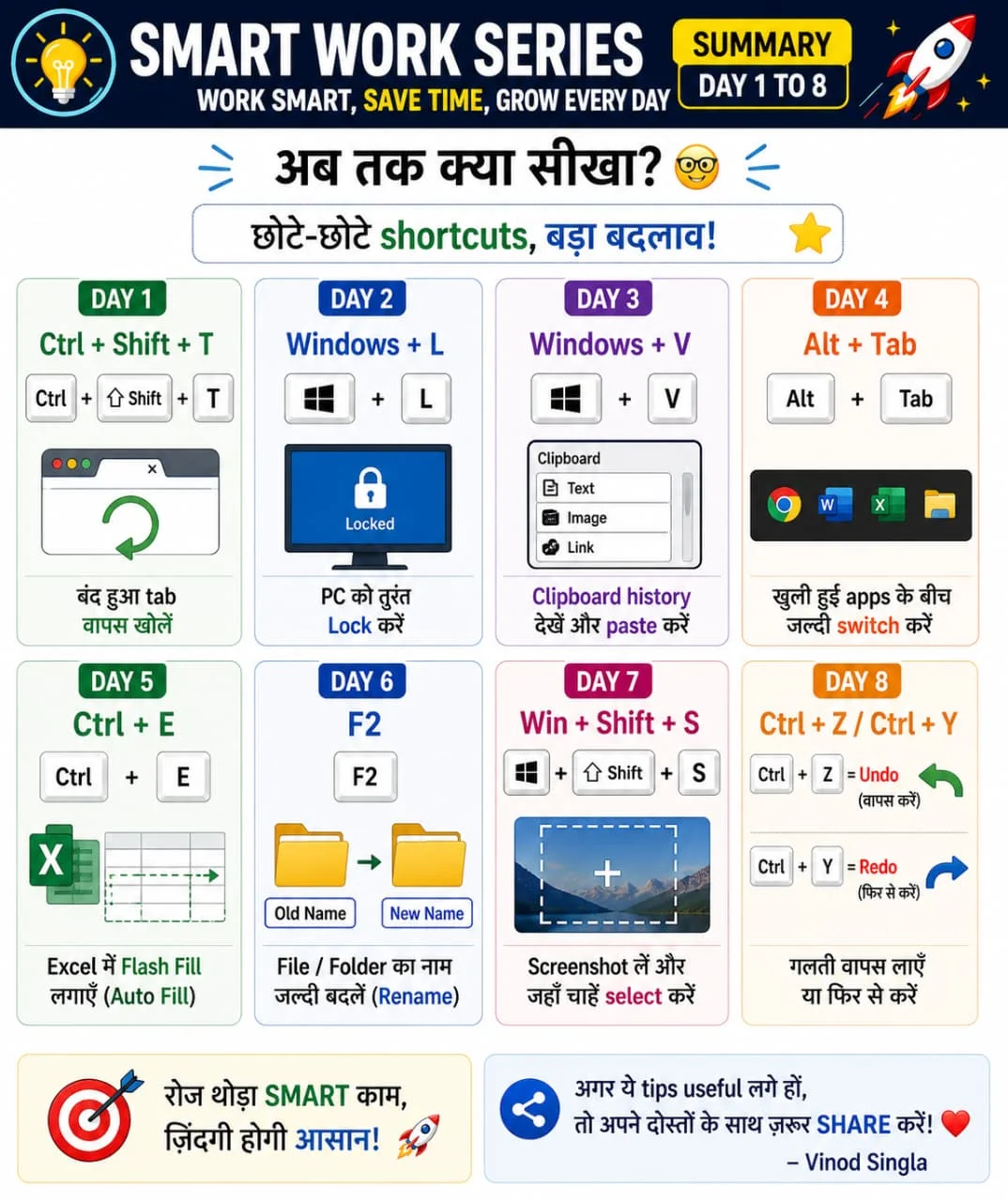
Reopen accidentally closed tab
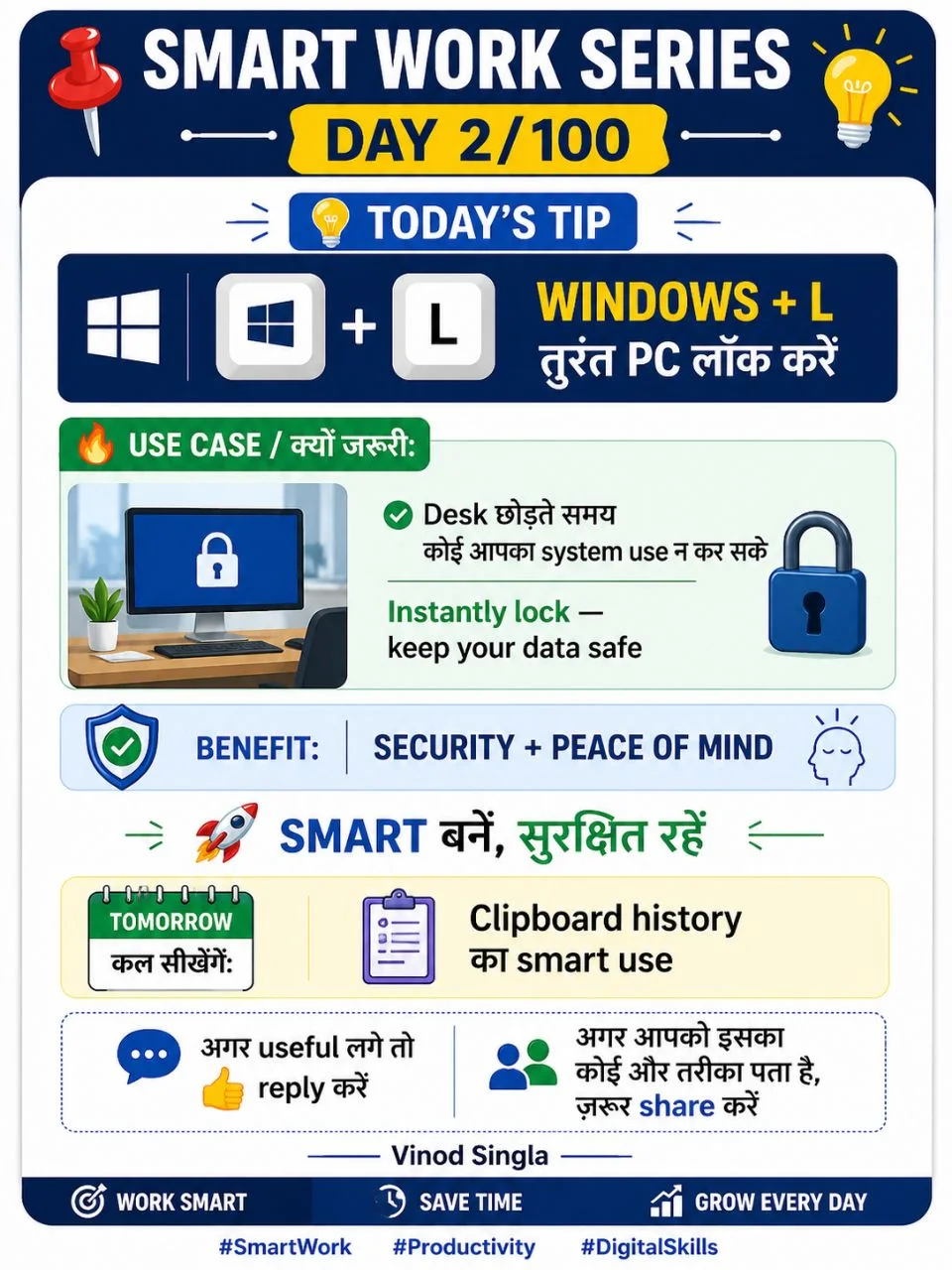
Lock PC instantly
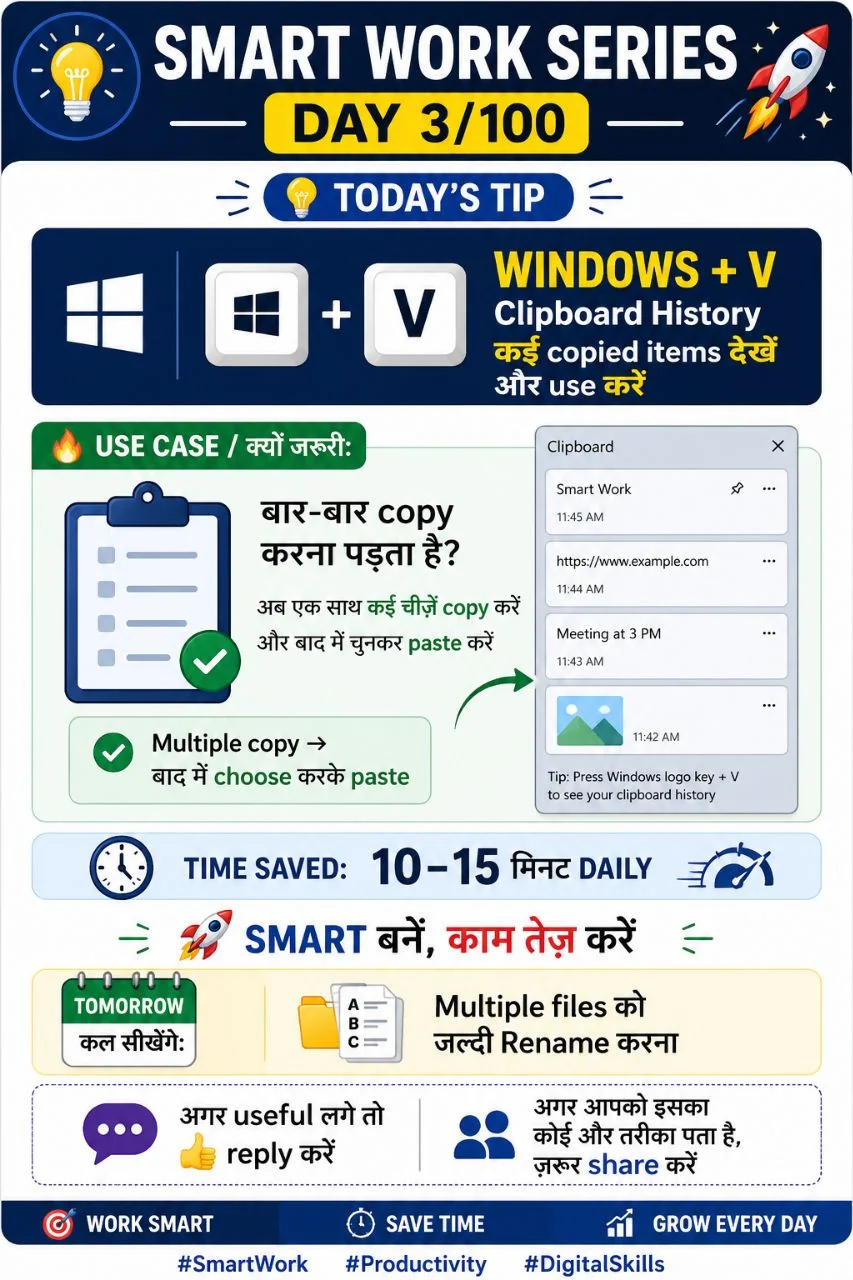
Clipboard History
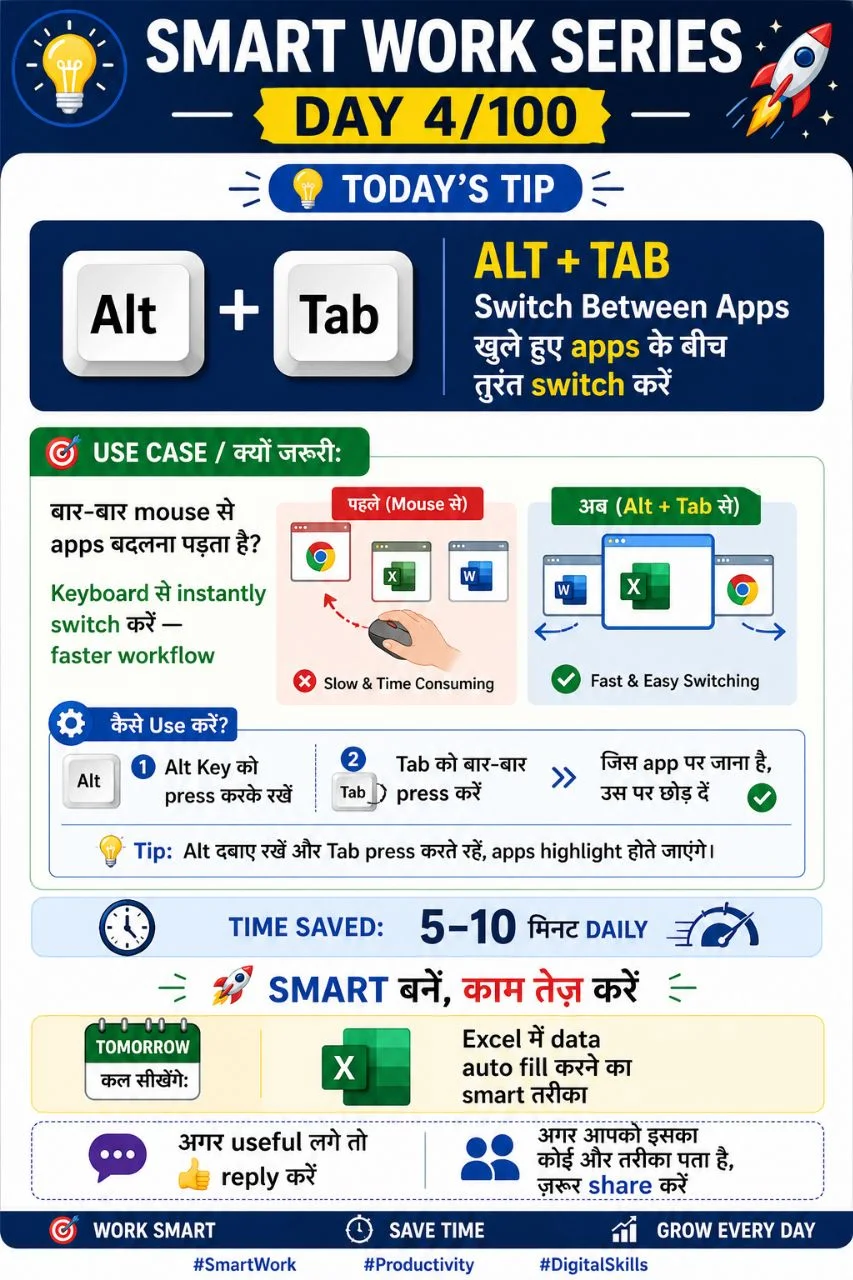
Switch between applications
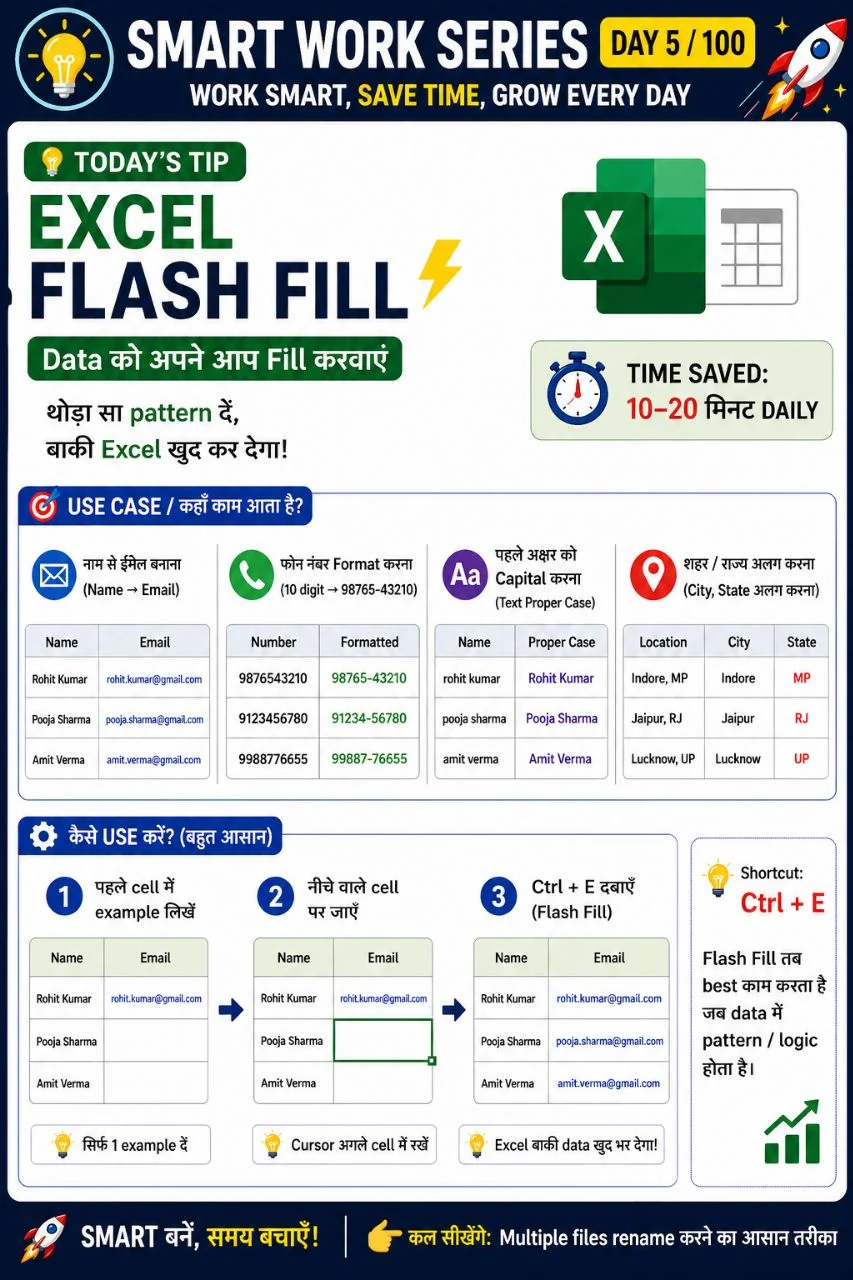
Fill patterns automatically
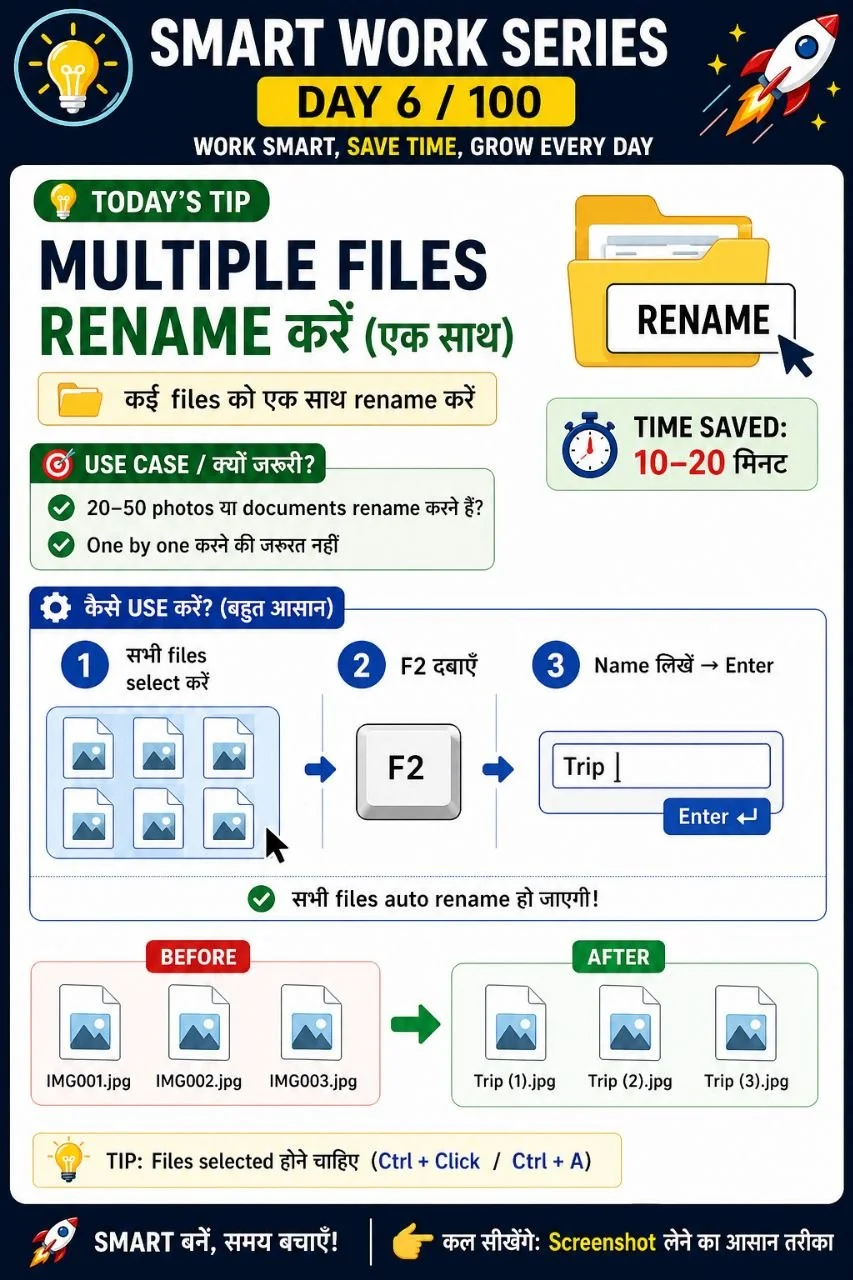
Rename multiple files together
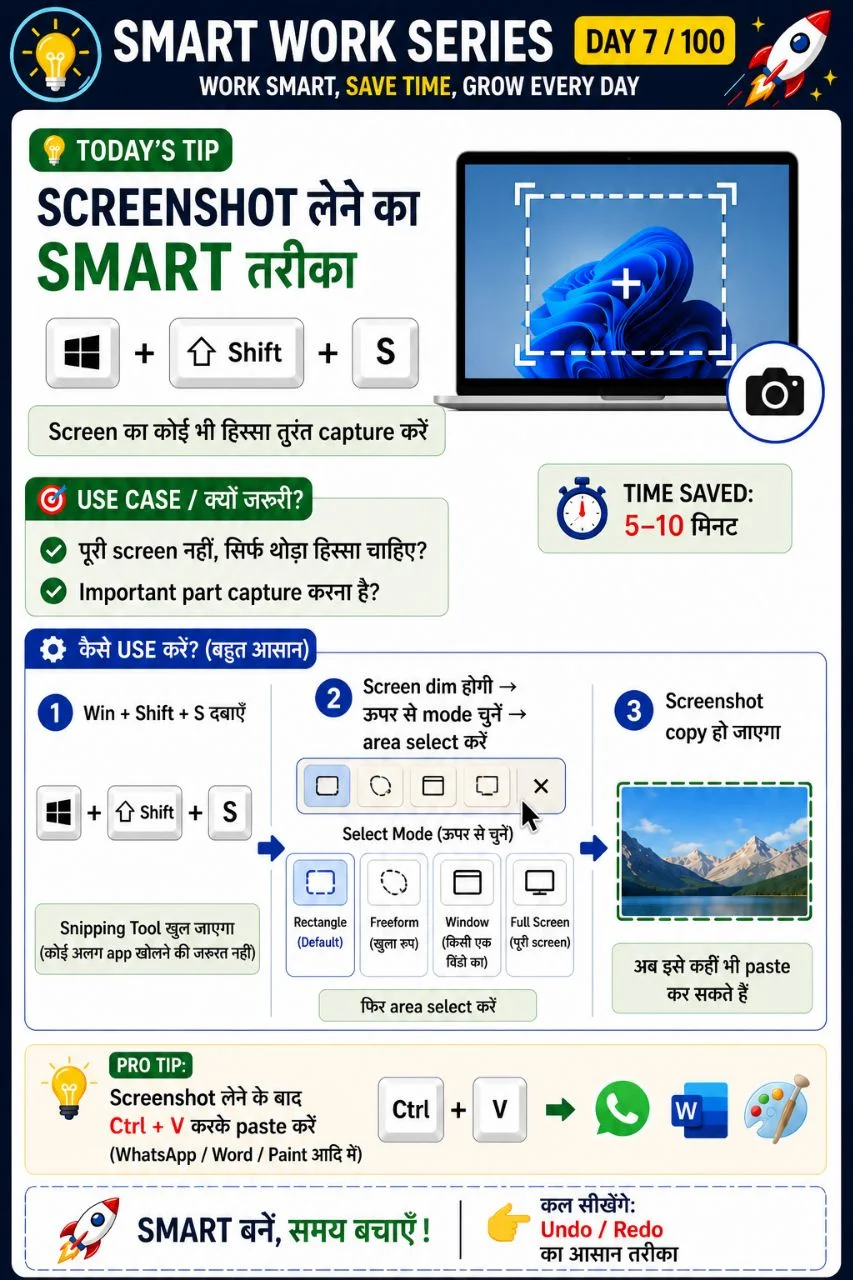
Take screenshots quickly
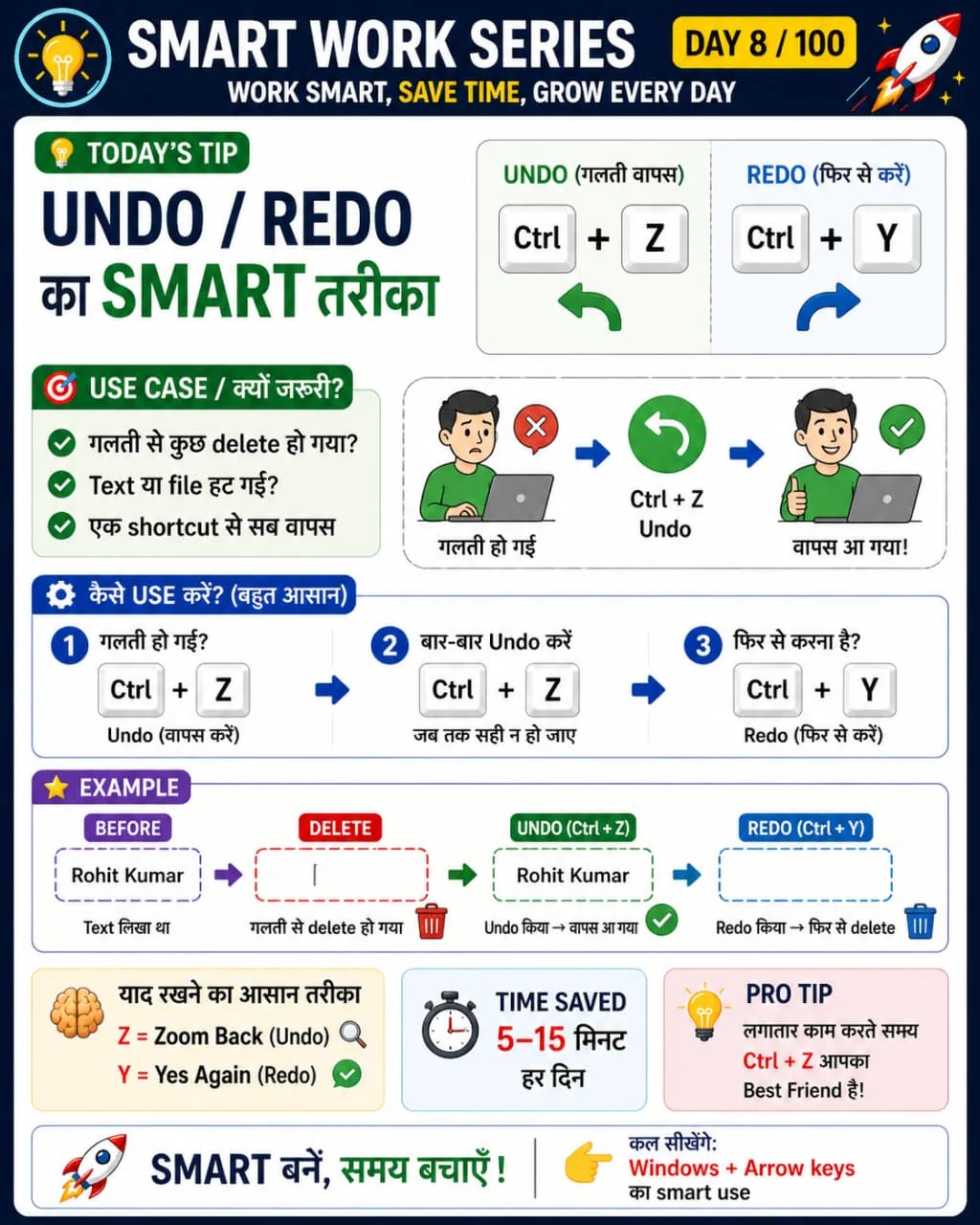
Undo and Redo actions
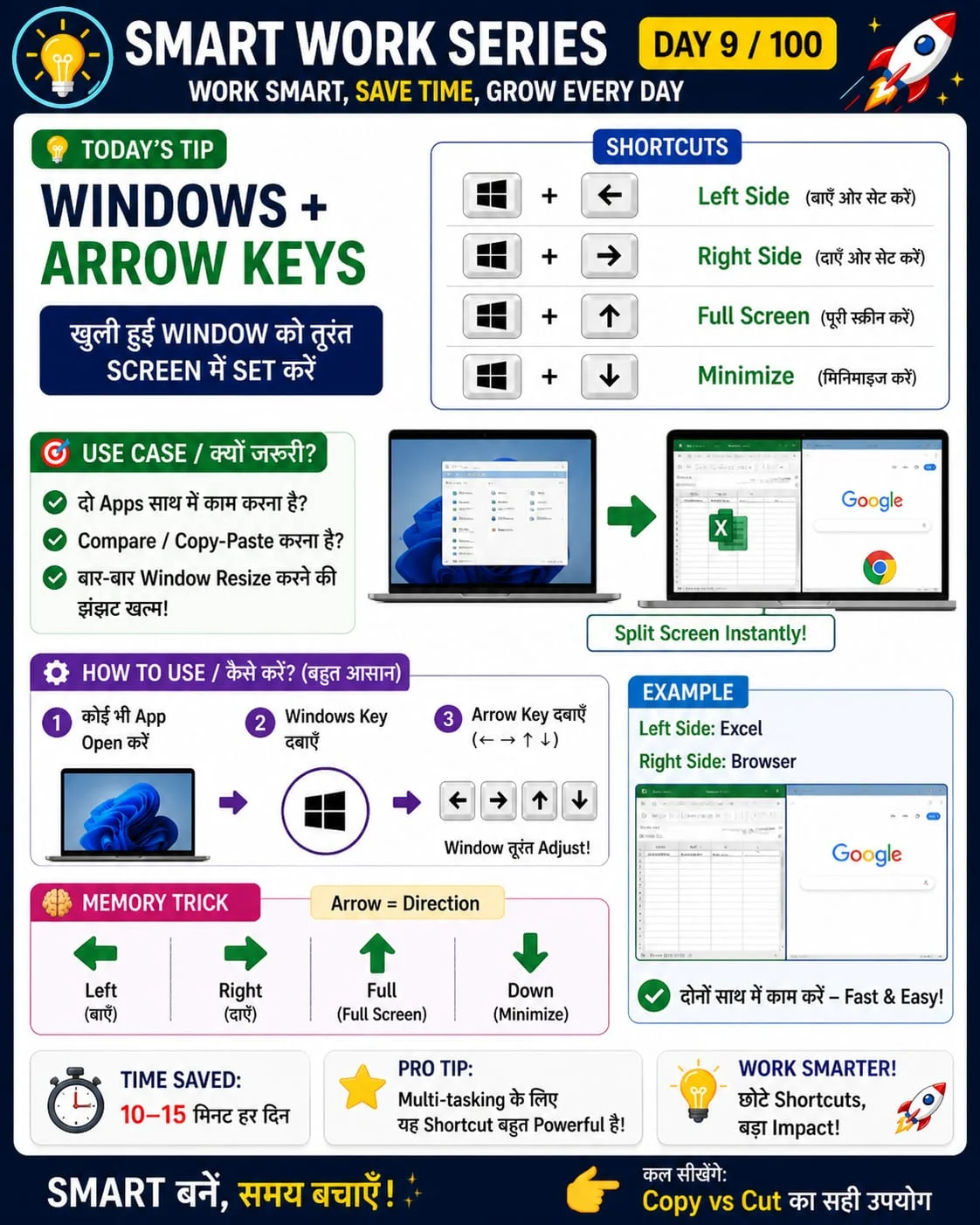
Immediately set the window on screen
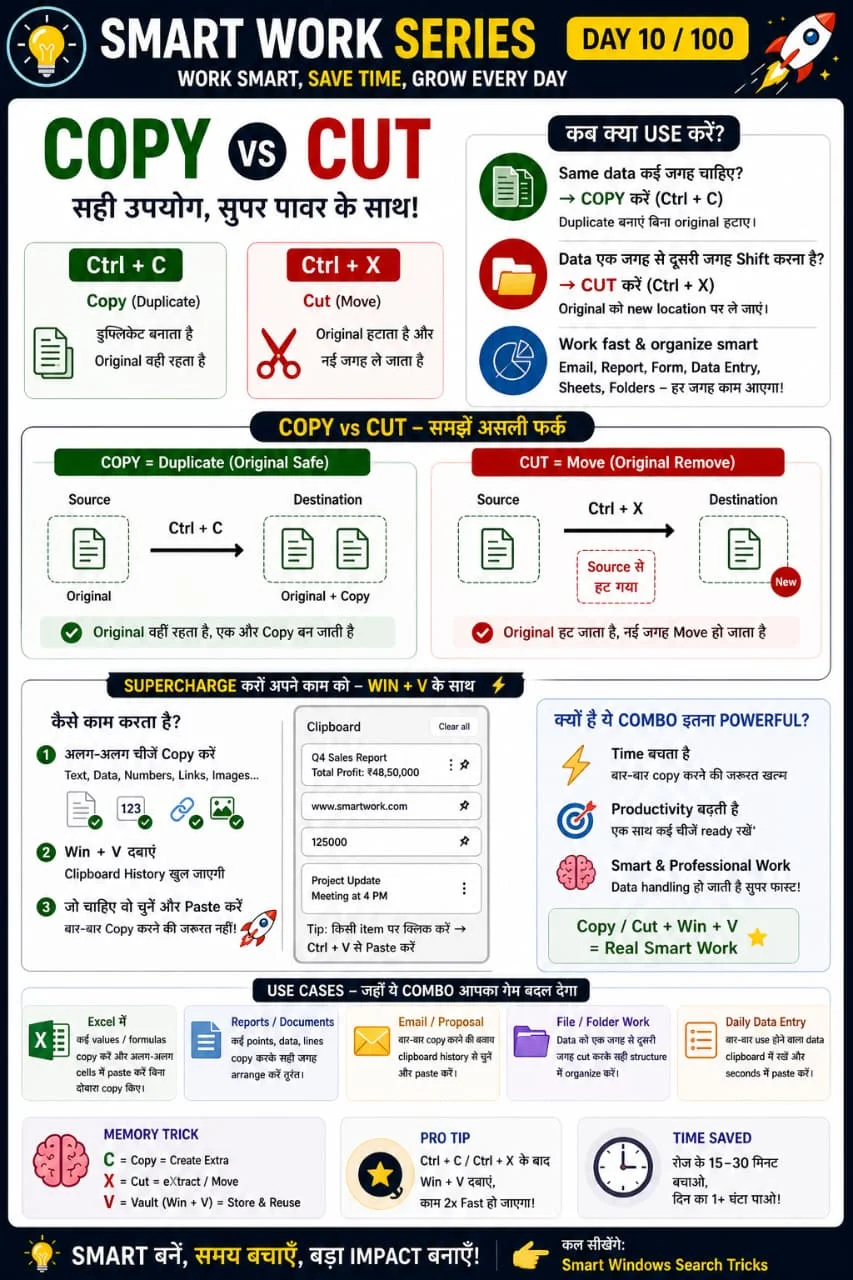
Copy, Cut and Paste
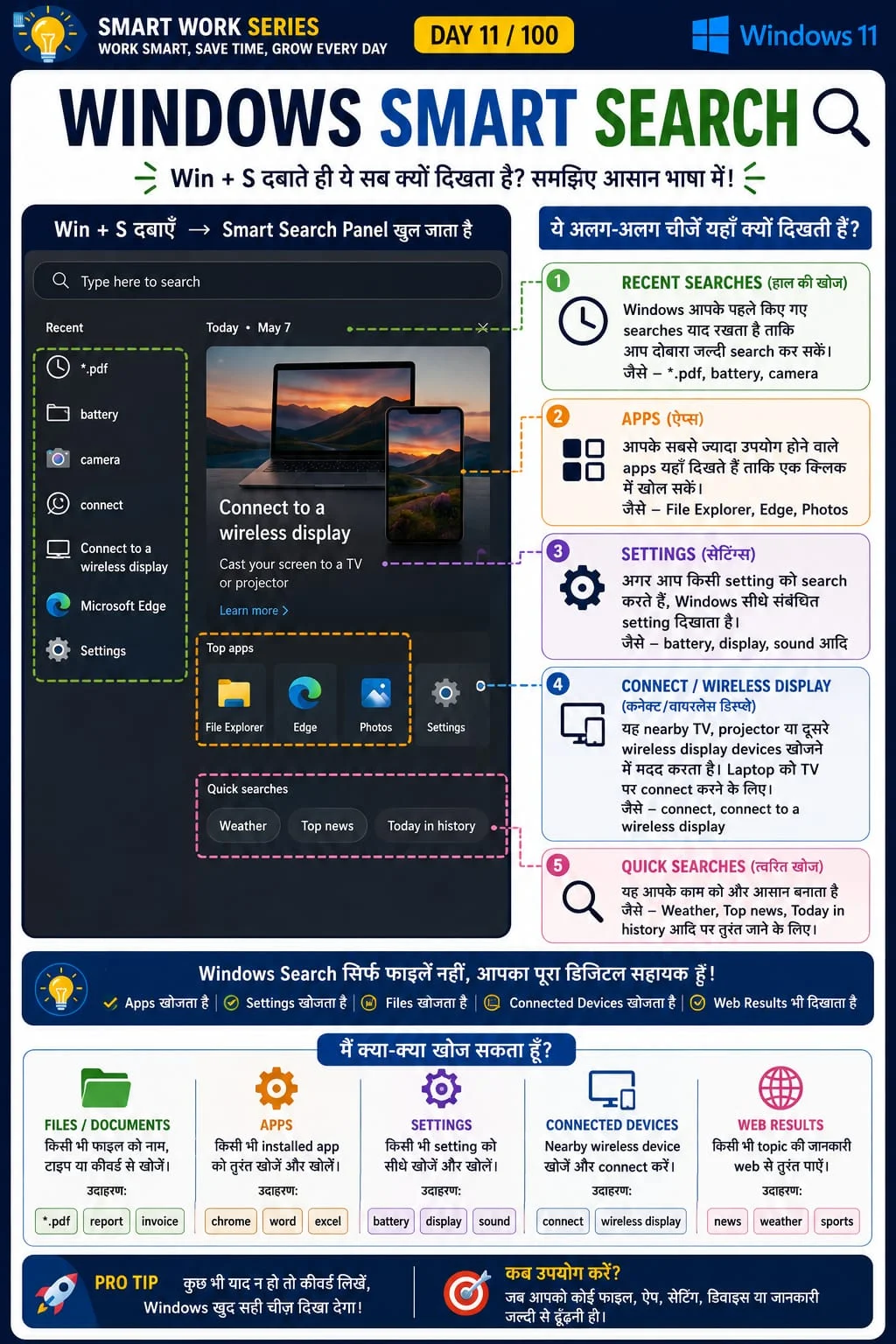
Windows Smart Search
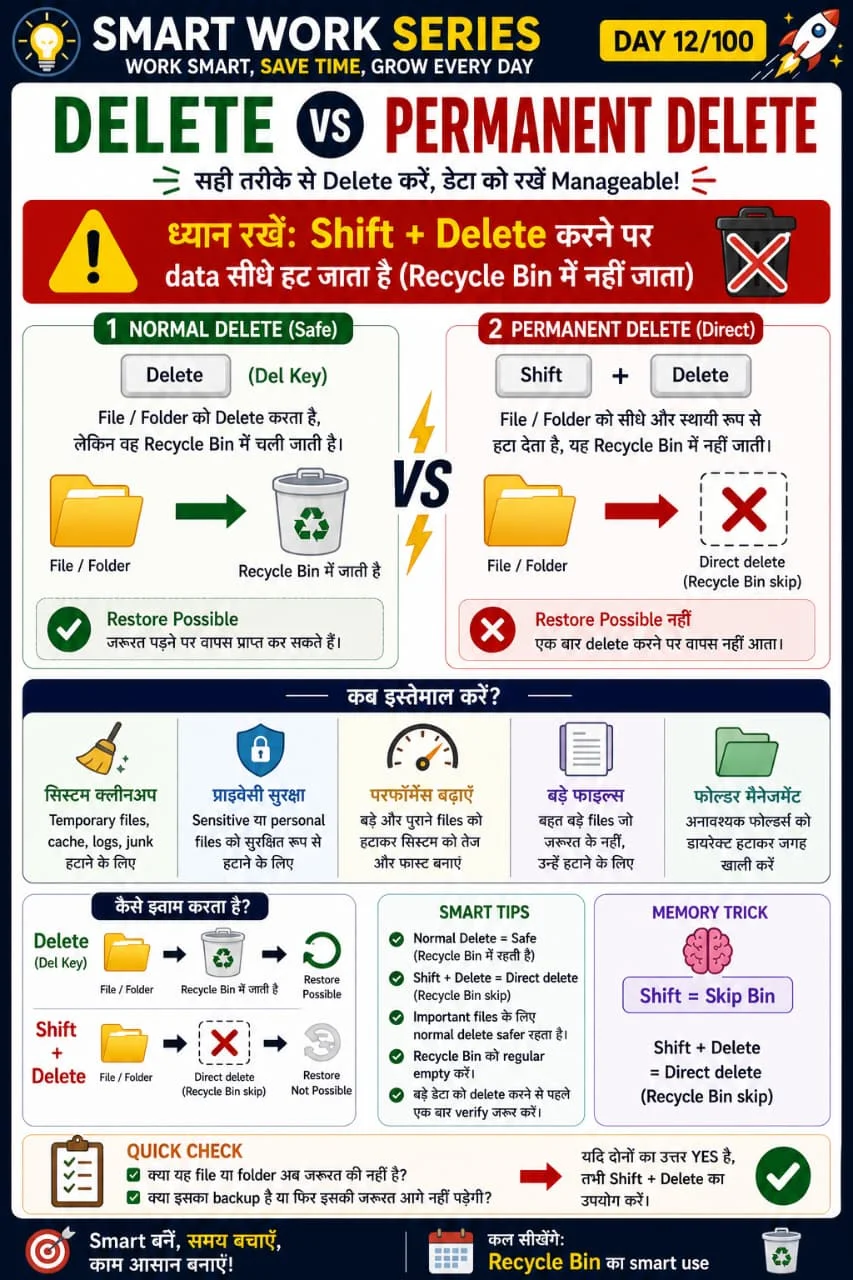
Permanent delete
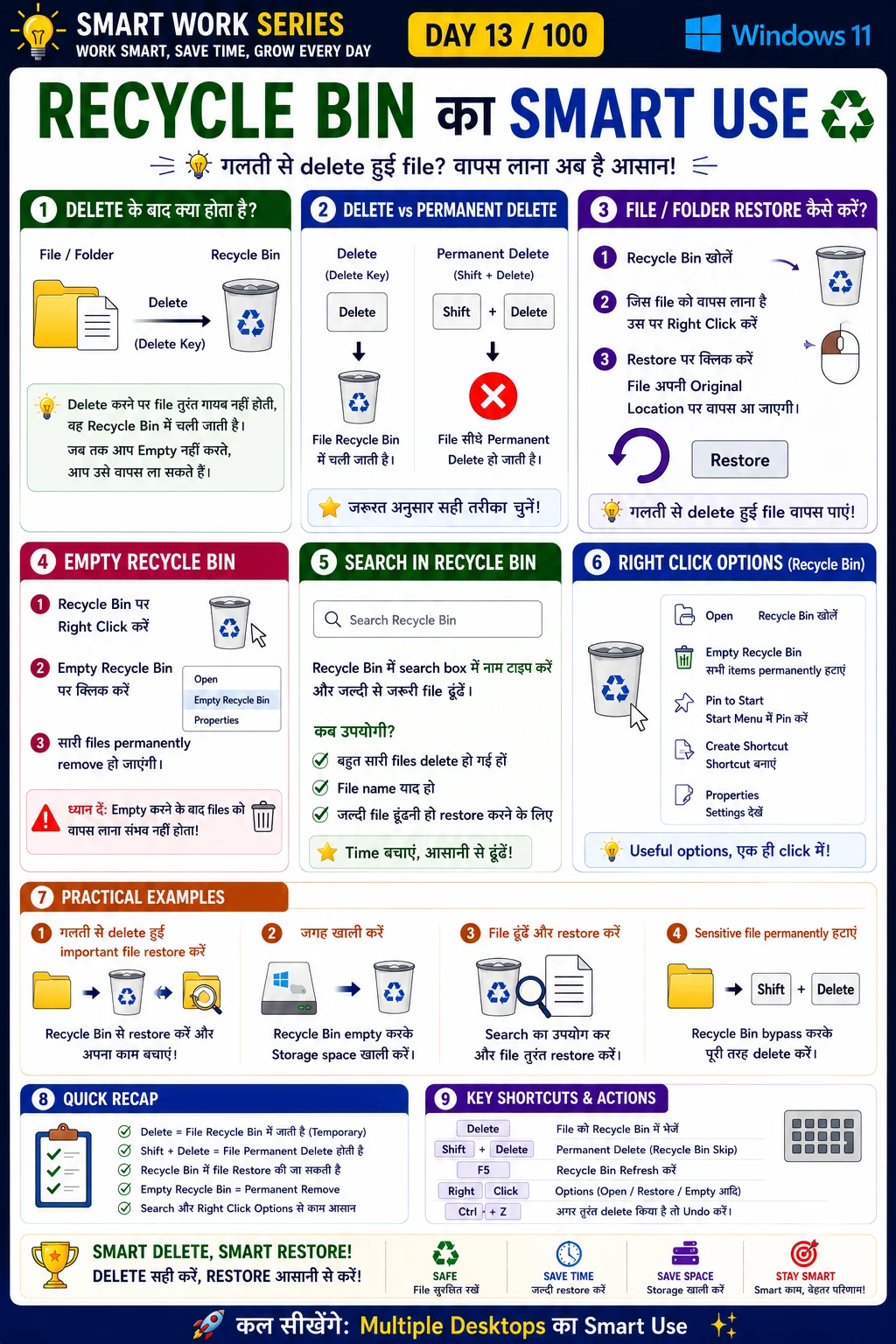
Recover deleted files
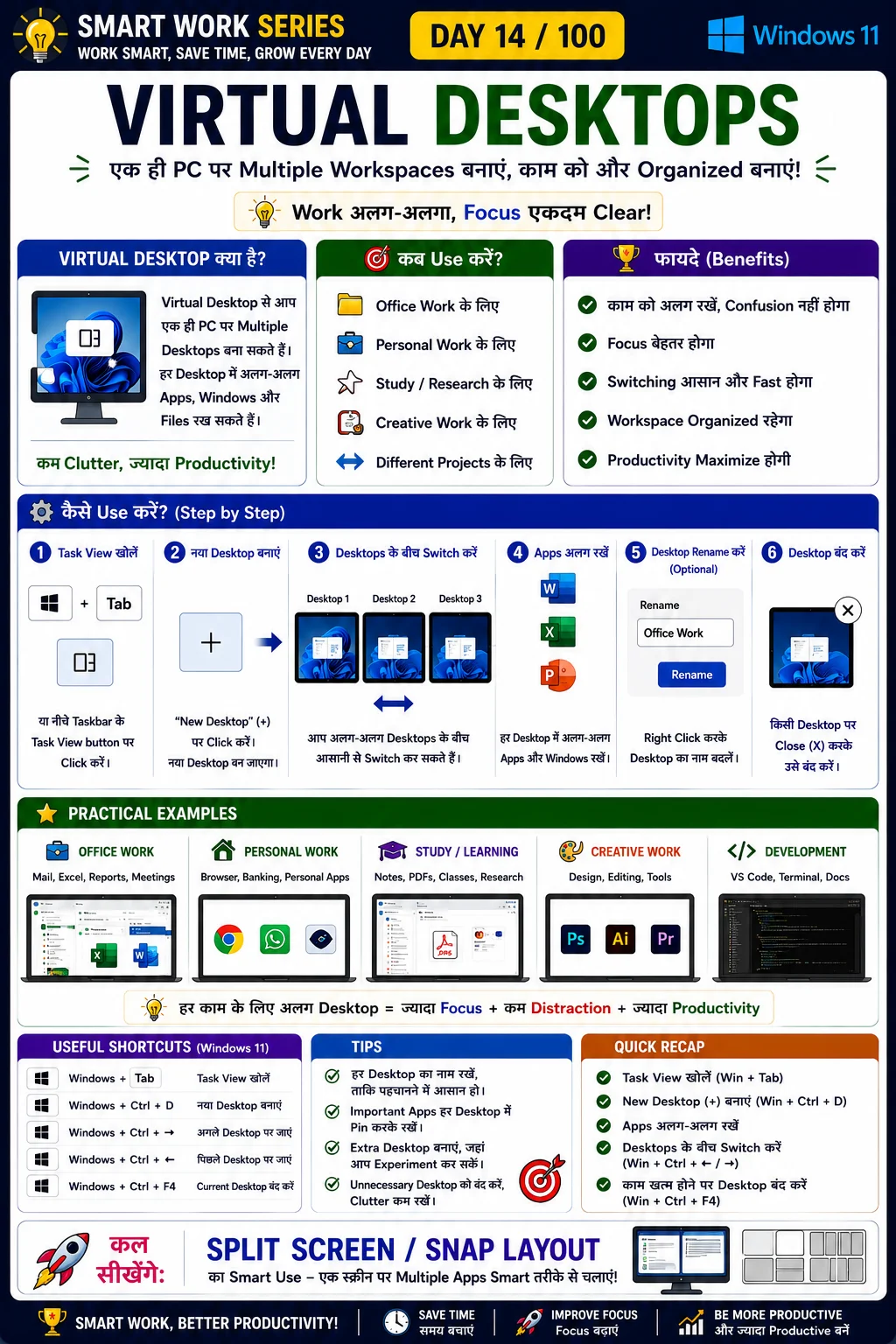
Multiple desktops for work
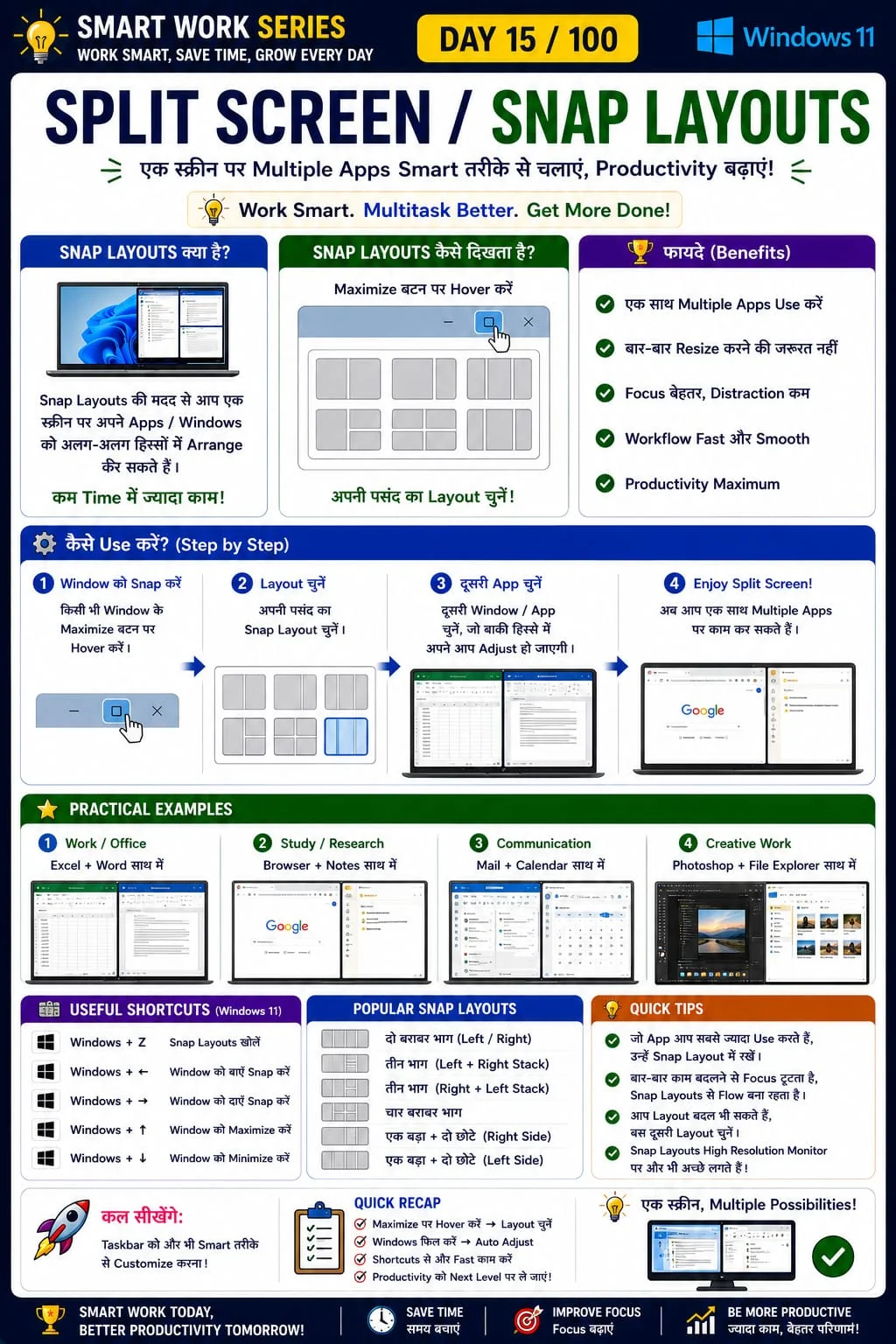
Snap Layouts / Split Screen
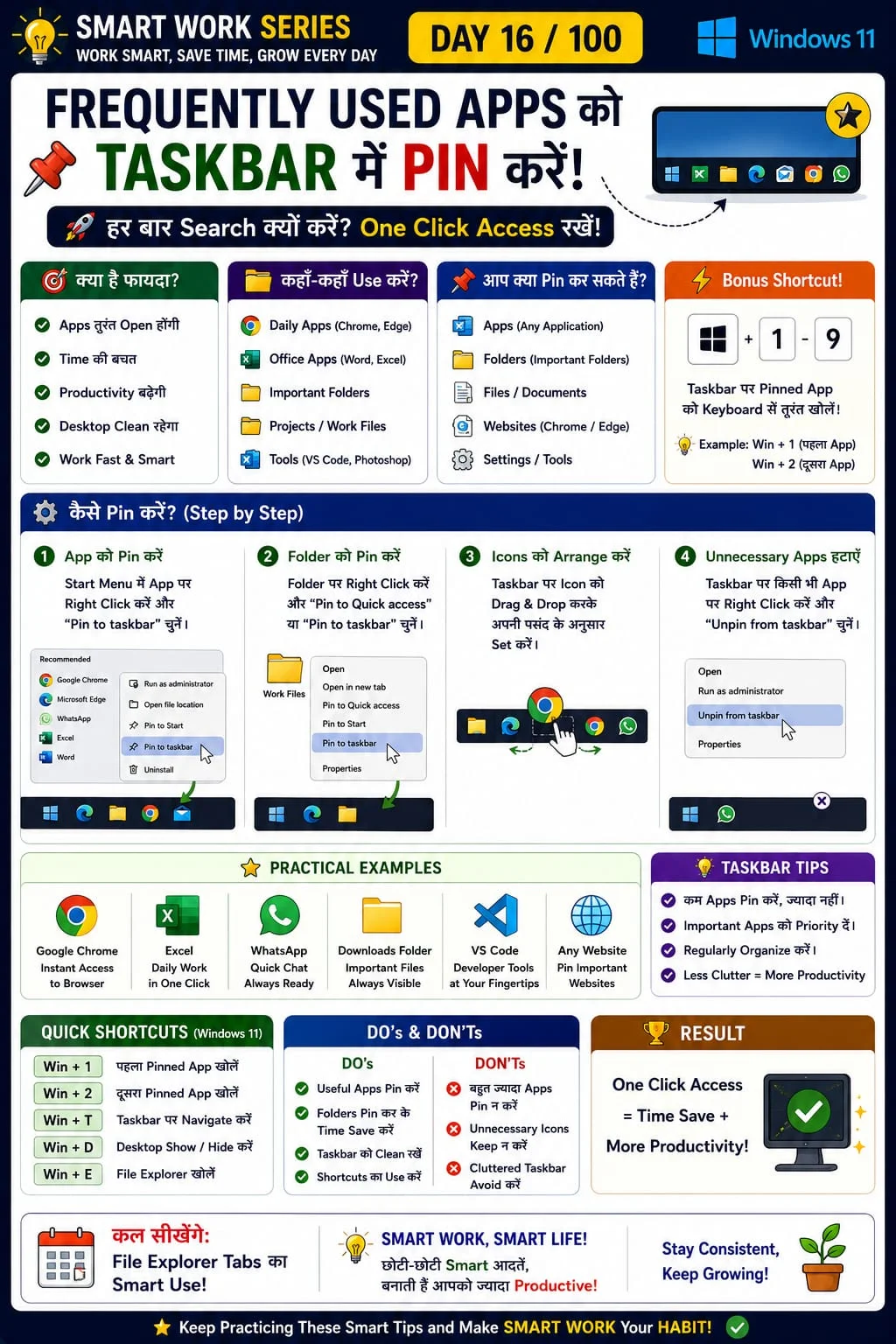
One-click app access
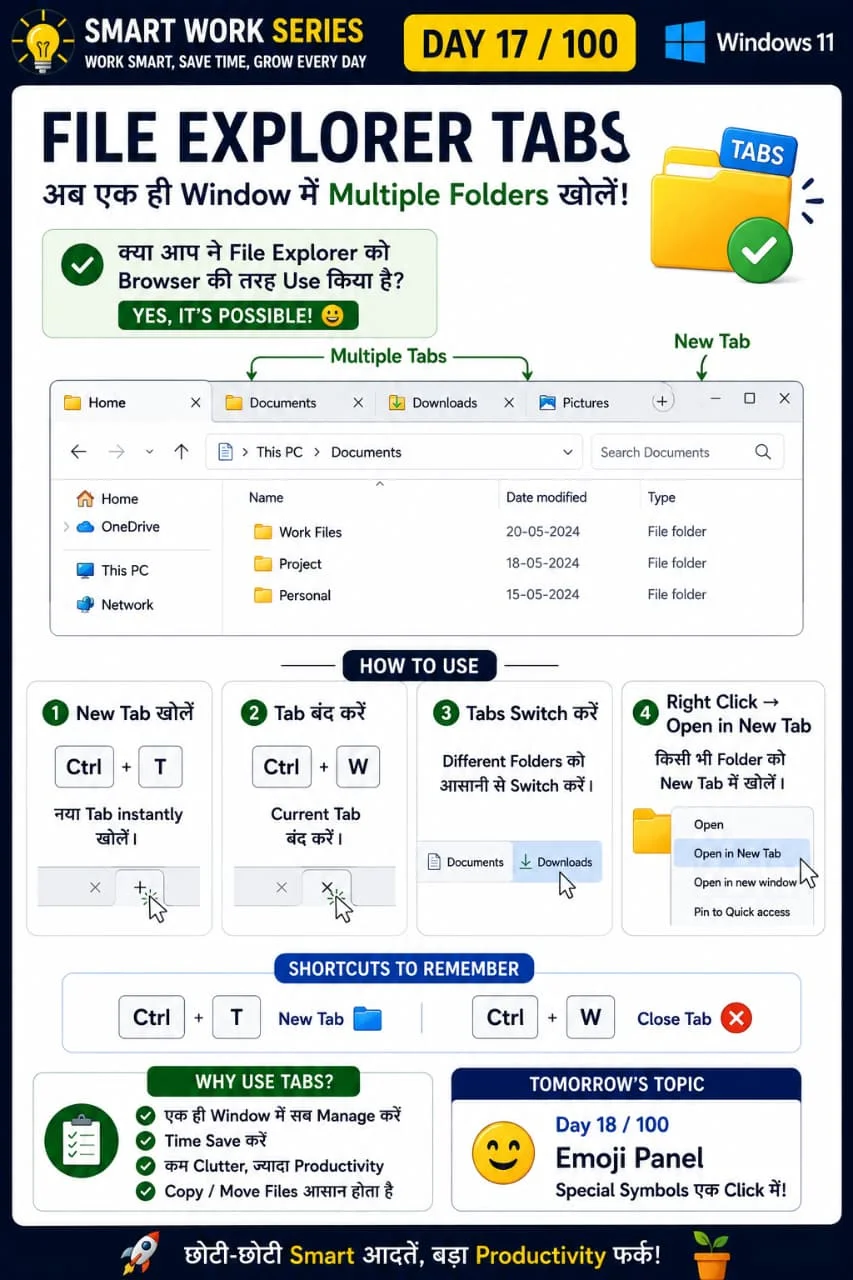
Multiple folders in one window
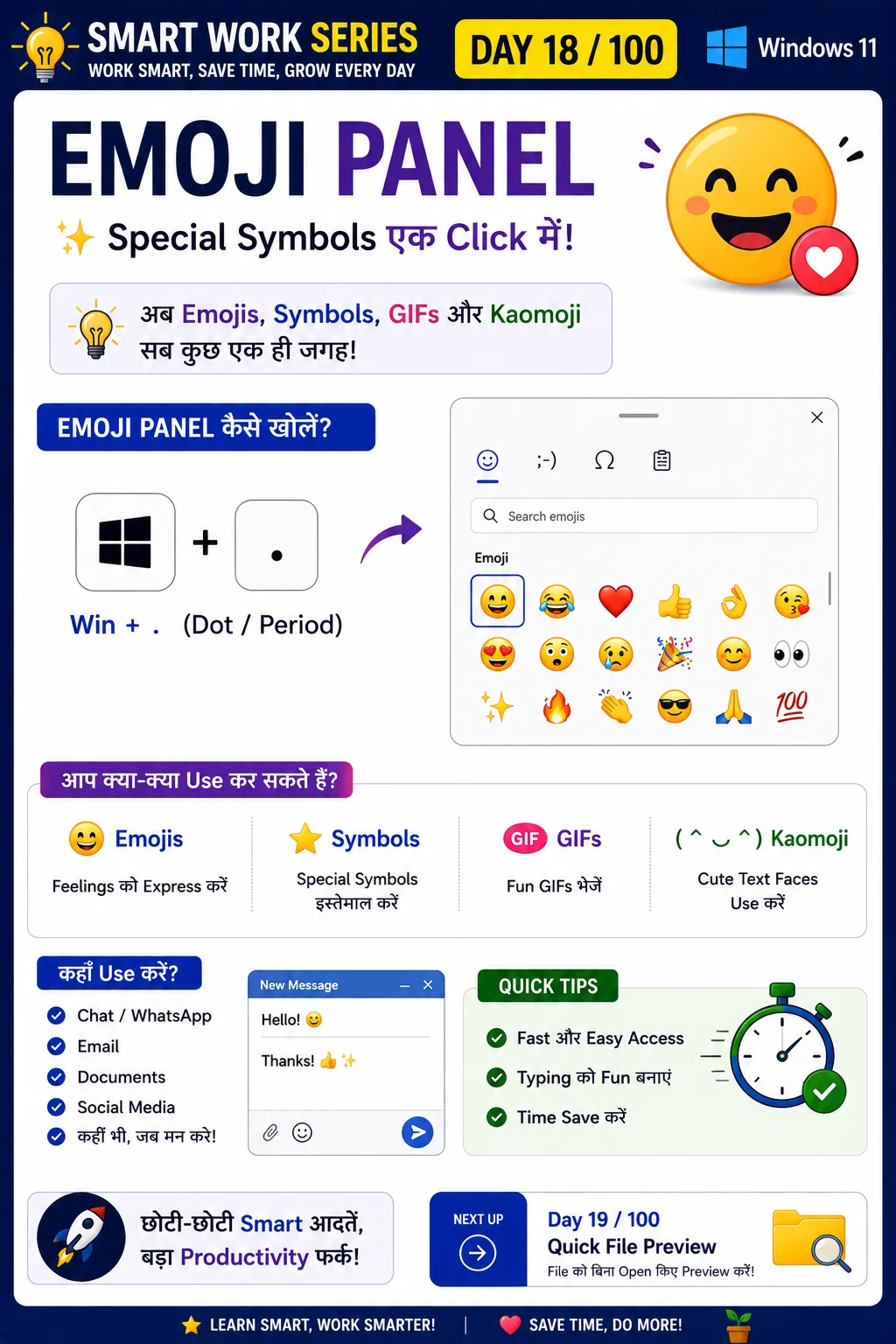
Insert emojis anywhere
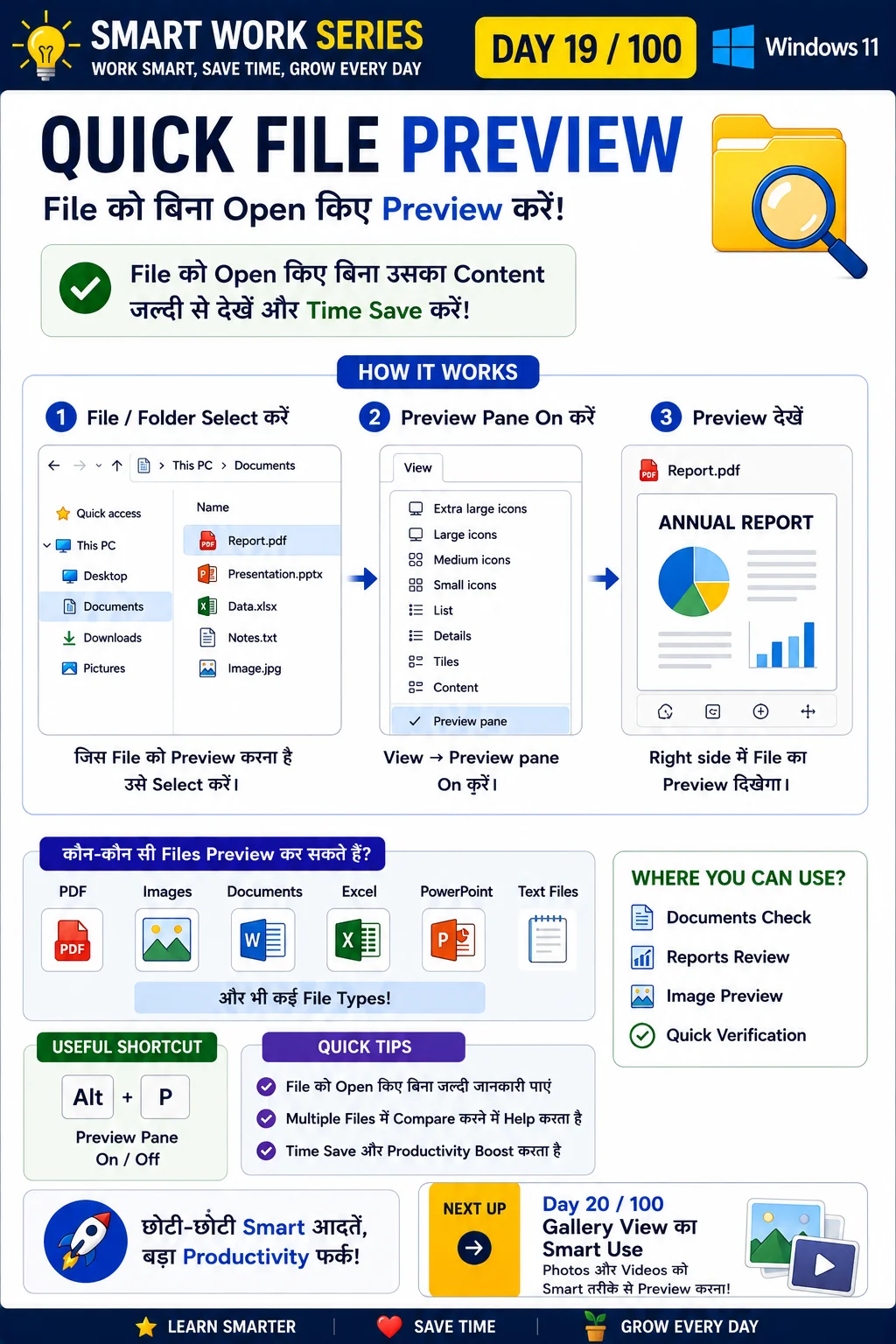
Preview files quickly
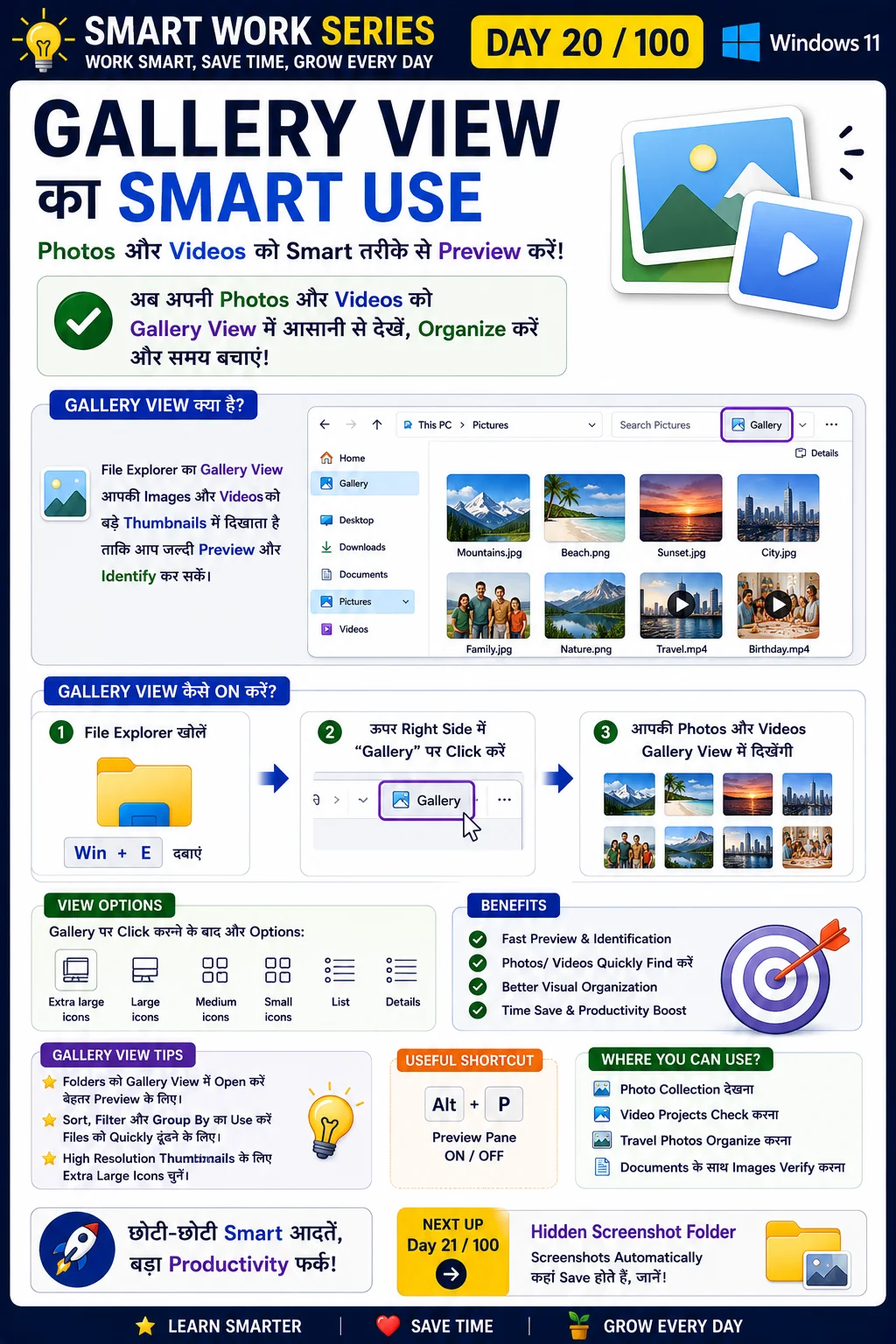
View images efficiently
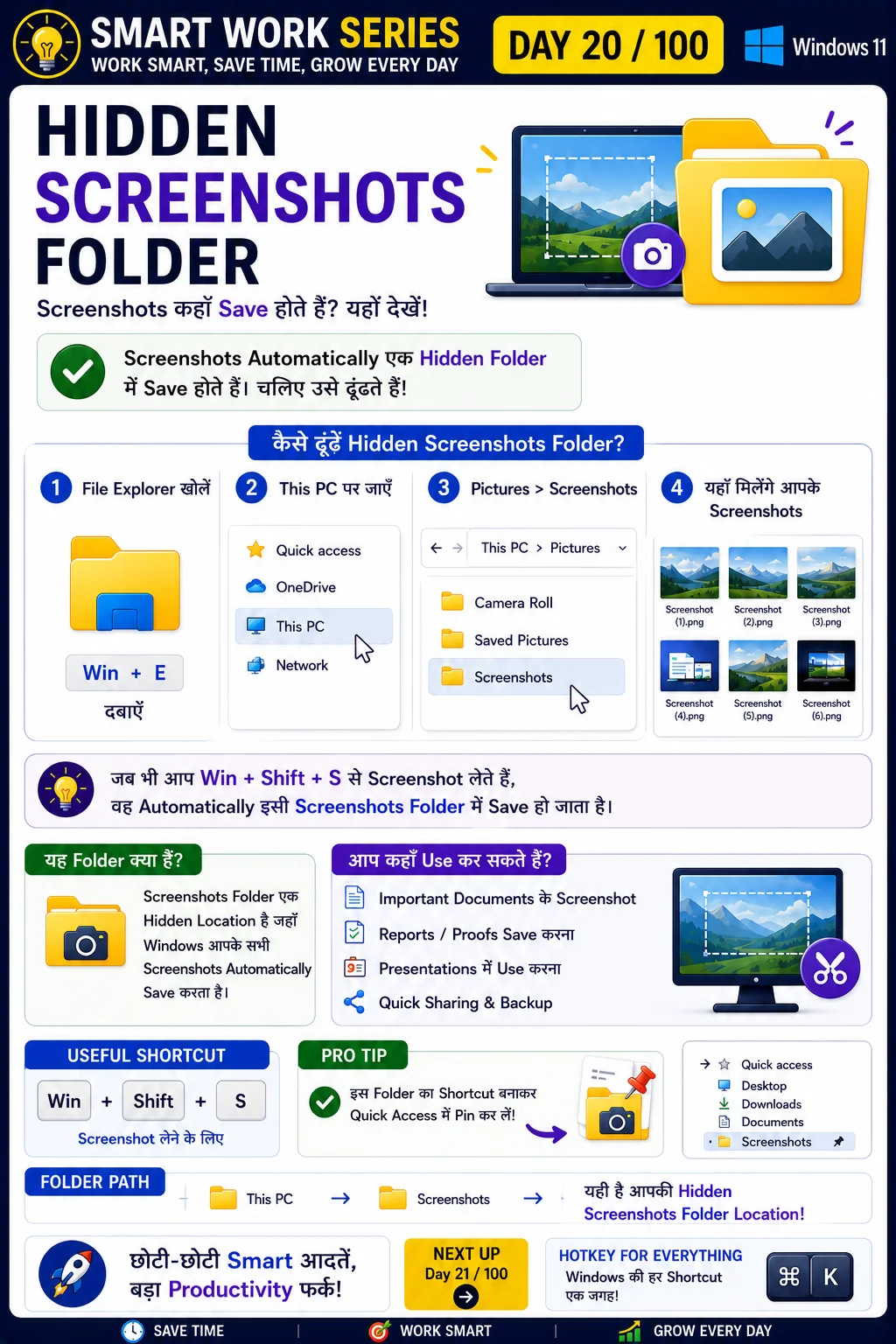
Find screenshots automatically saved
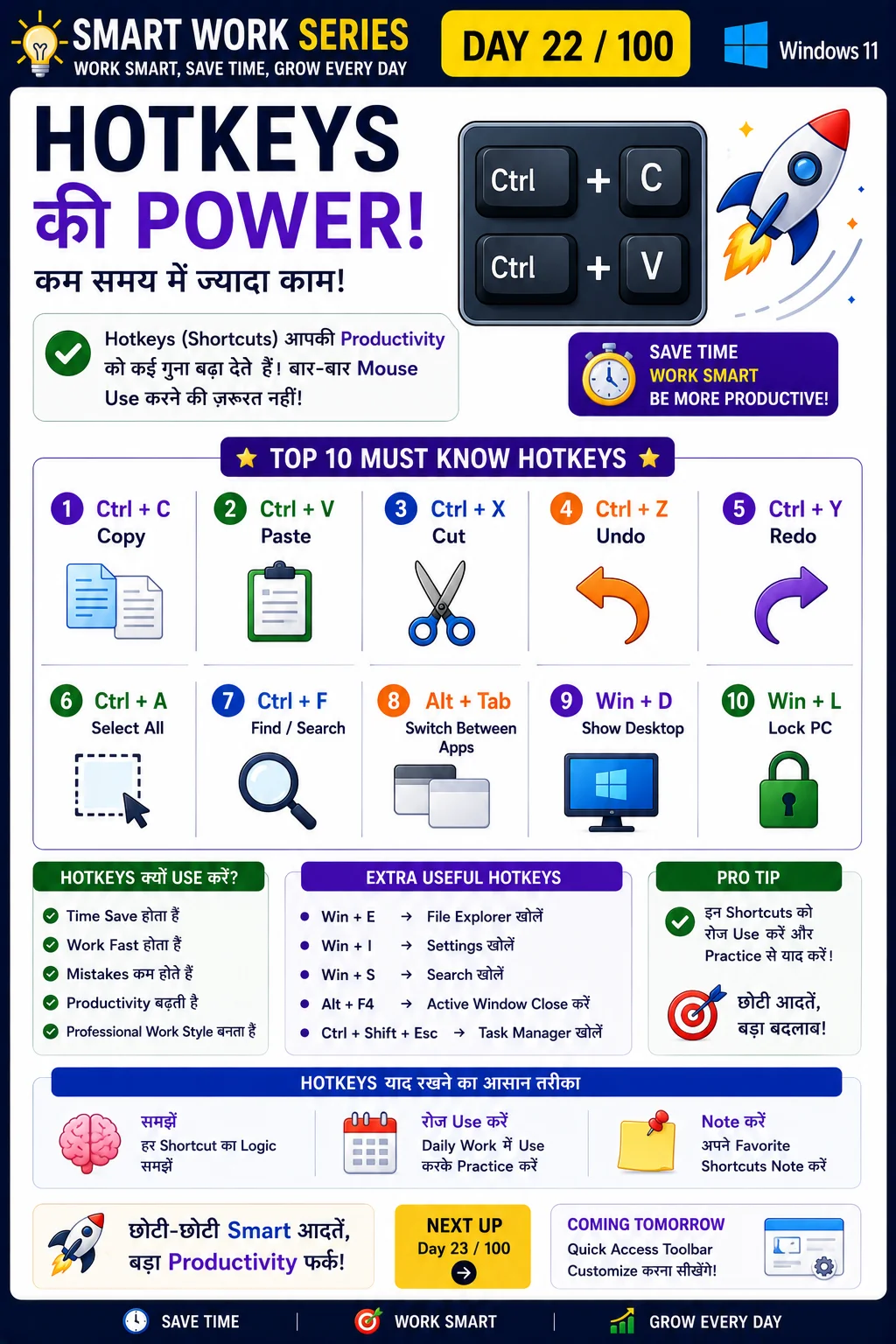
Boost productivity using shortcuts
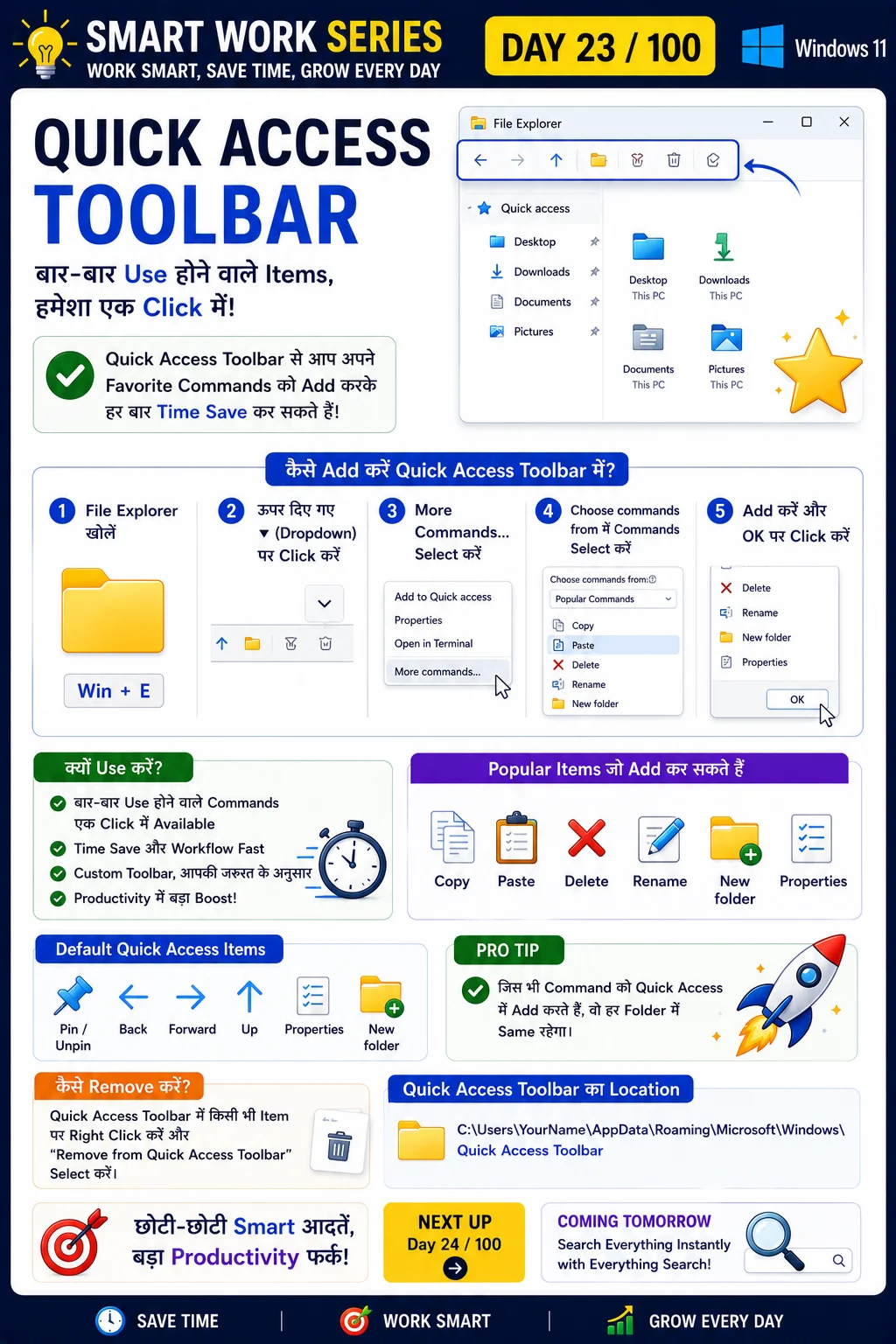
Pin important folders
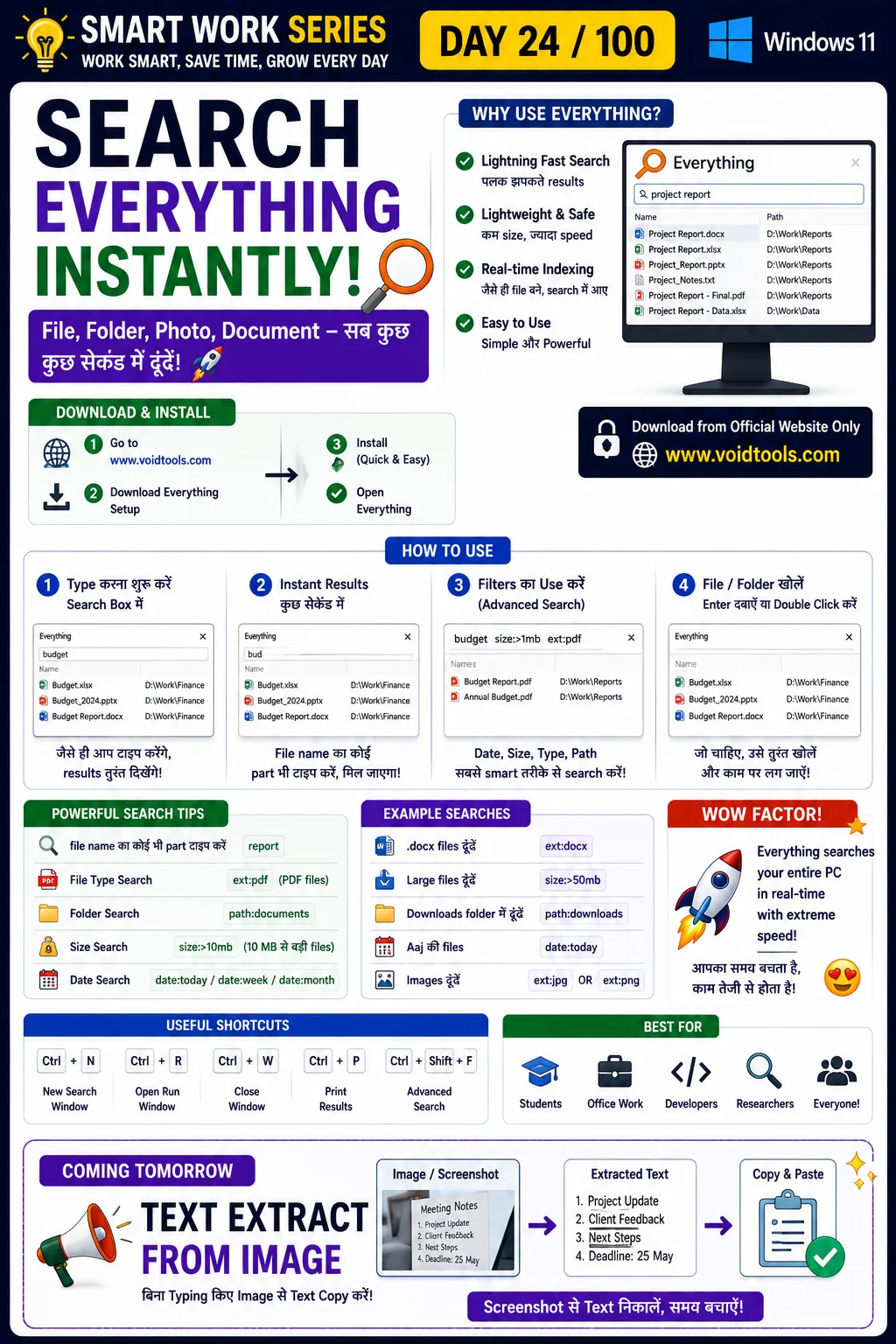
Find files quickly
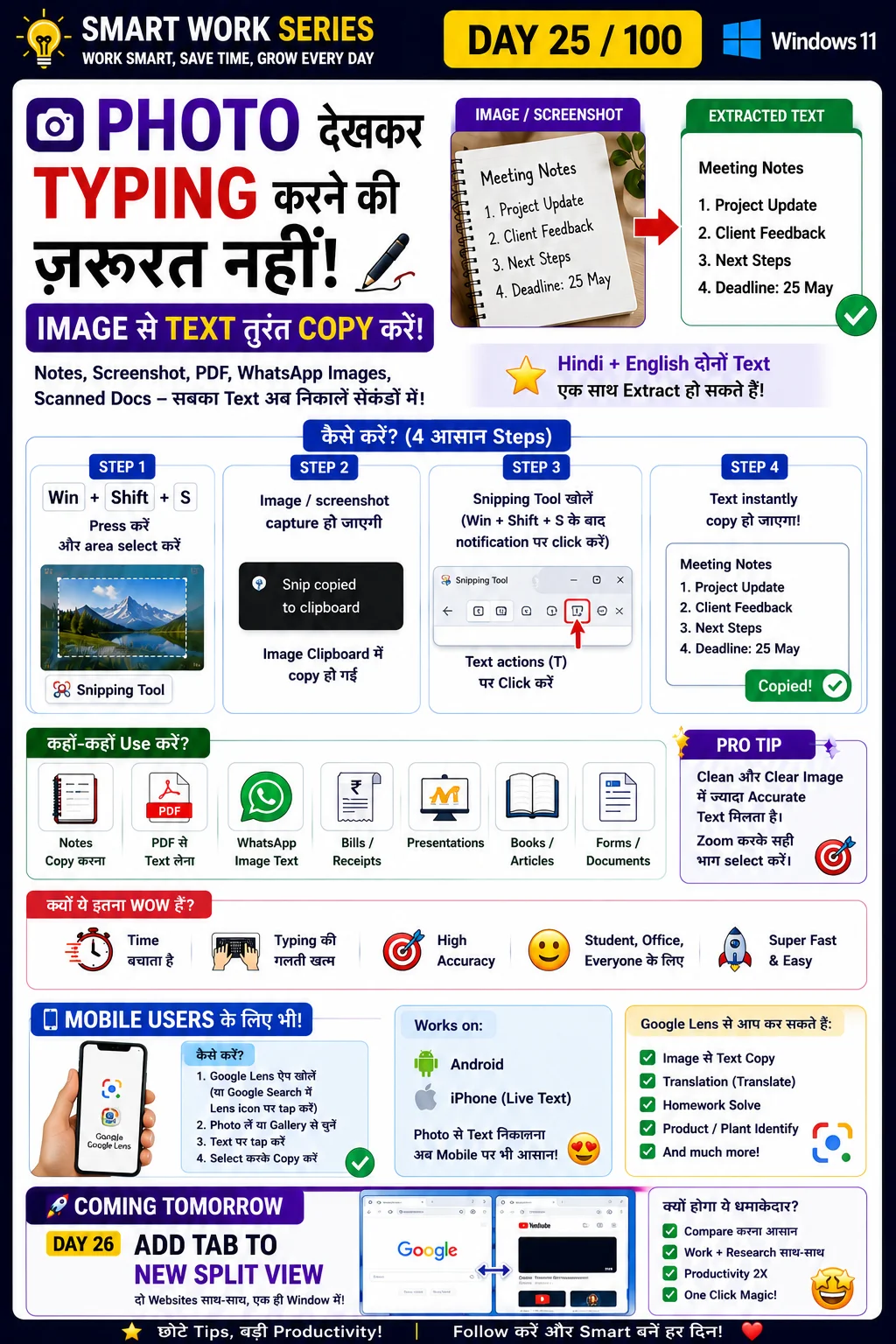
Extract text directly from images
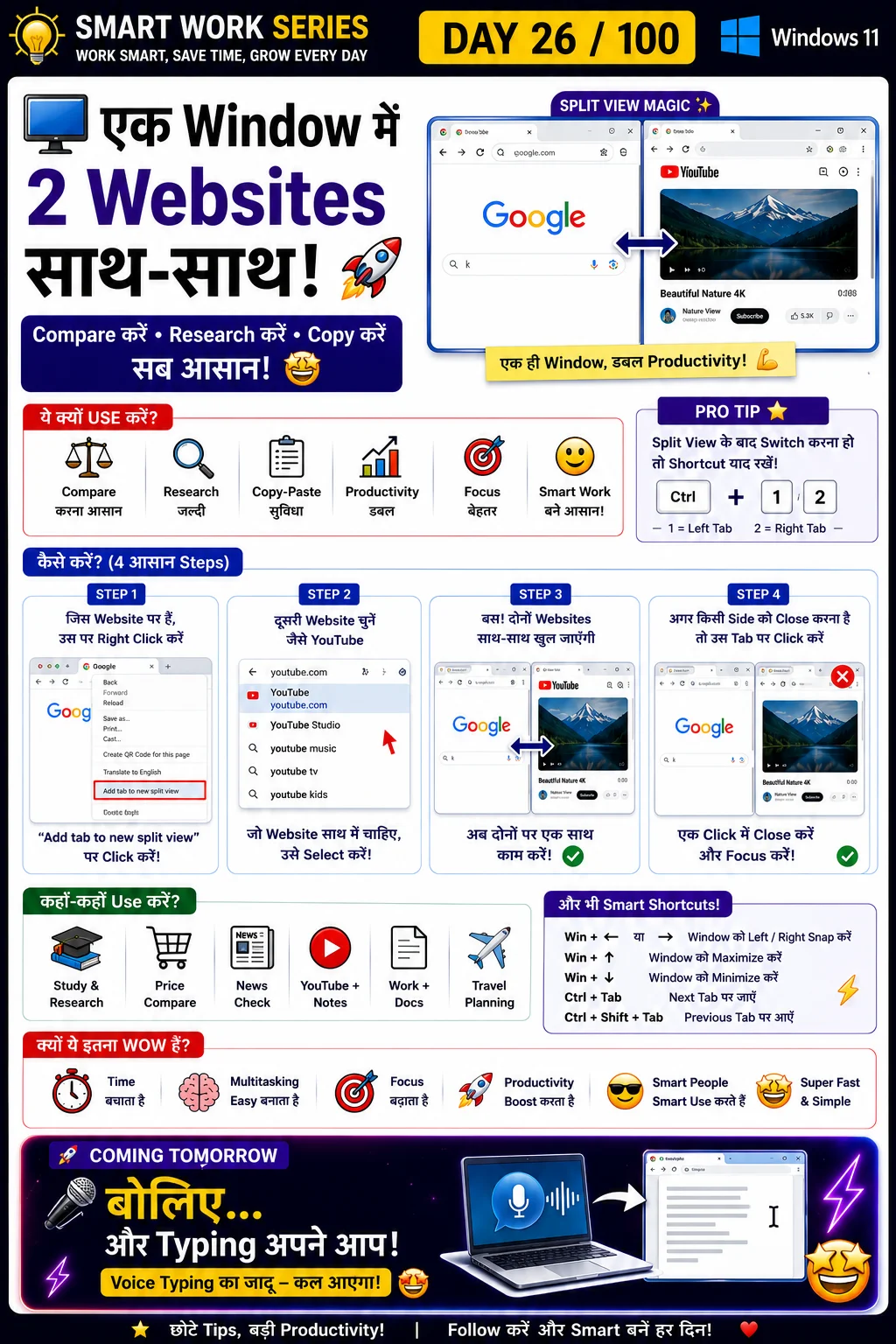
Open two websites side-by-side
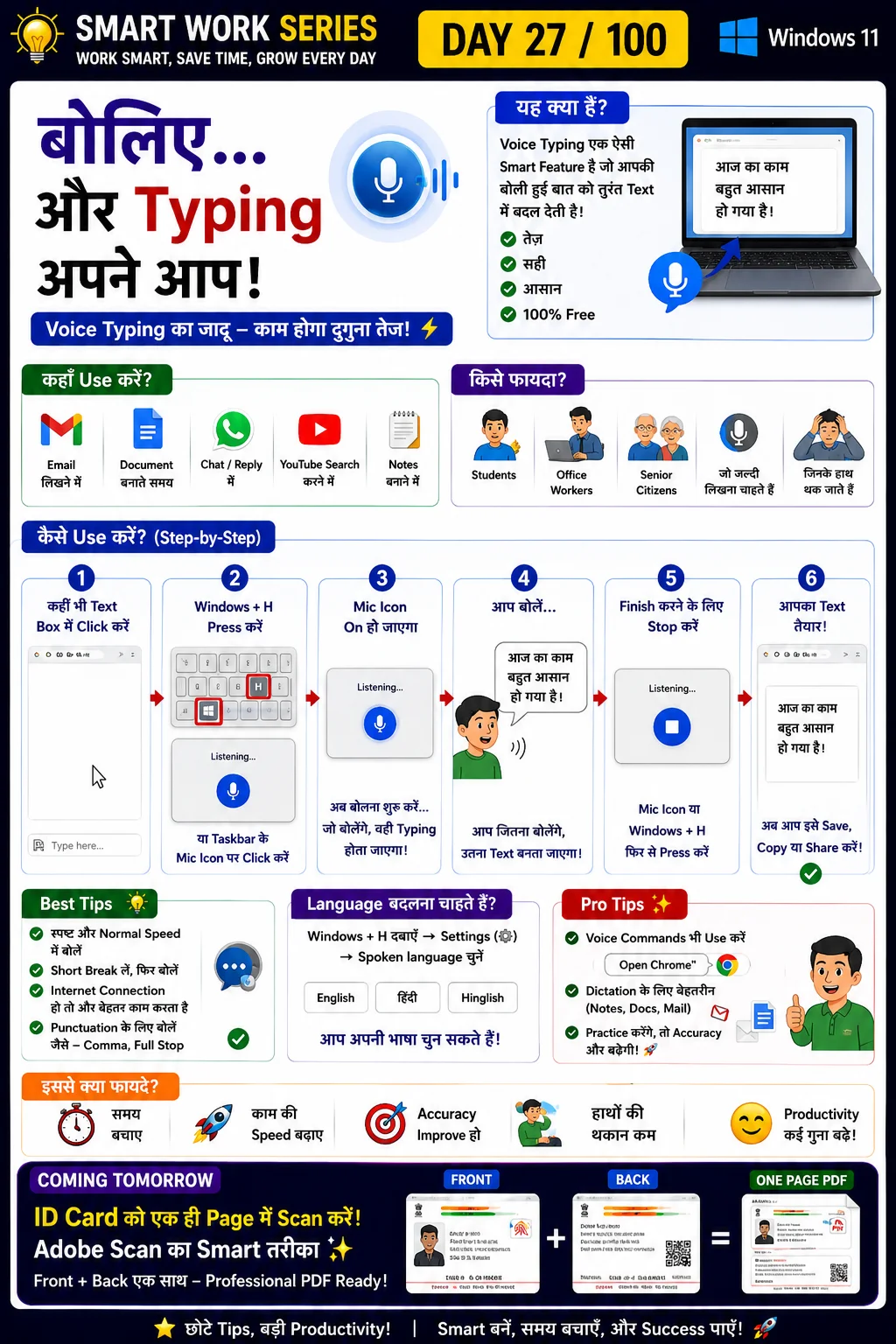
Speak and type automatically
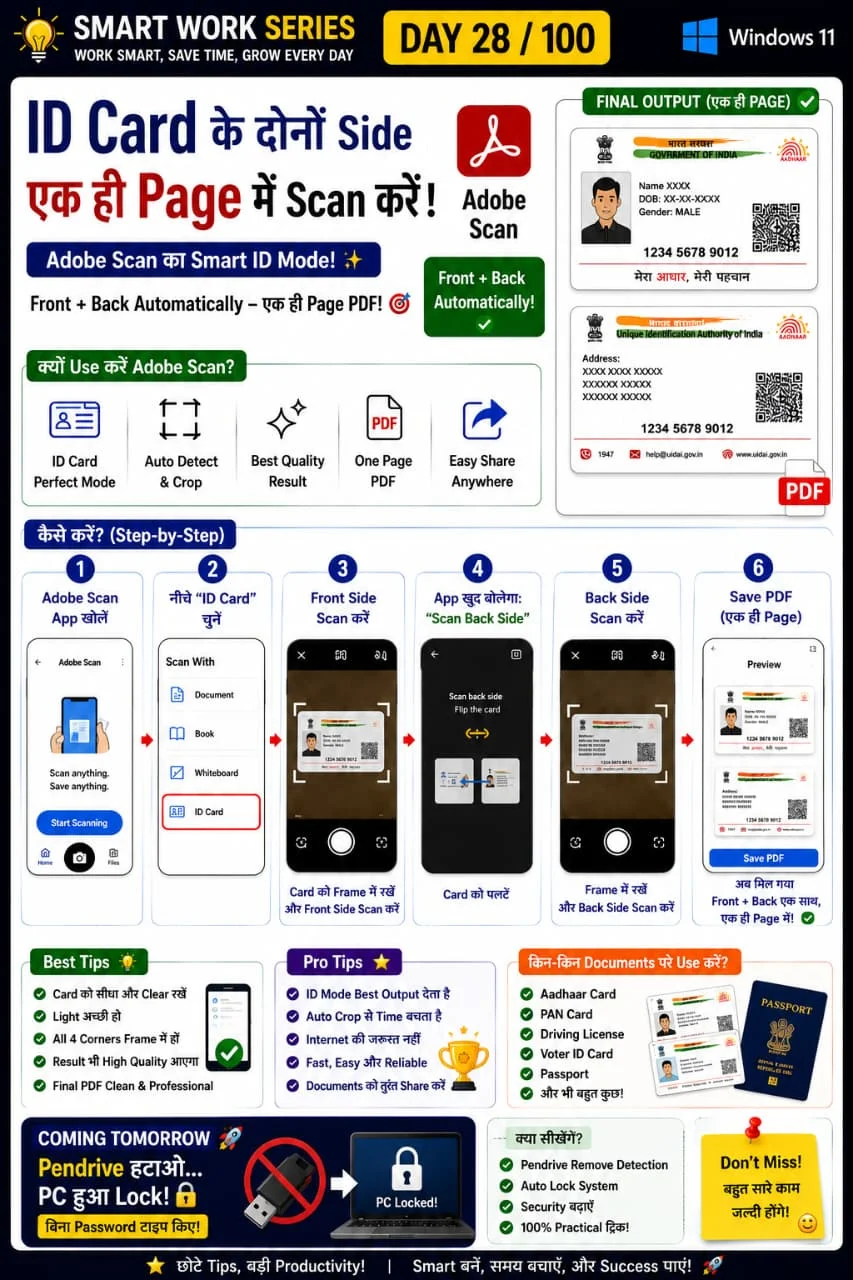
Scan front and back on one page
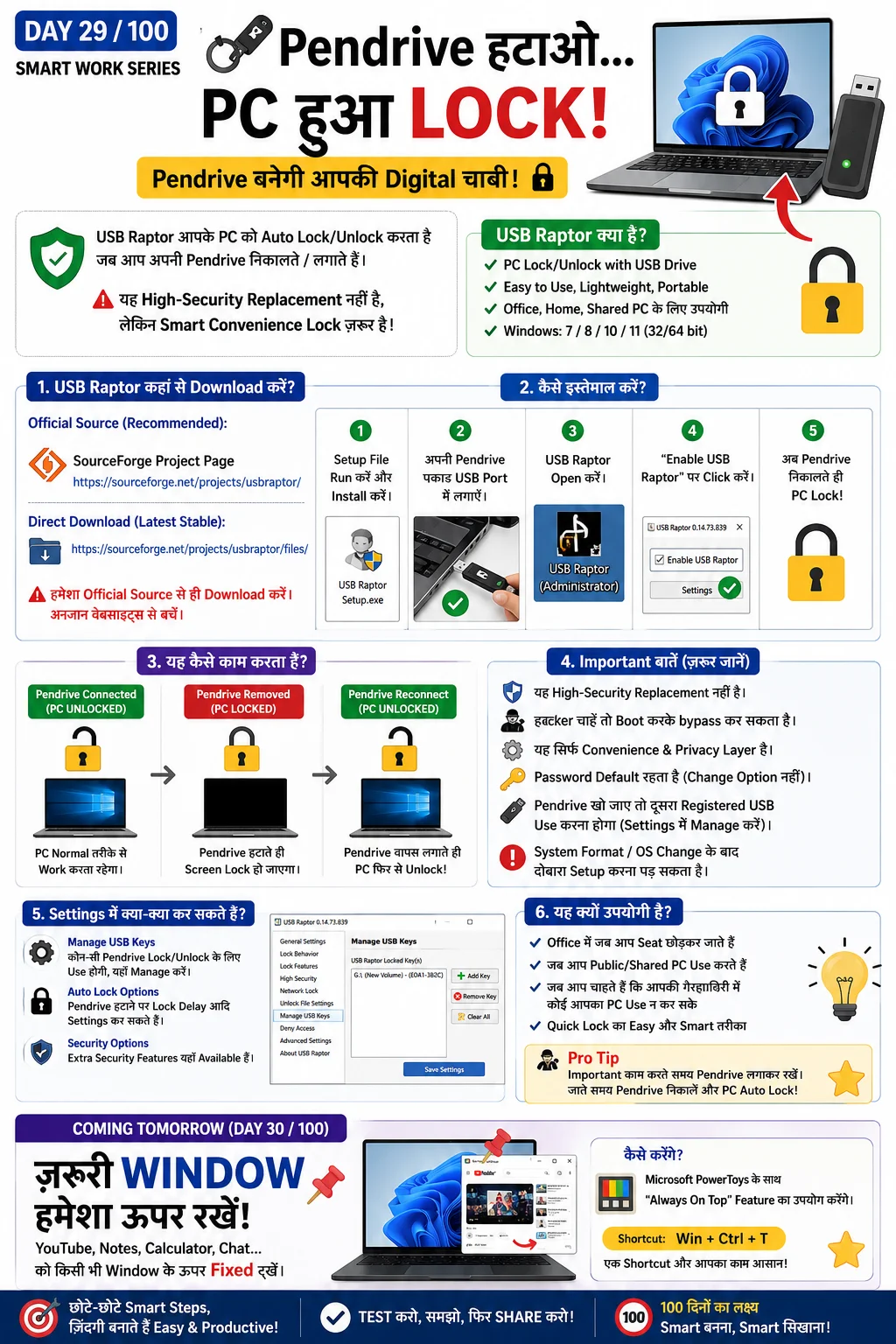
Lock PC using USB drive
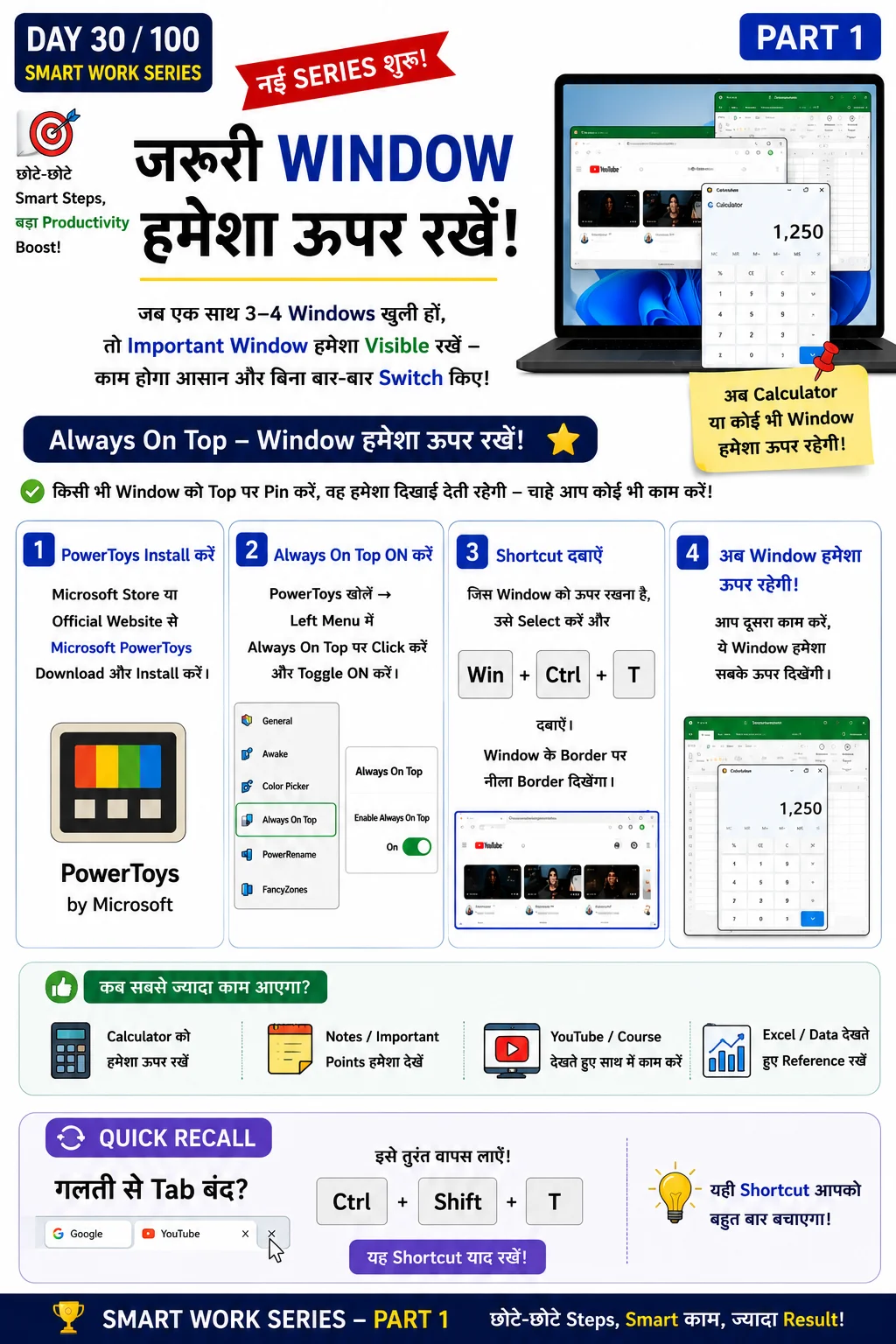
Keep important window above others
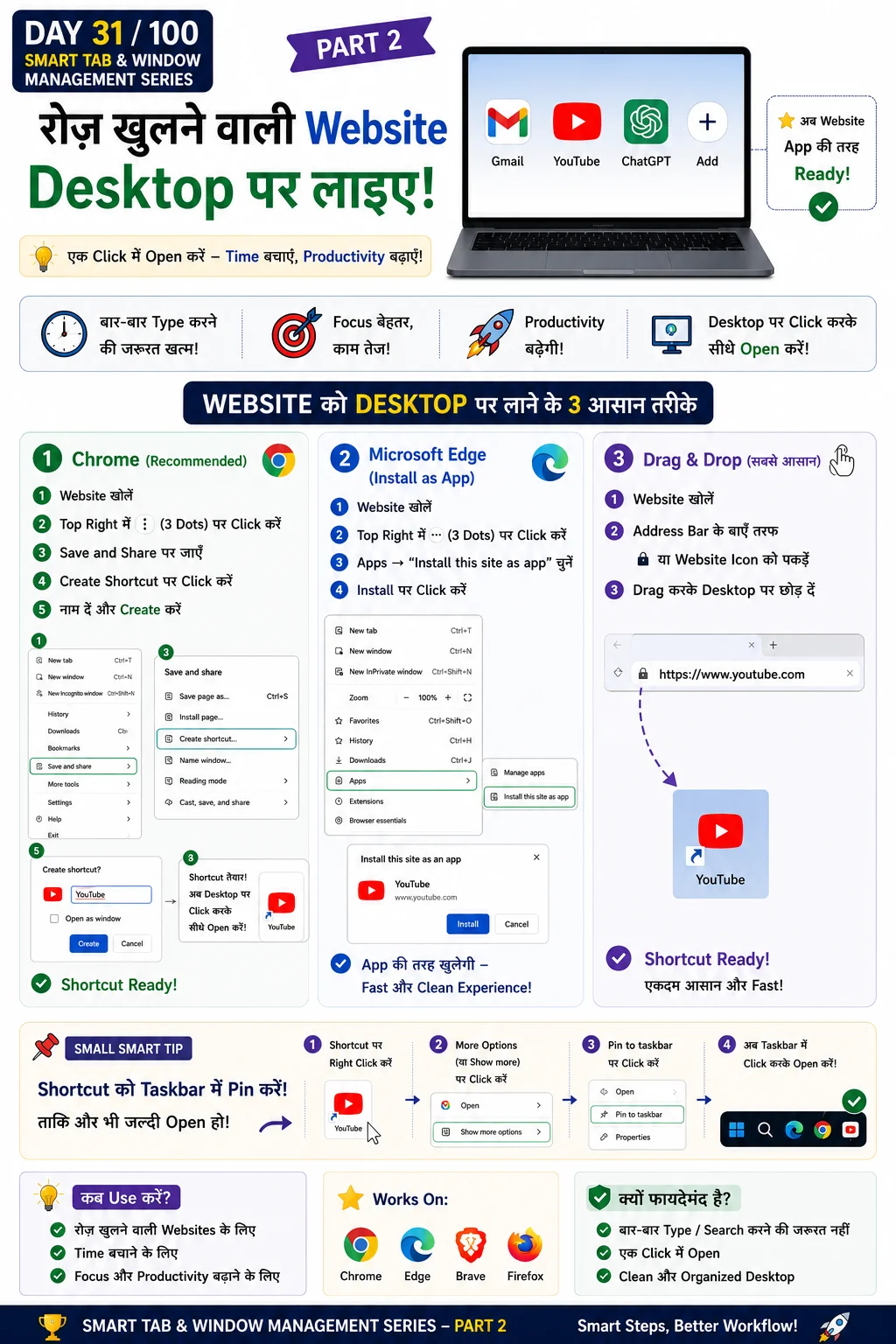
Create desktop shortcut for websites
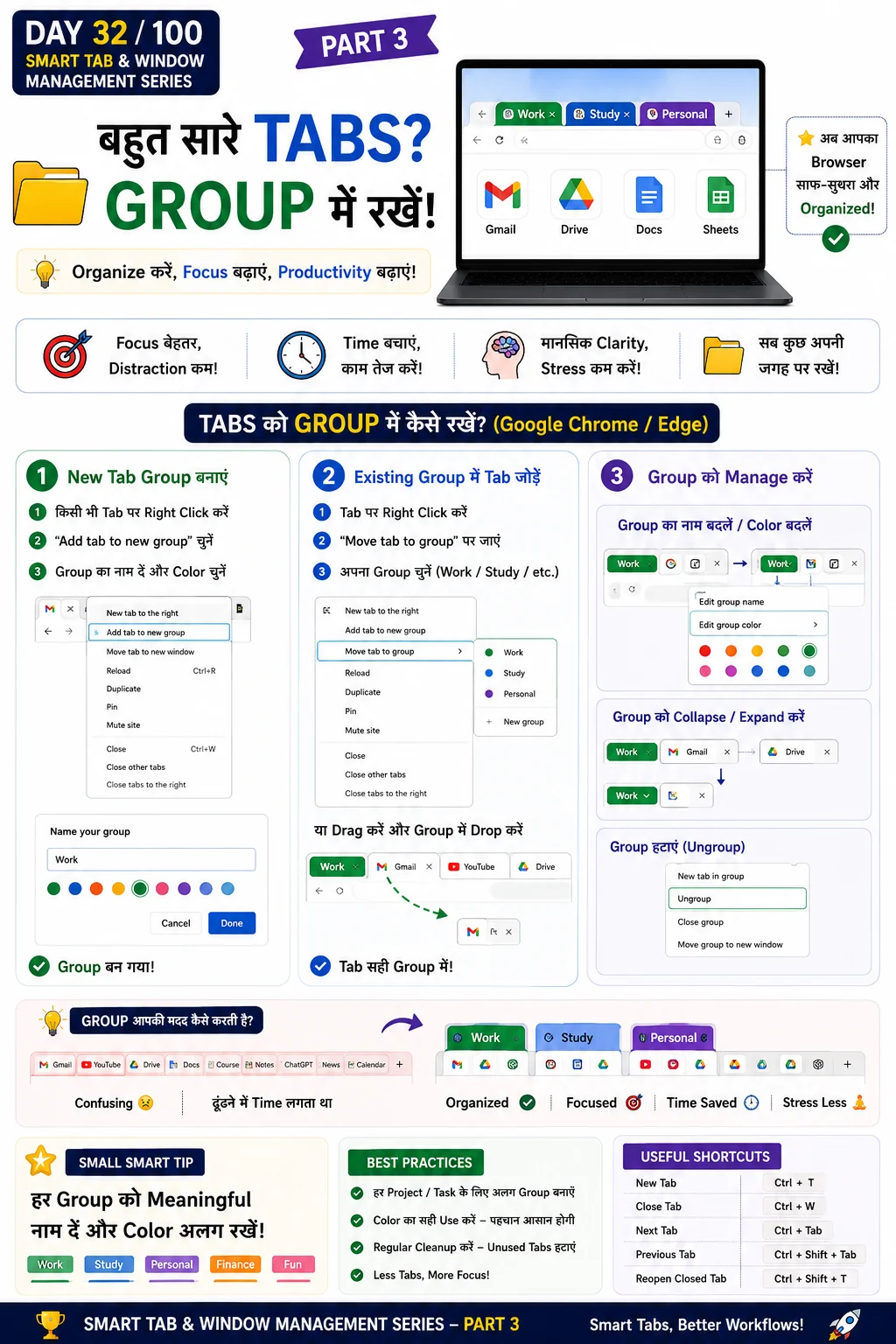
Organize tabs into groups
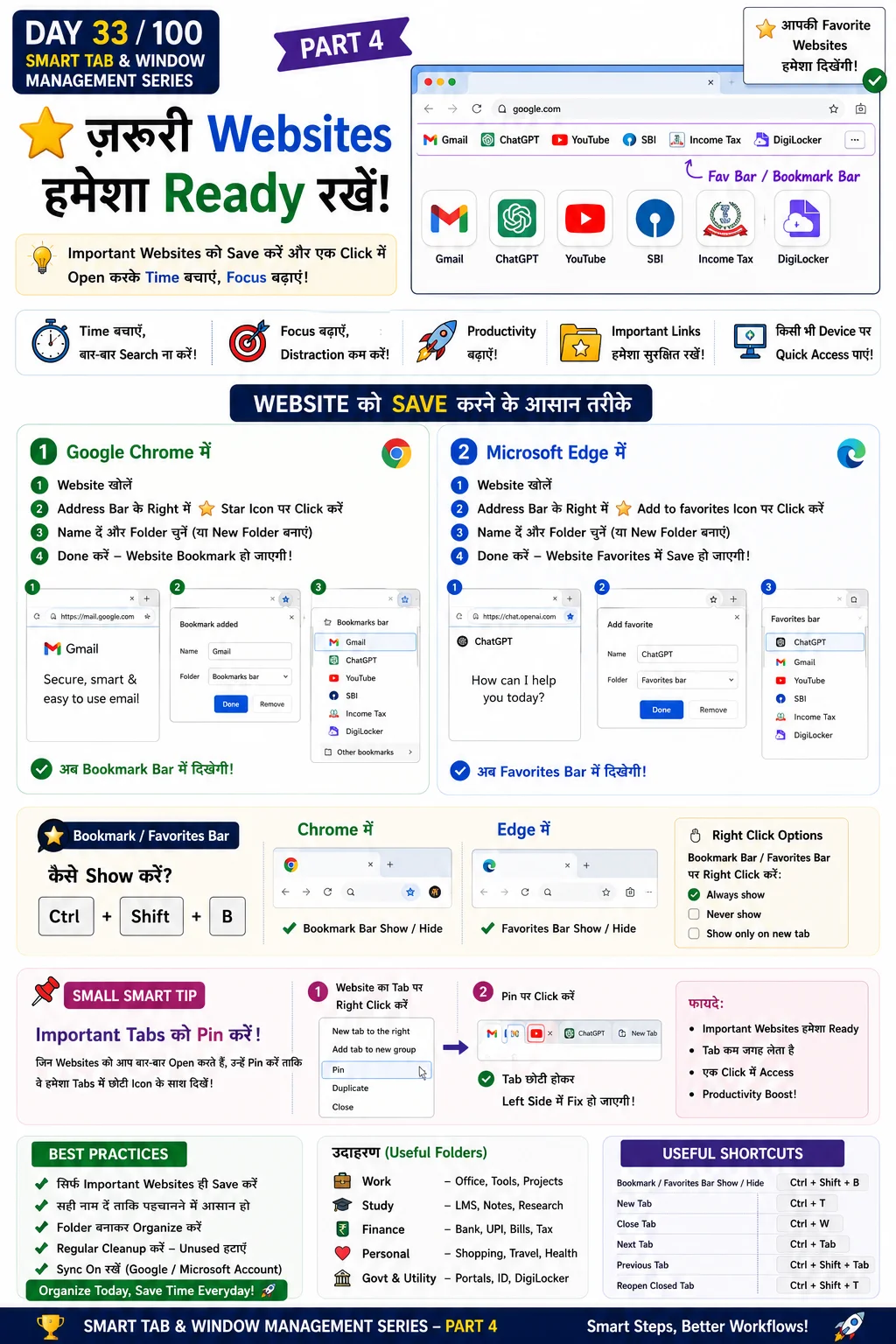
Save websites for later
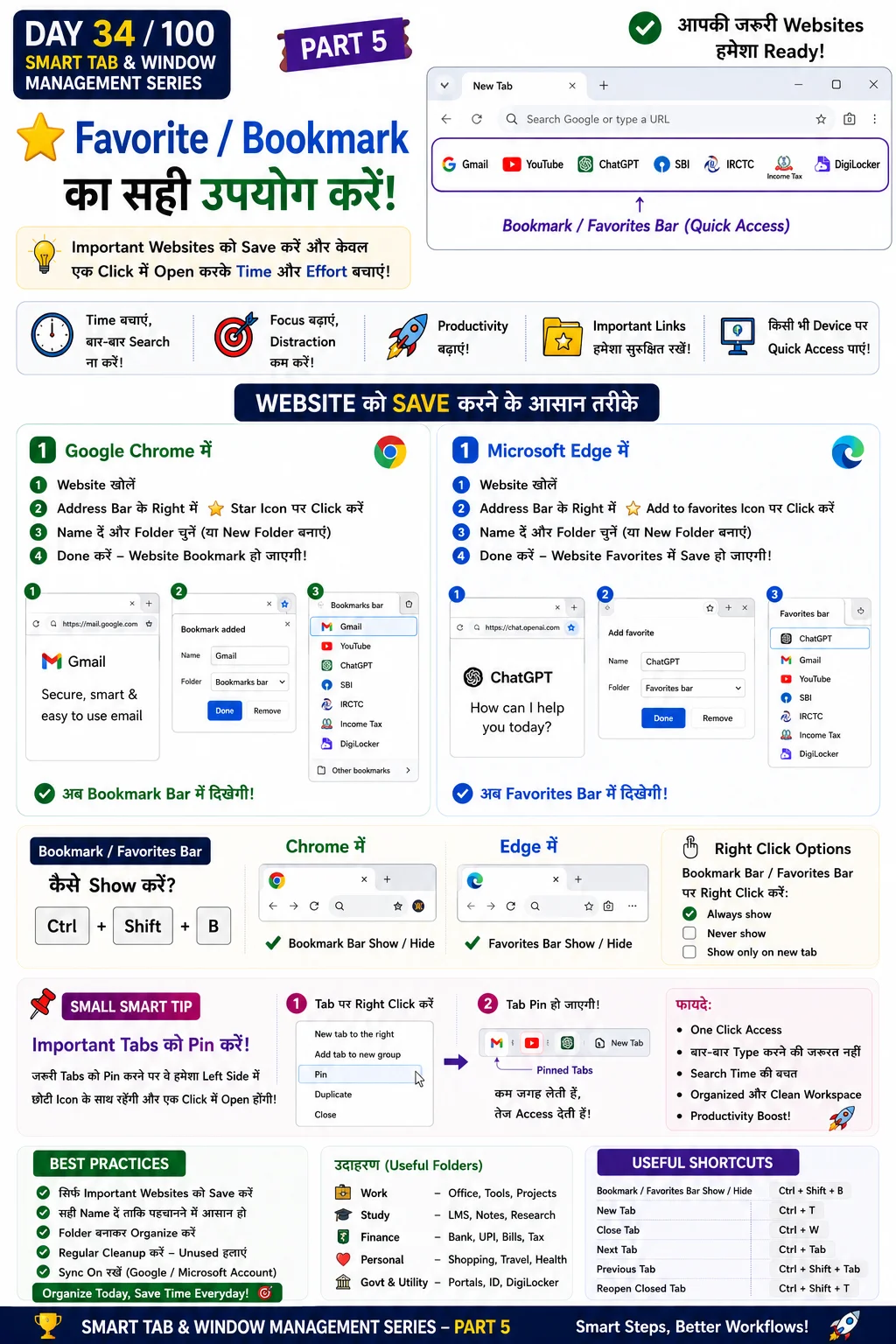
Show bookmark bar
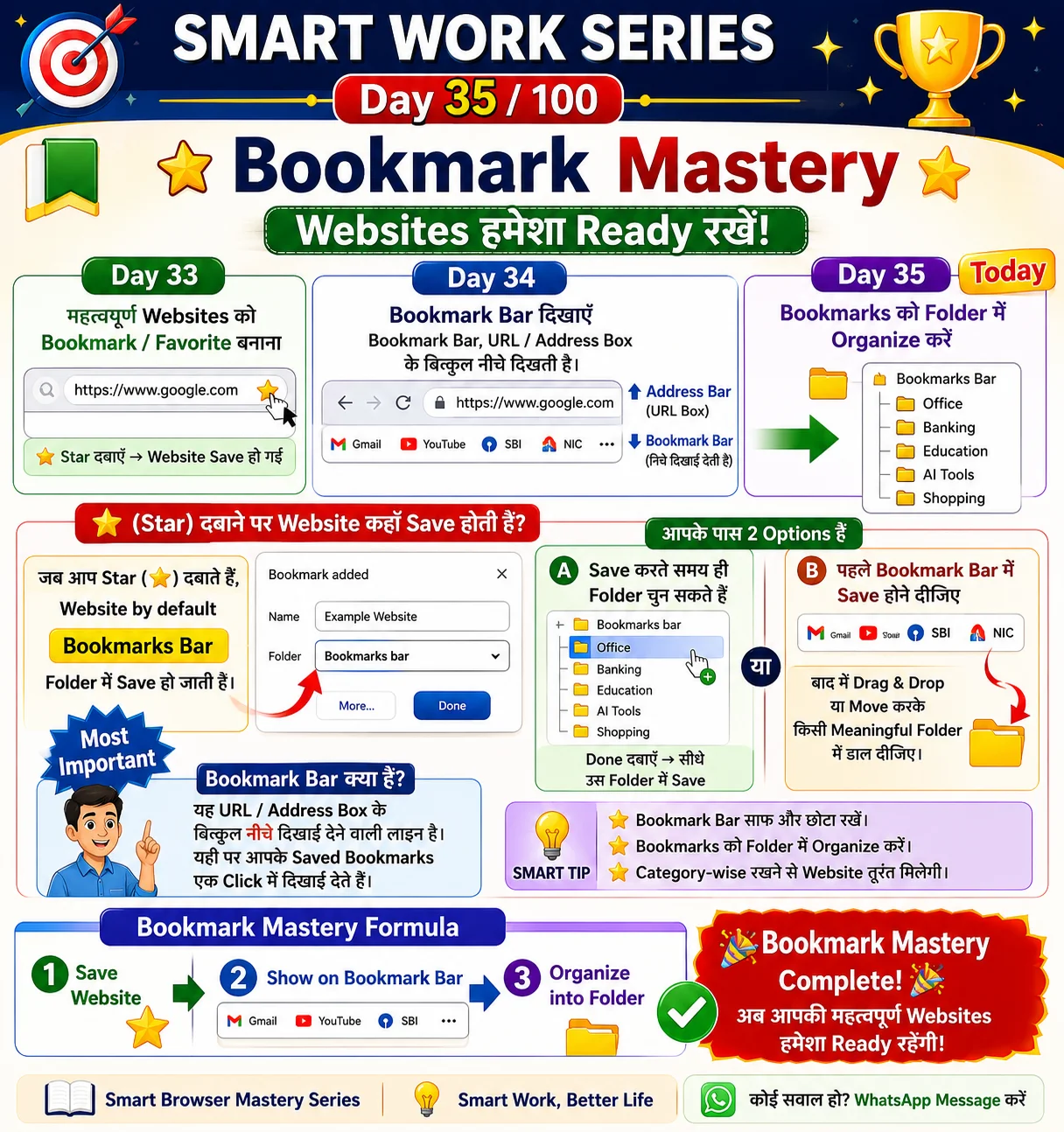
Organize bookmarks into folders
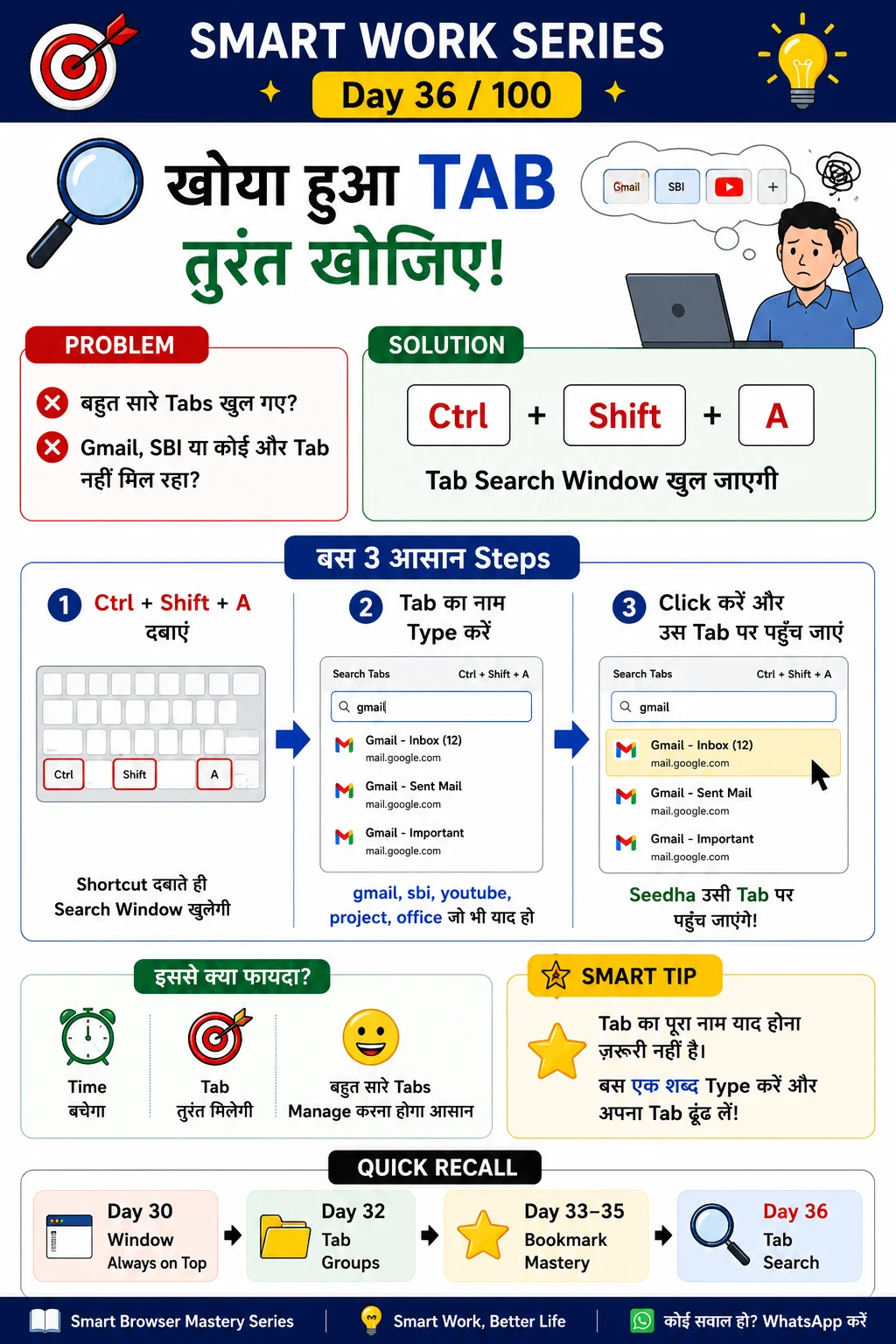
Find tabs instantly using Ctrl+Shift+A
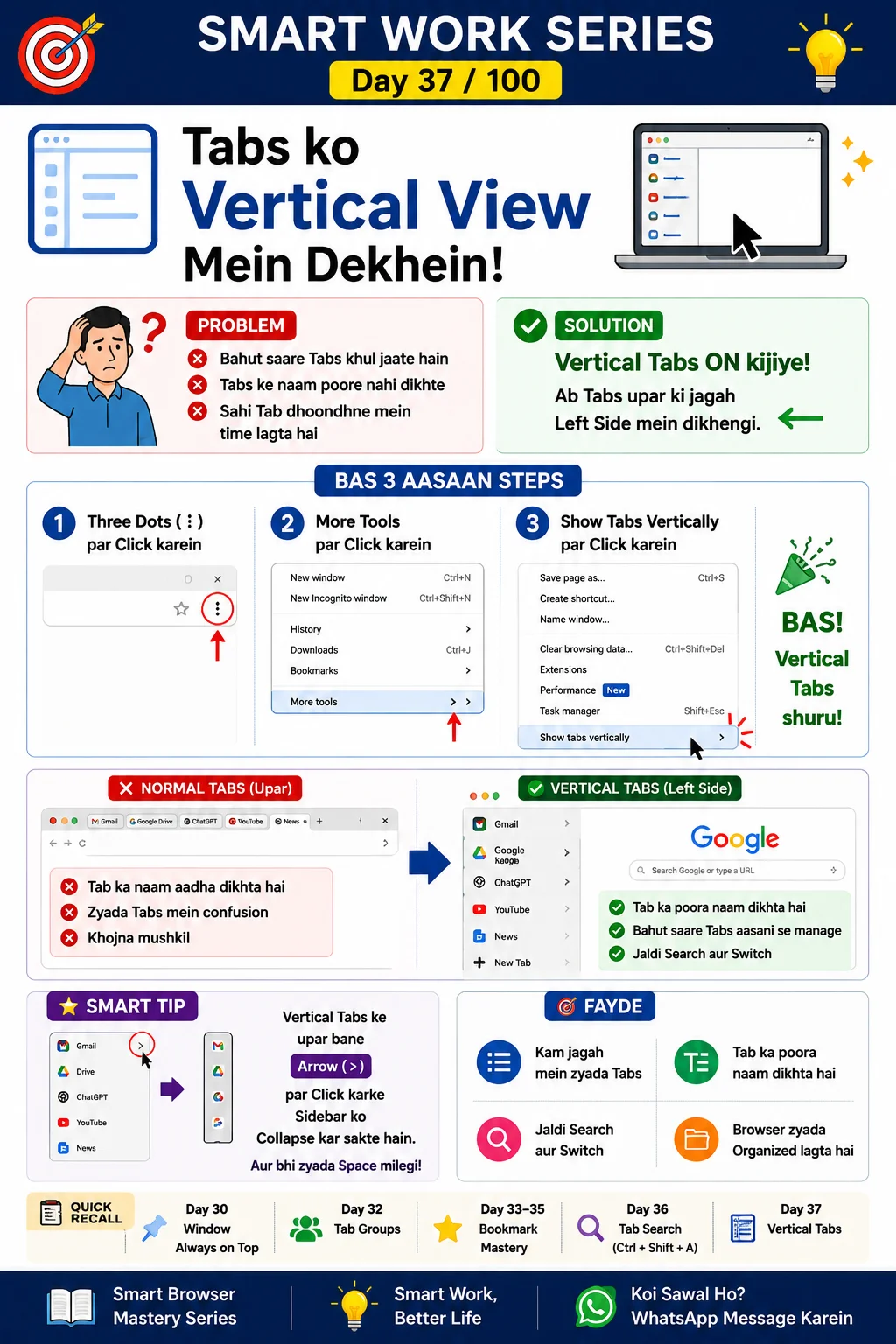
Display tabs vertically
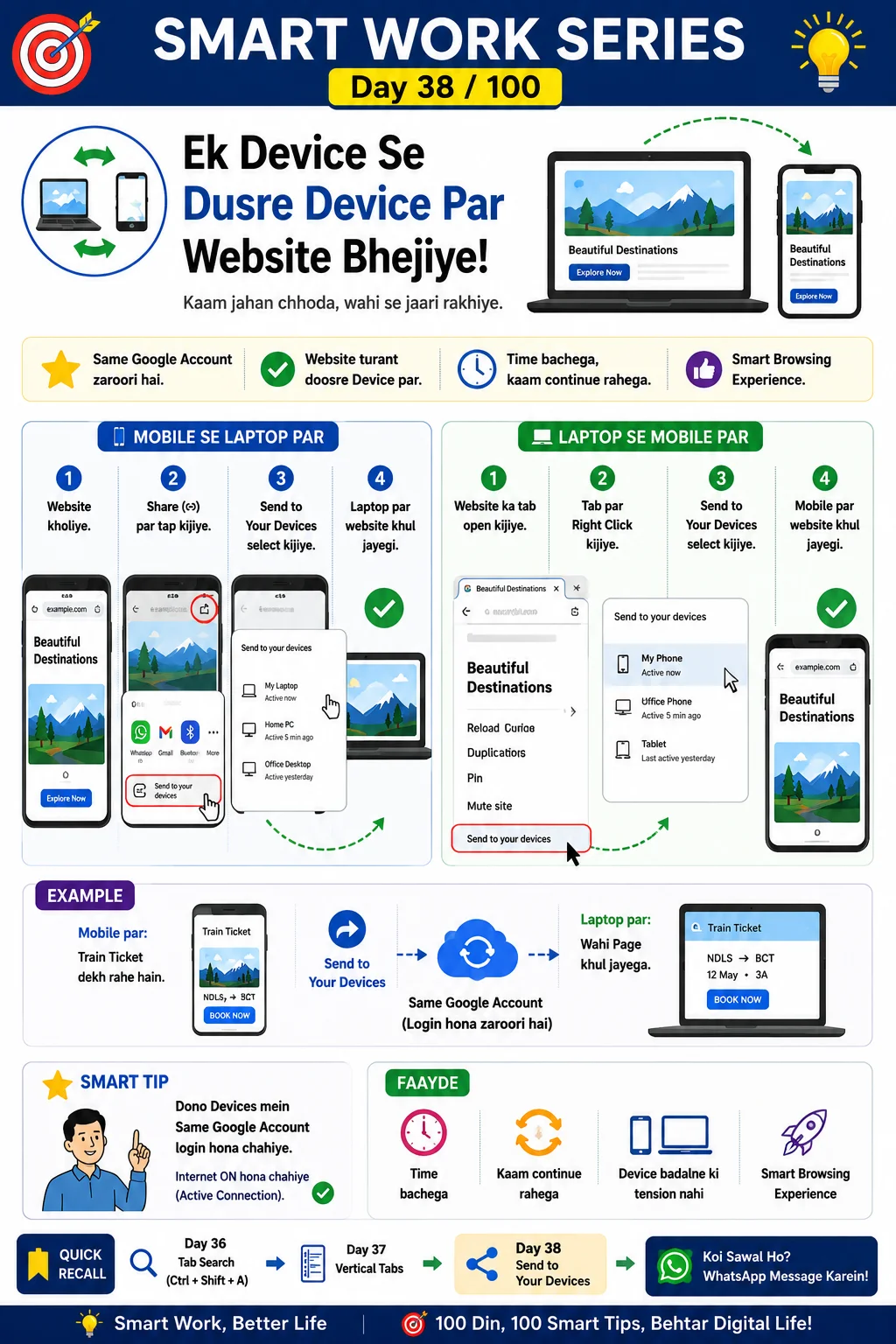
Continue browsing on another device
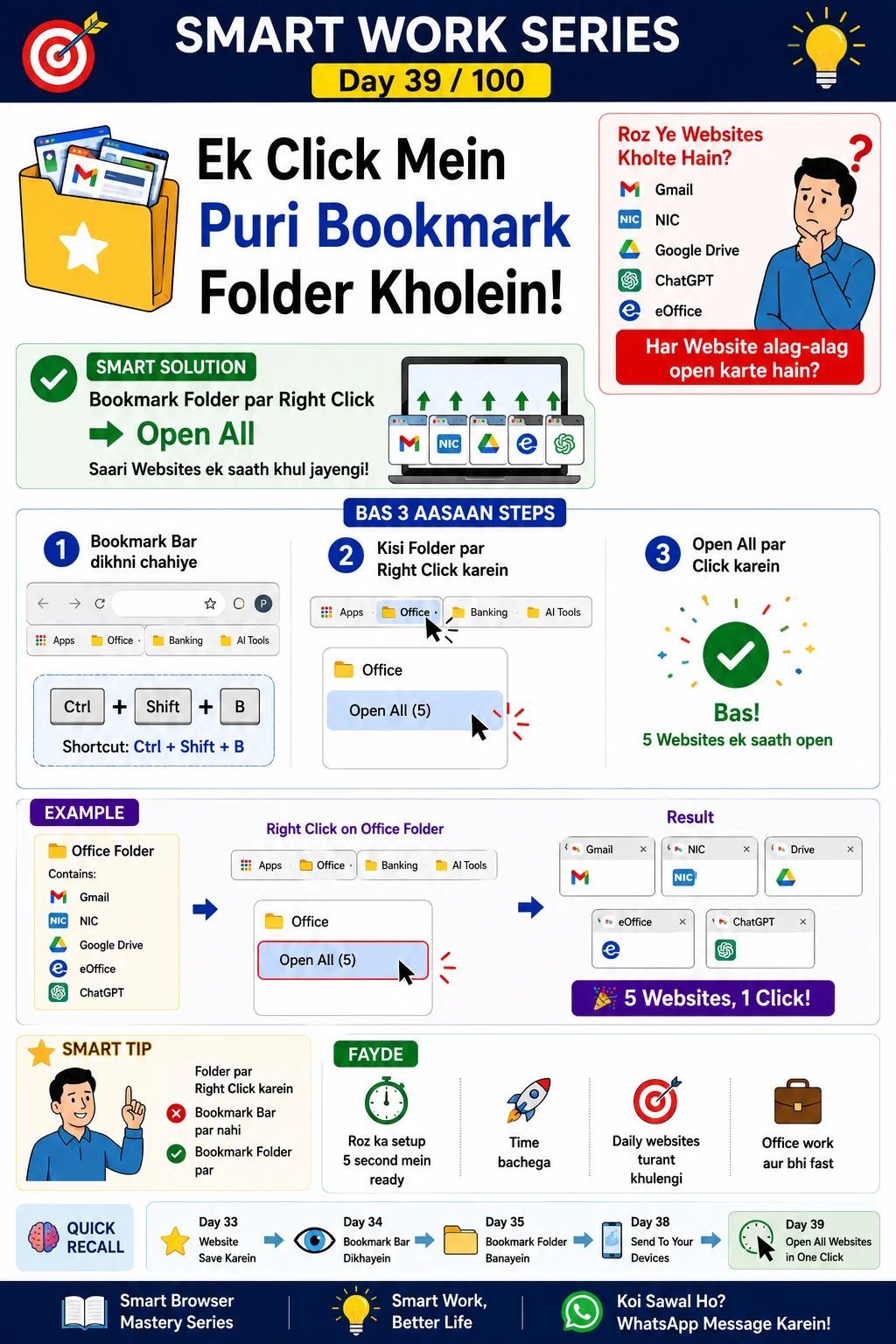
Combine browser tricks
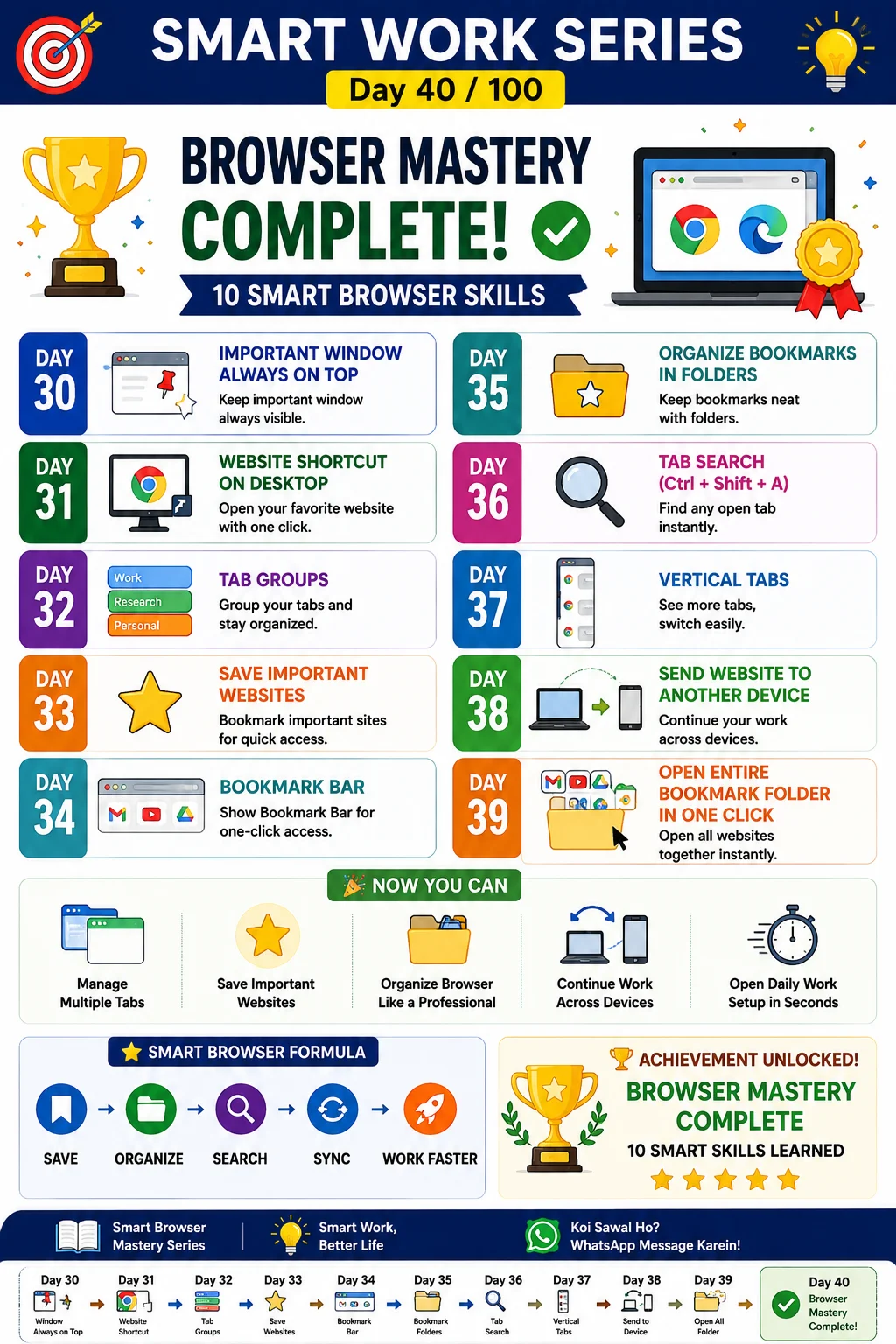
Optimize browser performance
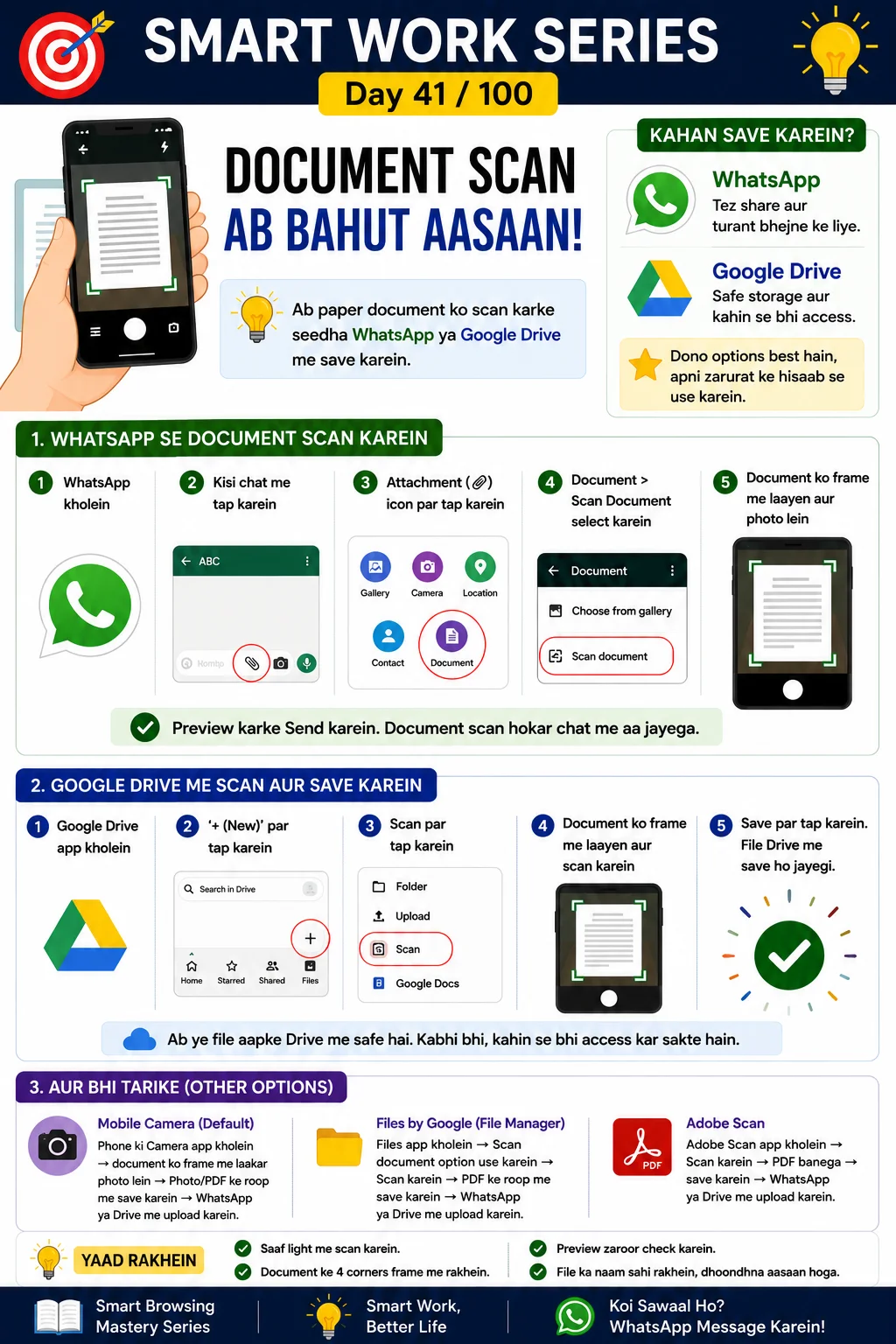
Scan documents inside WhatsApp
Edit screenshot immediately after capture
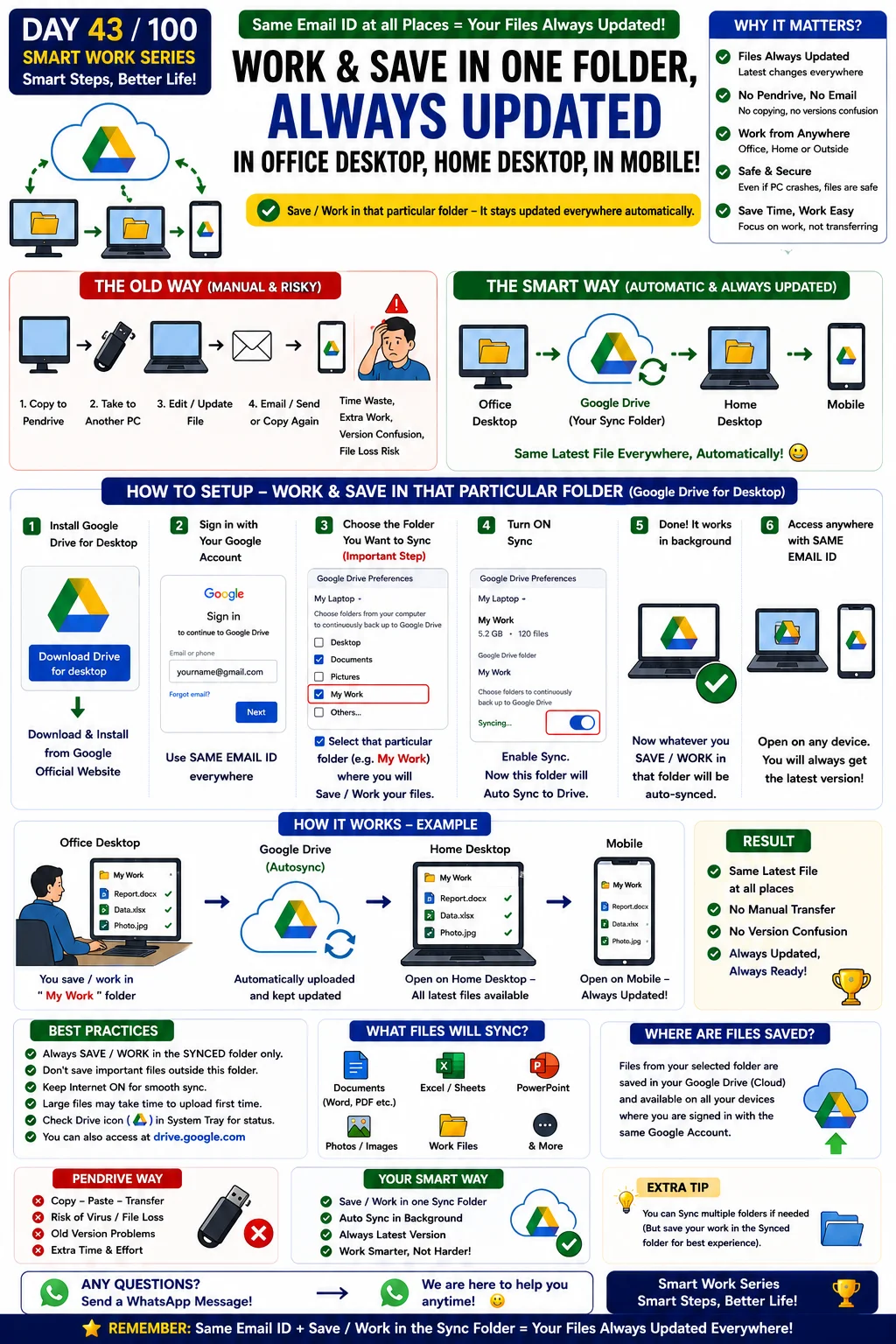
Save once, access updated files everywhere
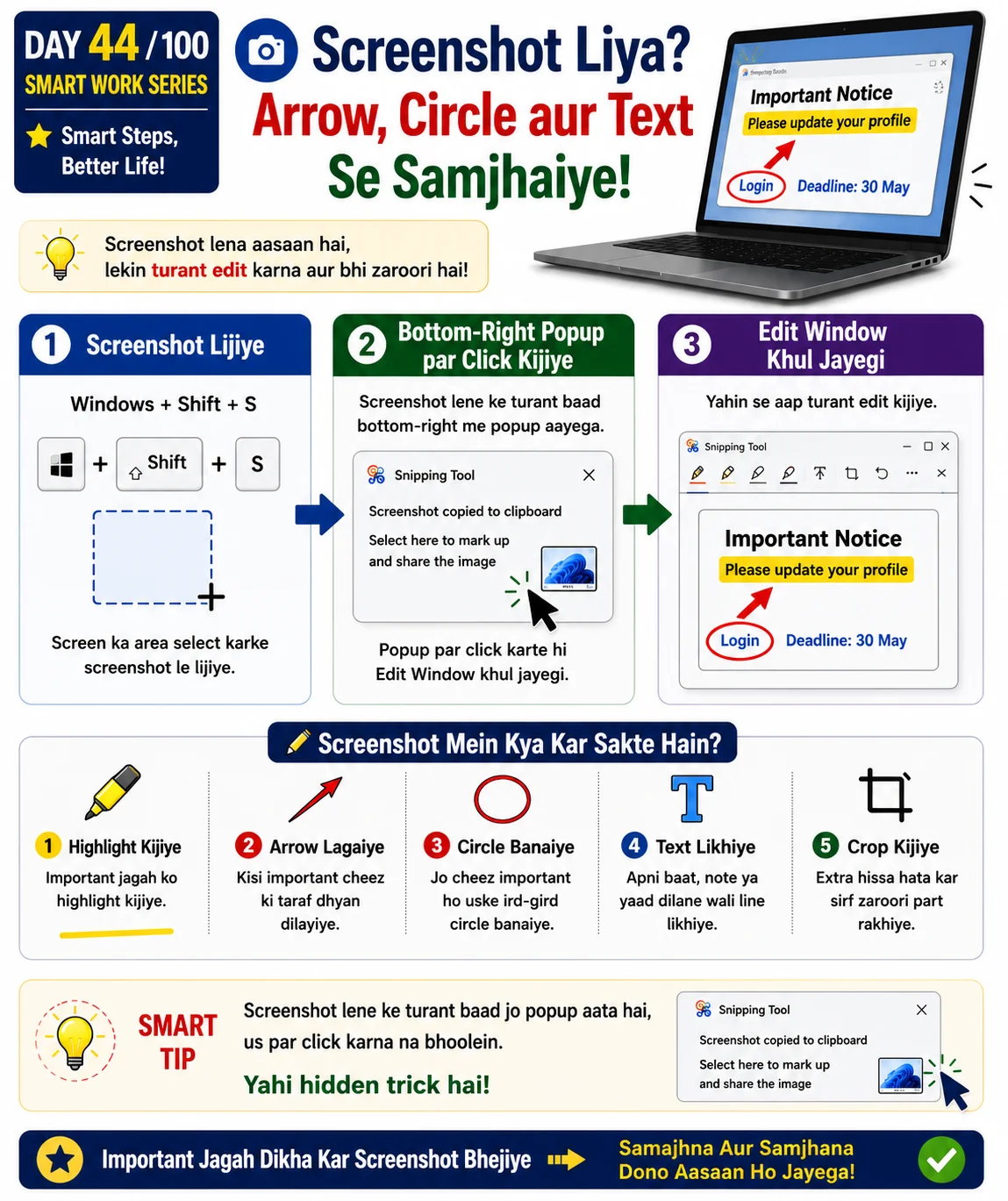
Capture and annotate screenshots instantly
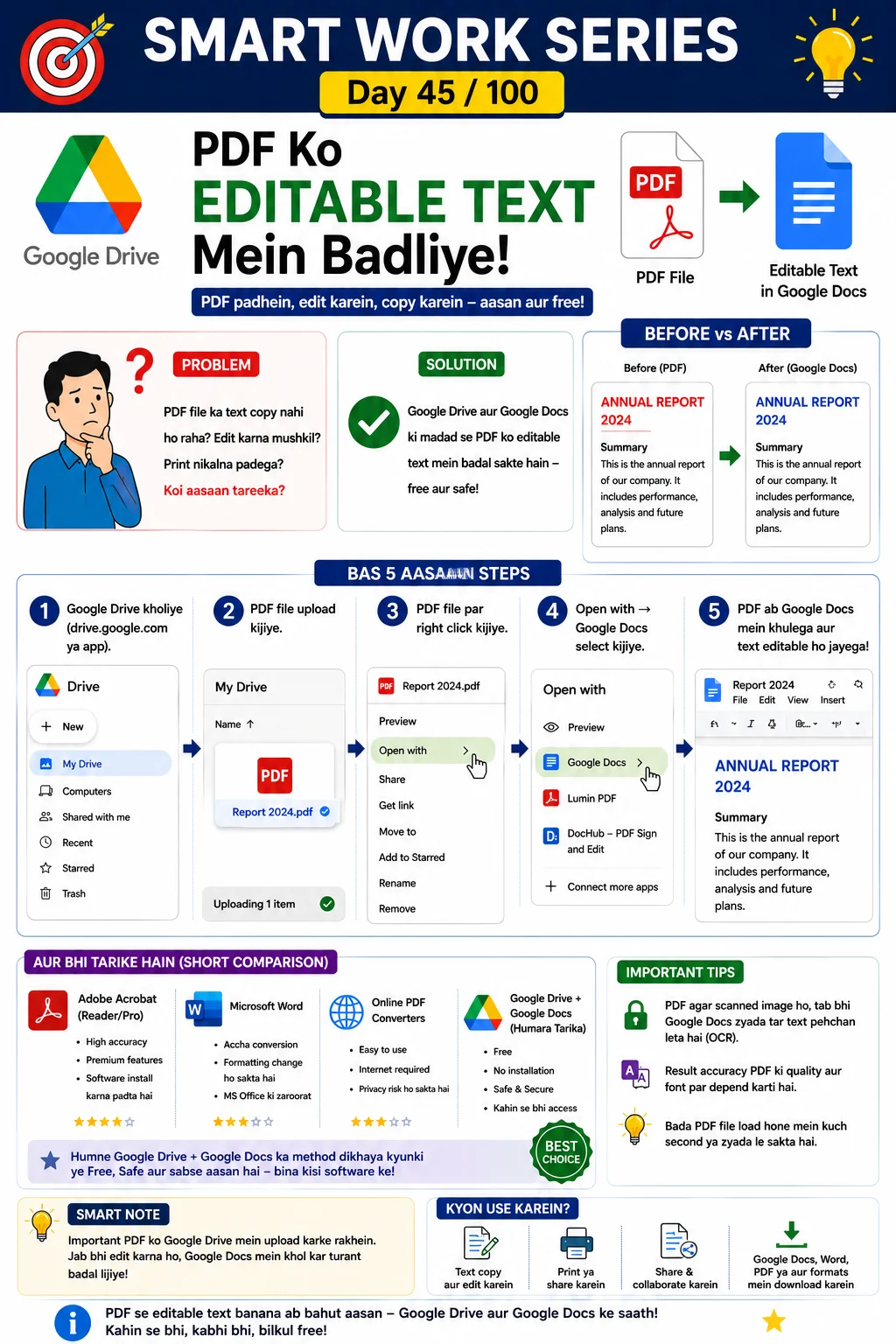
Convert scanned PDF into editable text using Google Drive OCR
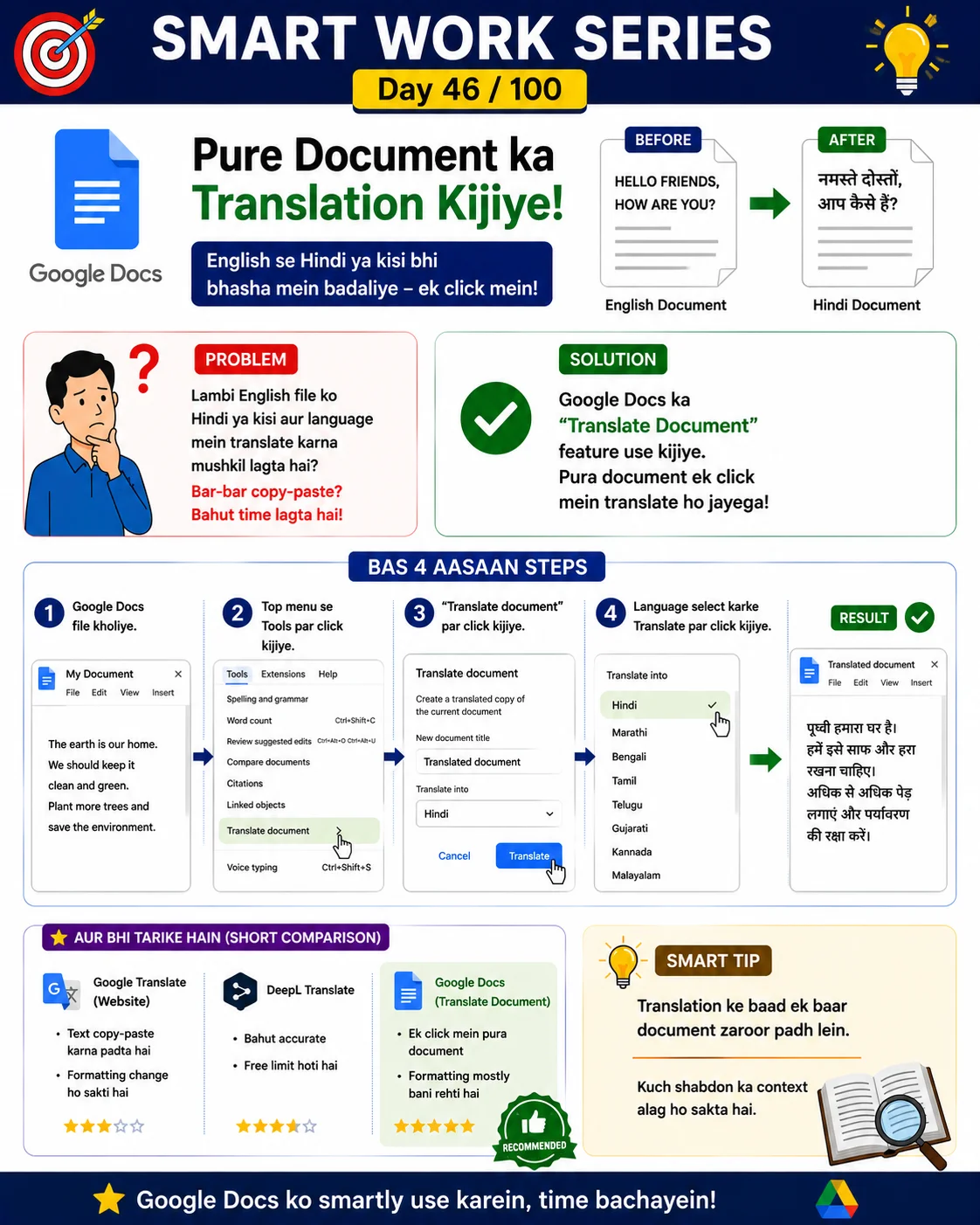
Translate an entire document using Google Docs
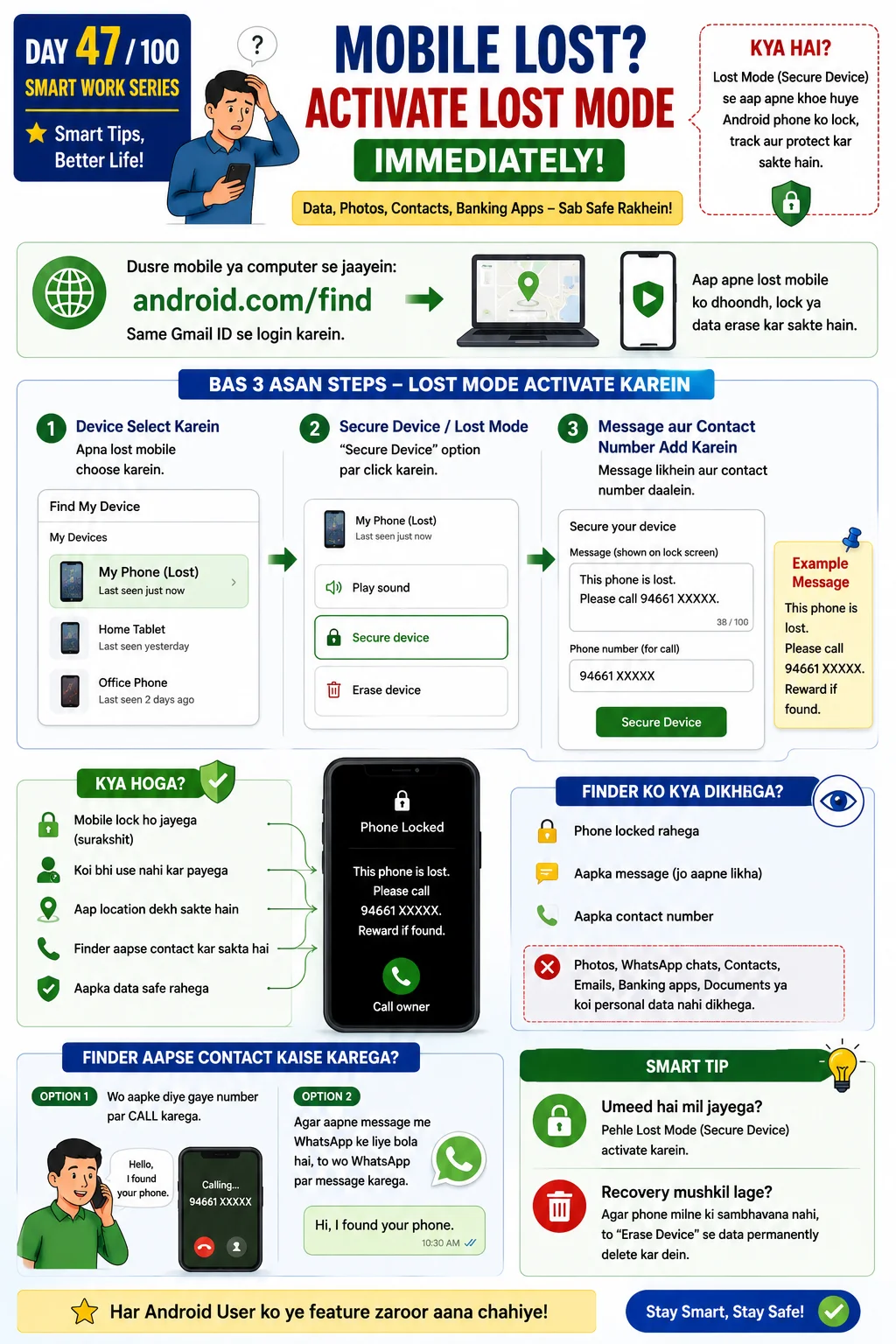
Find, lock or erase a lost phone remotely
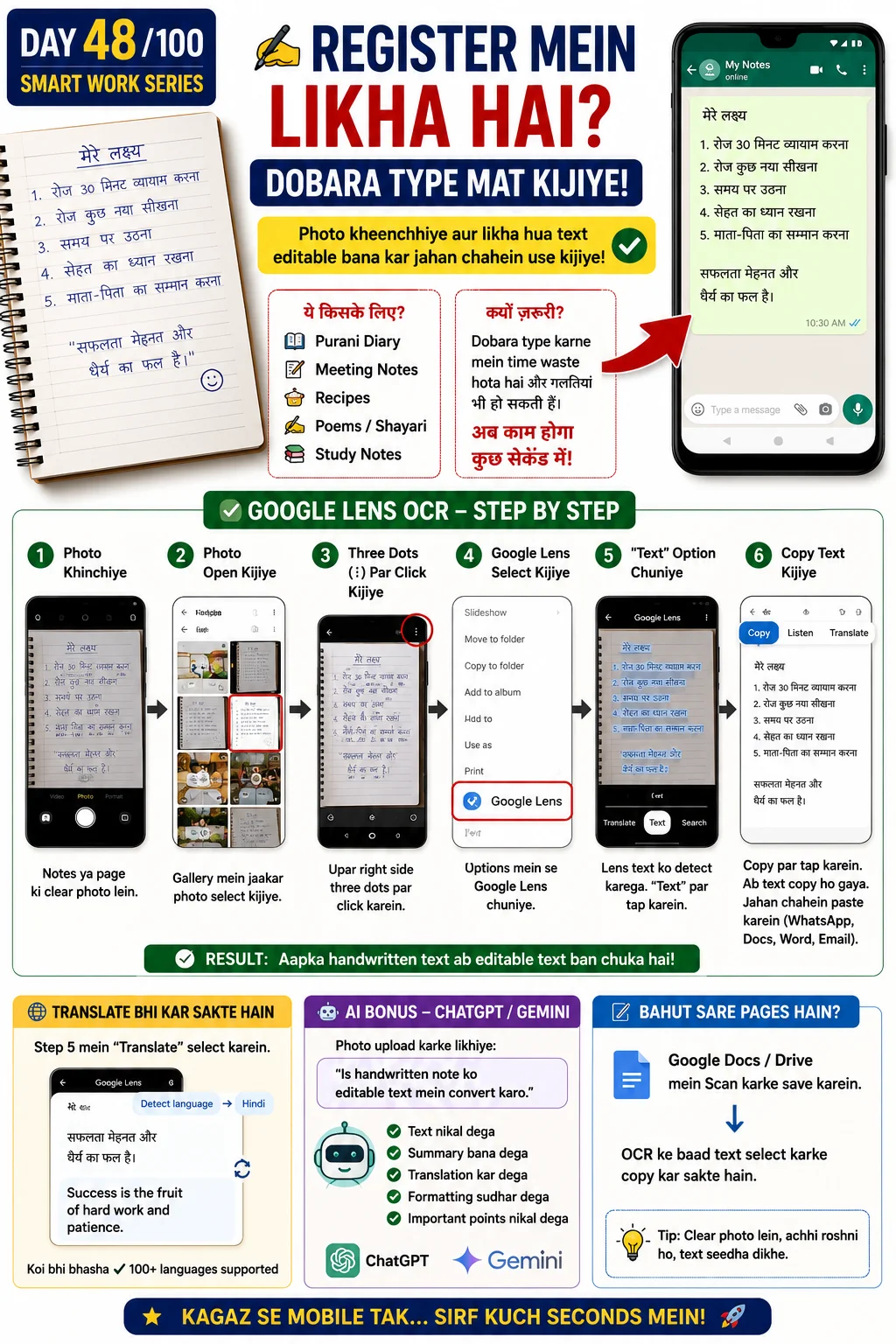
Extract text from physical document or image
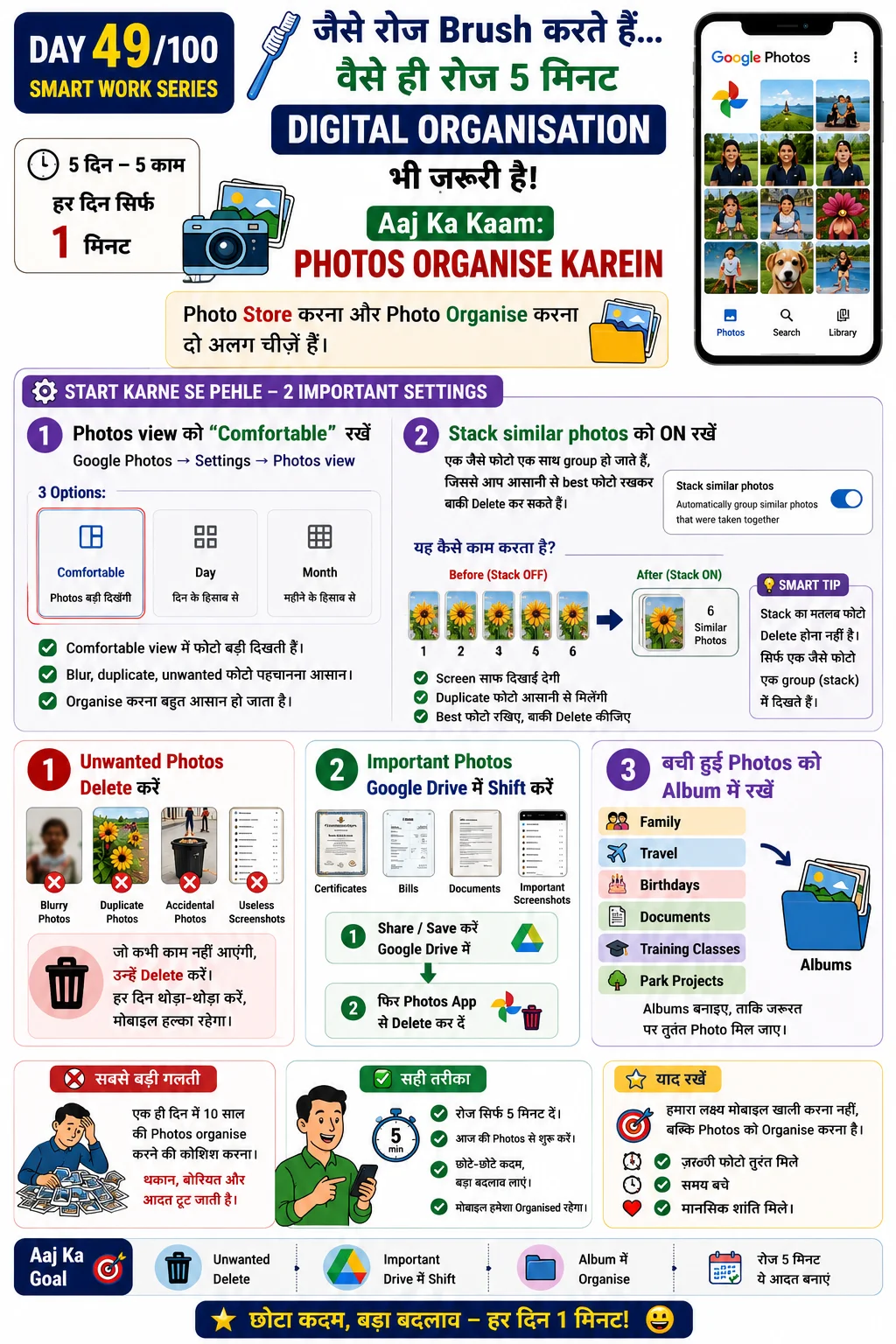
Organise photos into albums and folders
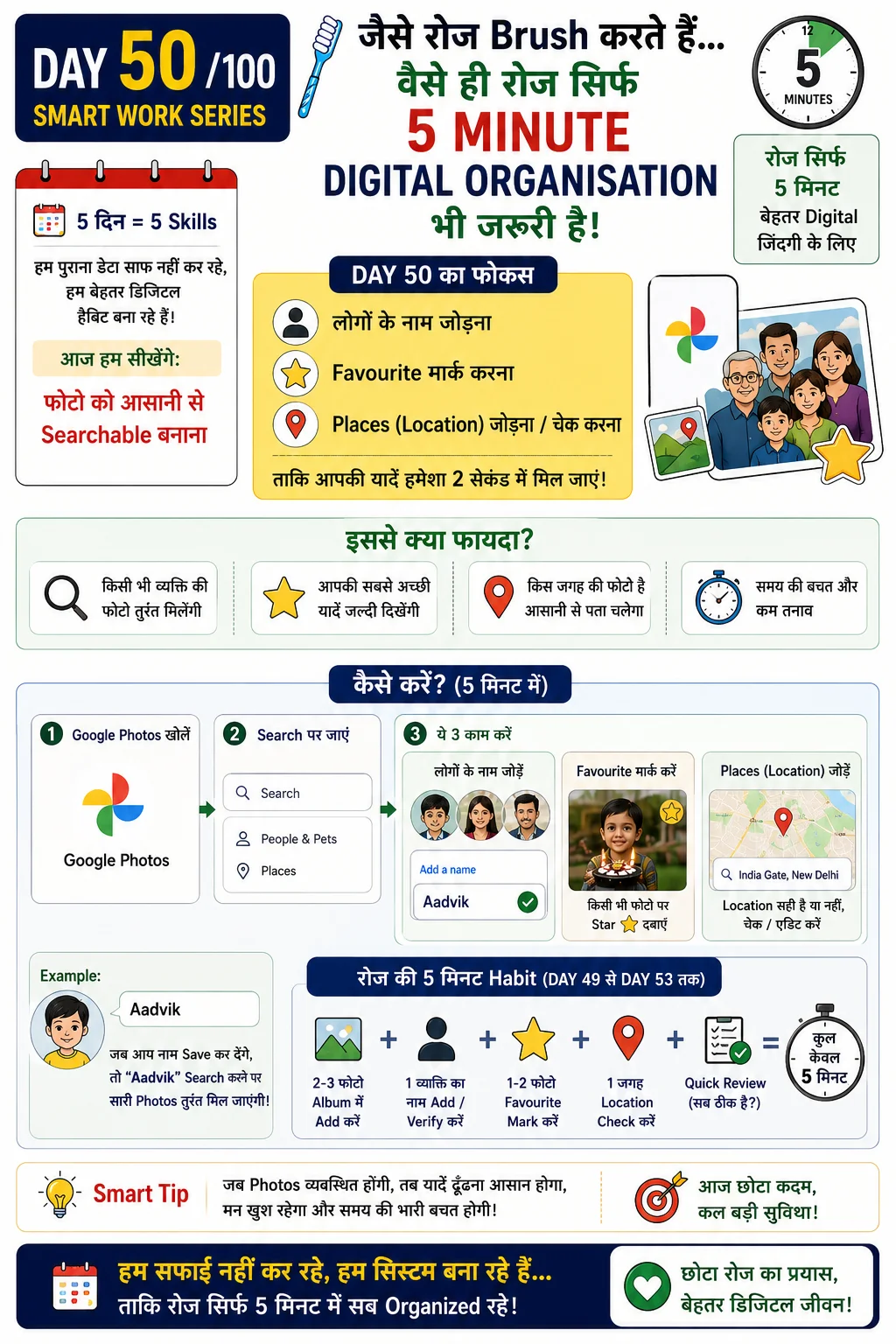
Search photos by people, favourites and locations
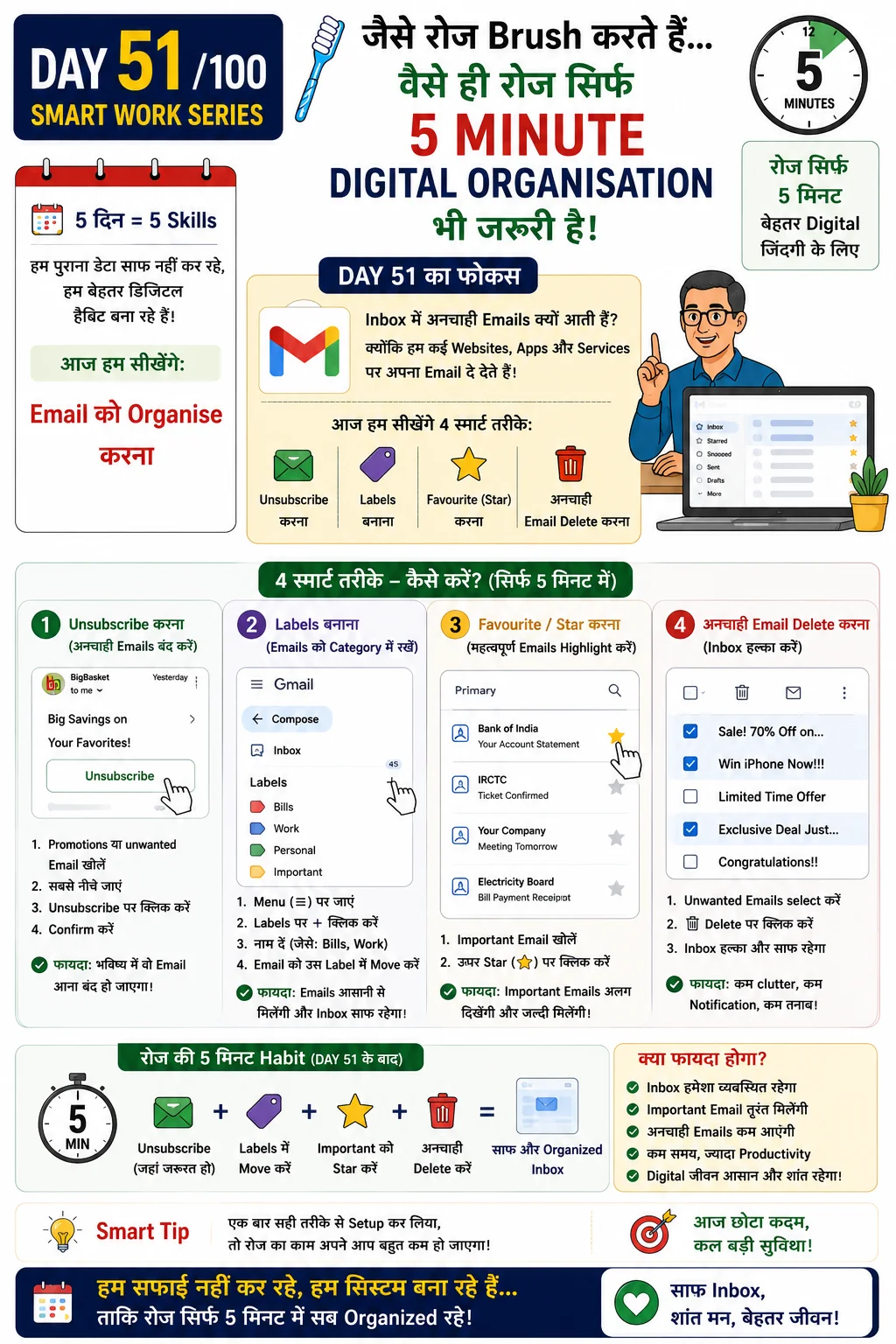
Labels, folders and email management
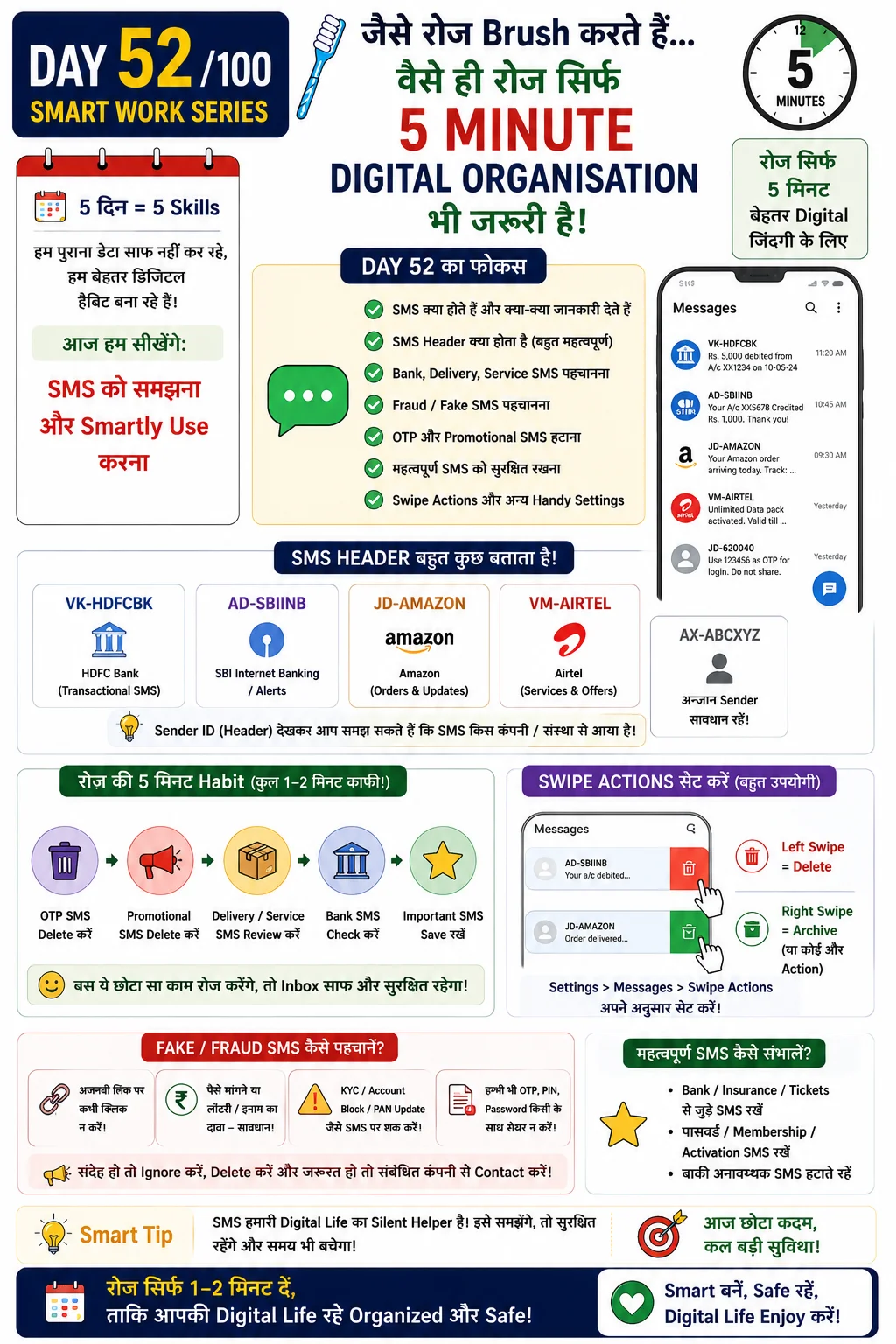
OTPs, transactions and important SMS management
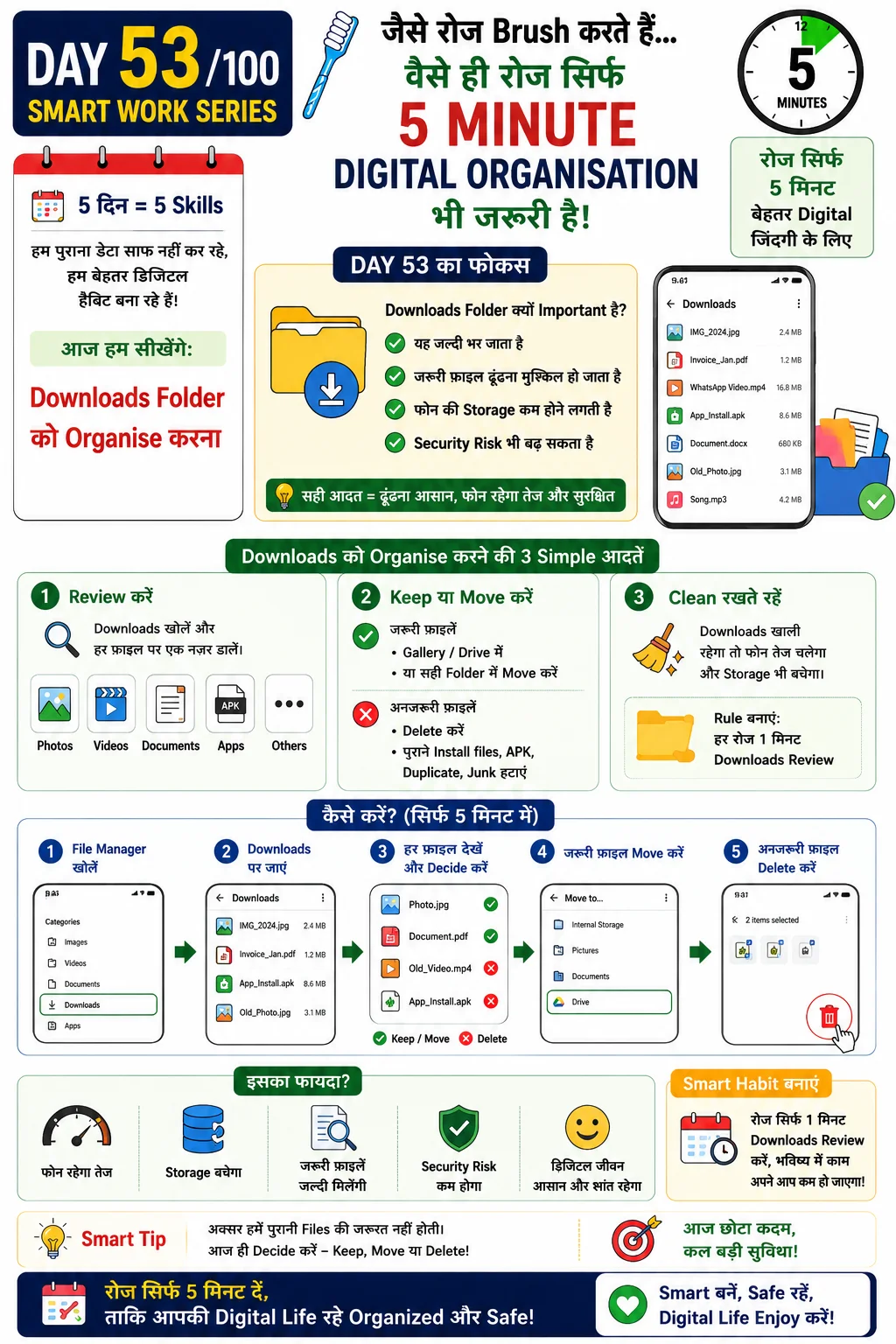
Keep downloads clean and searchable
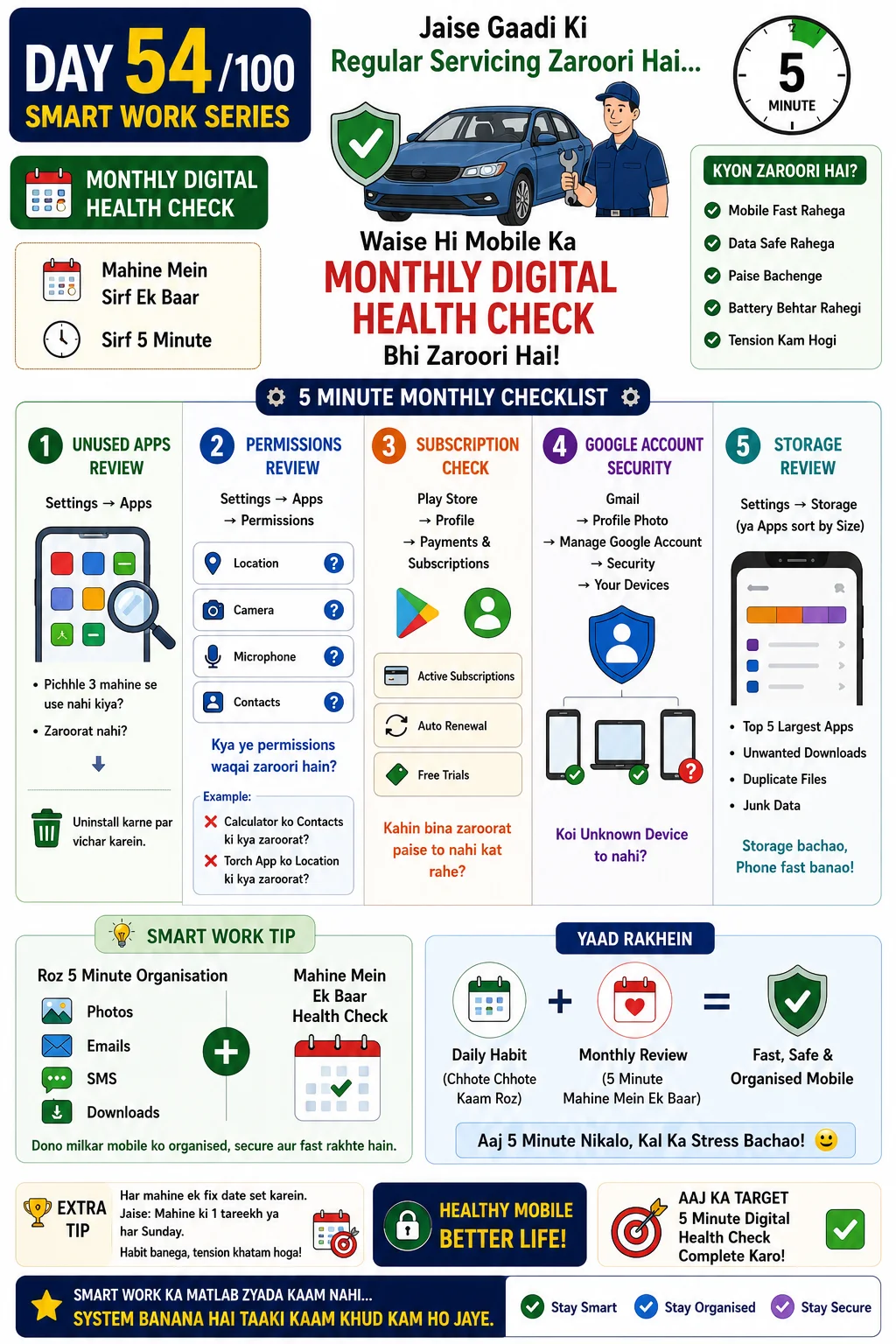
Monthly checklist for digital hygiene
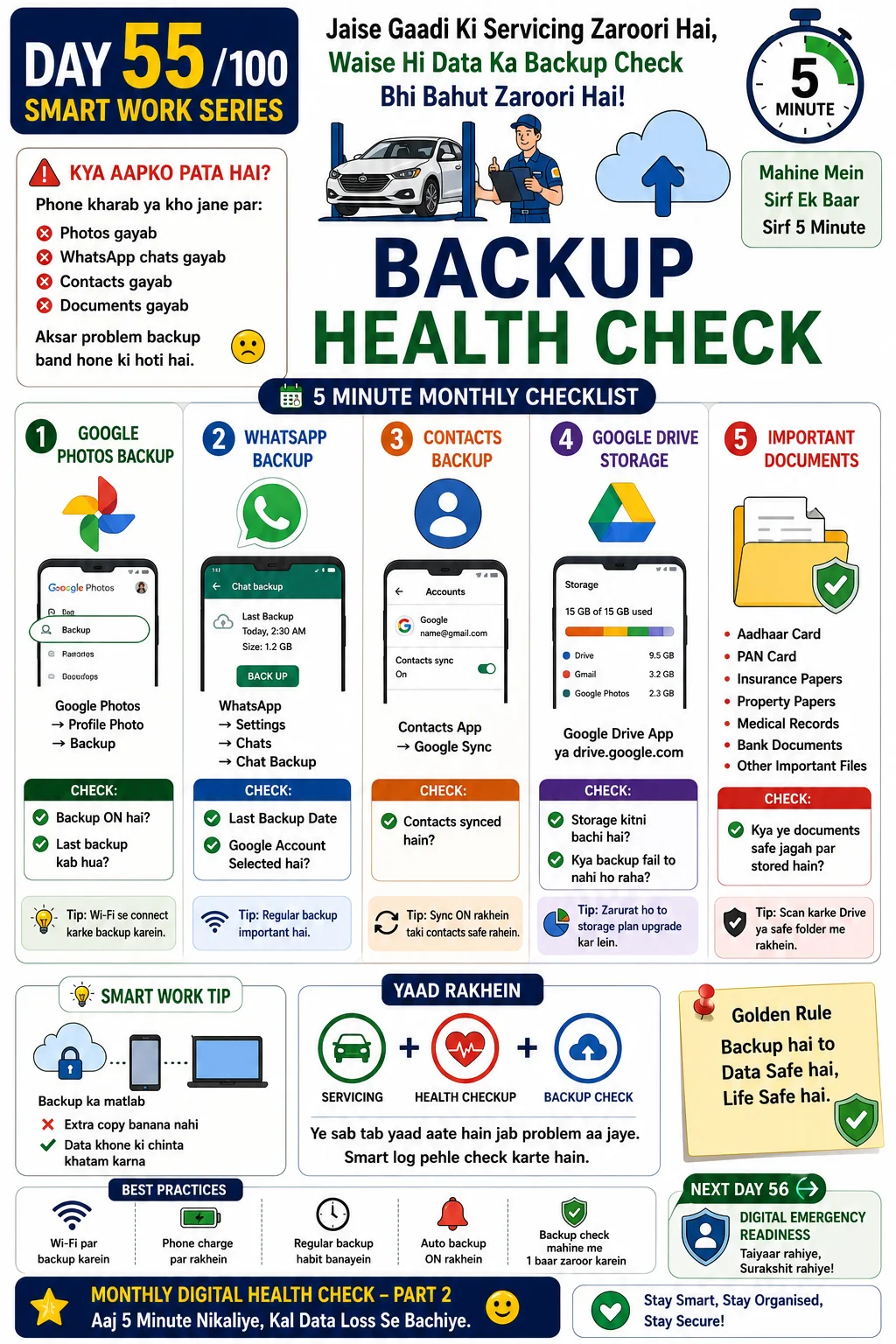
Verify backups before you need them
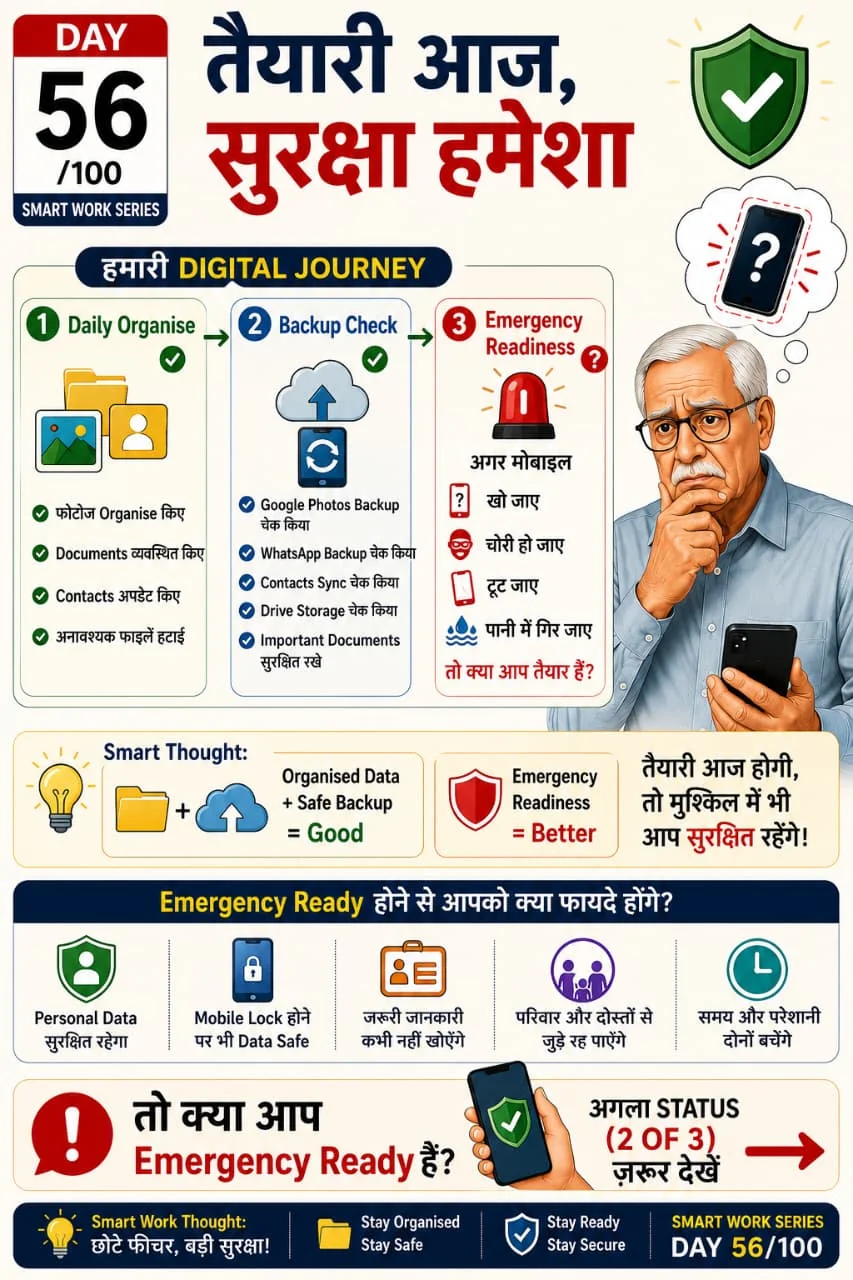
Prepare emergency contacts and digital readiness
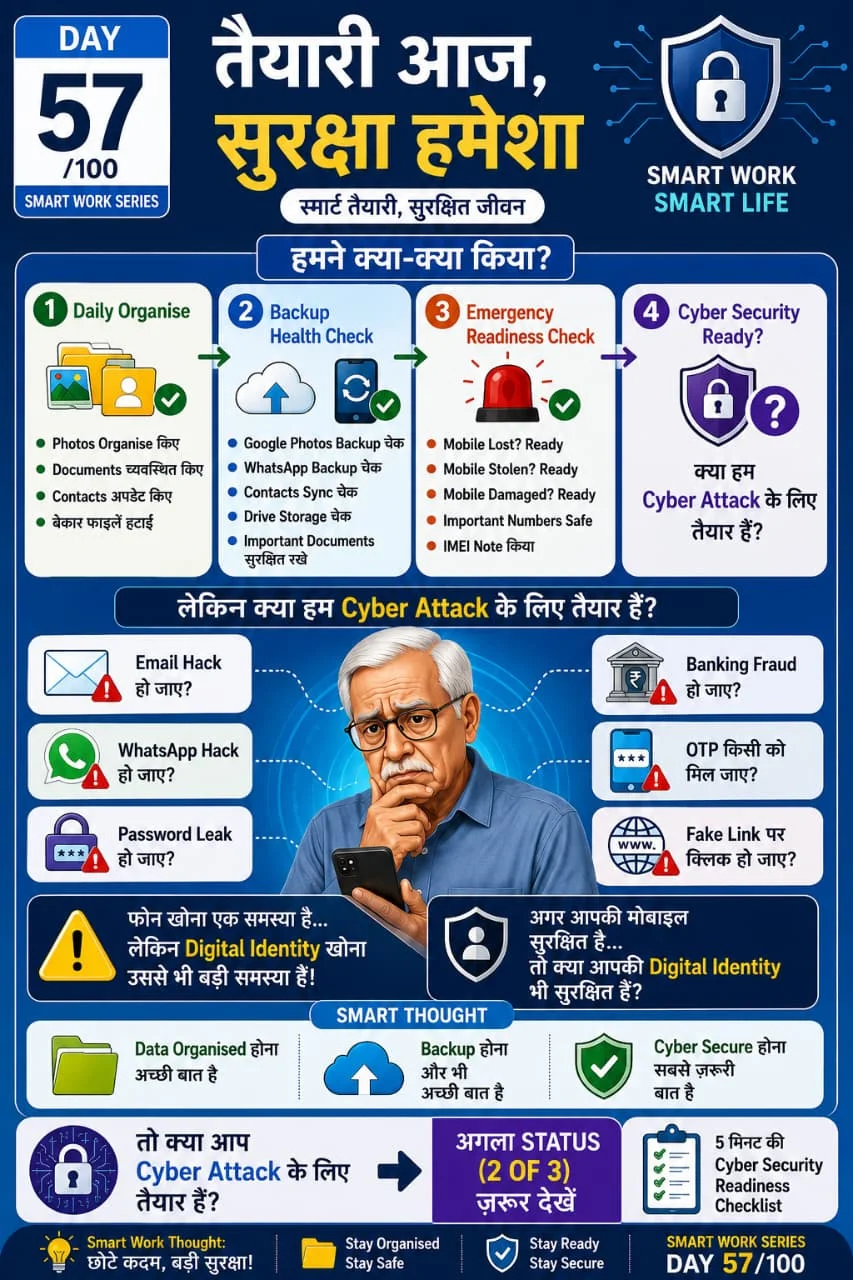
First actions after a cyber attack
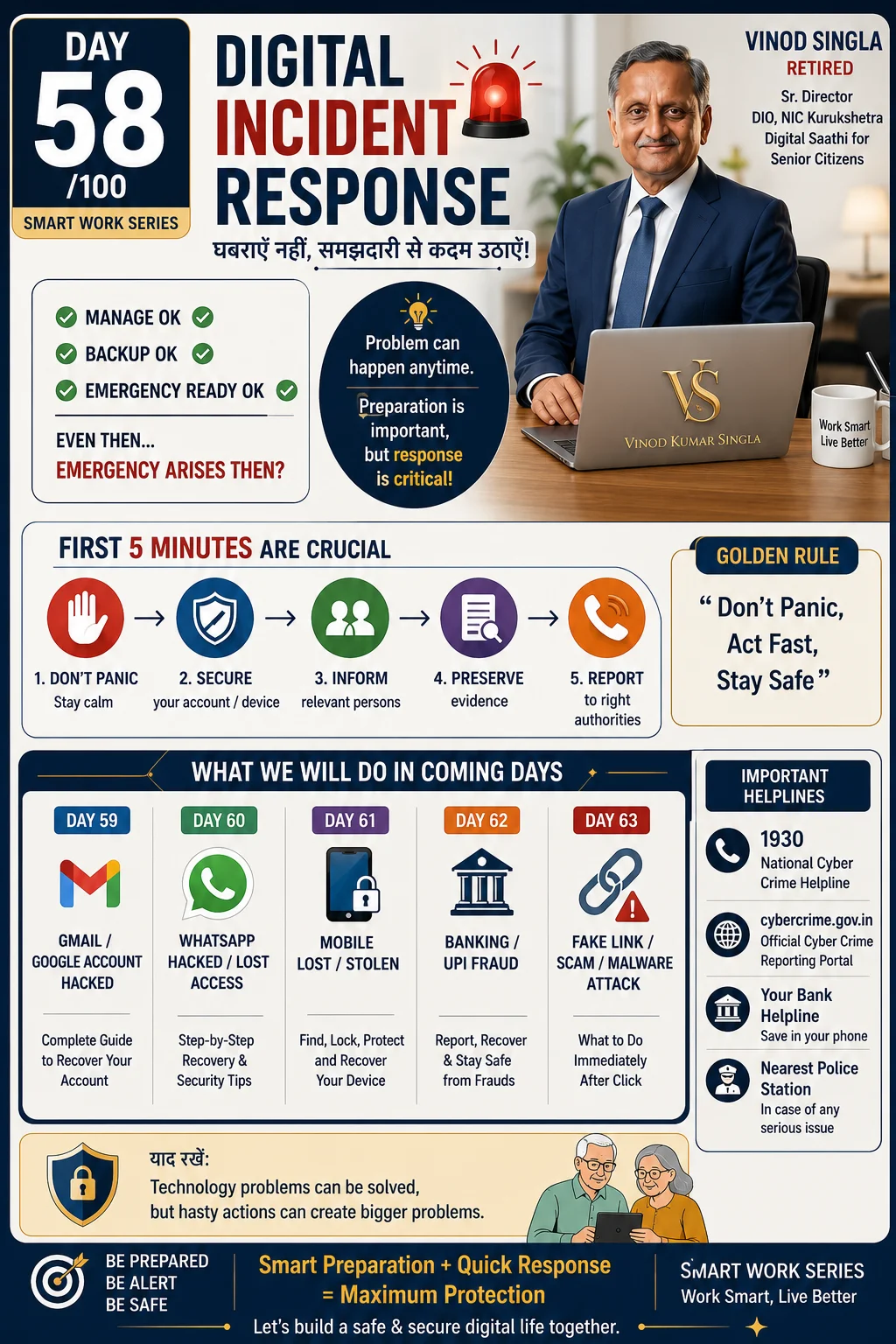
What to do after digital fraud or hacking
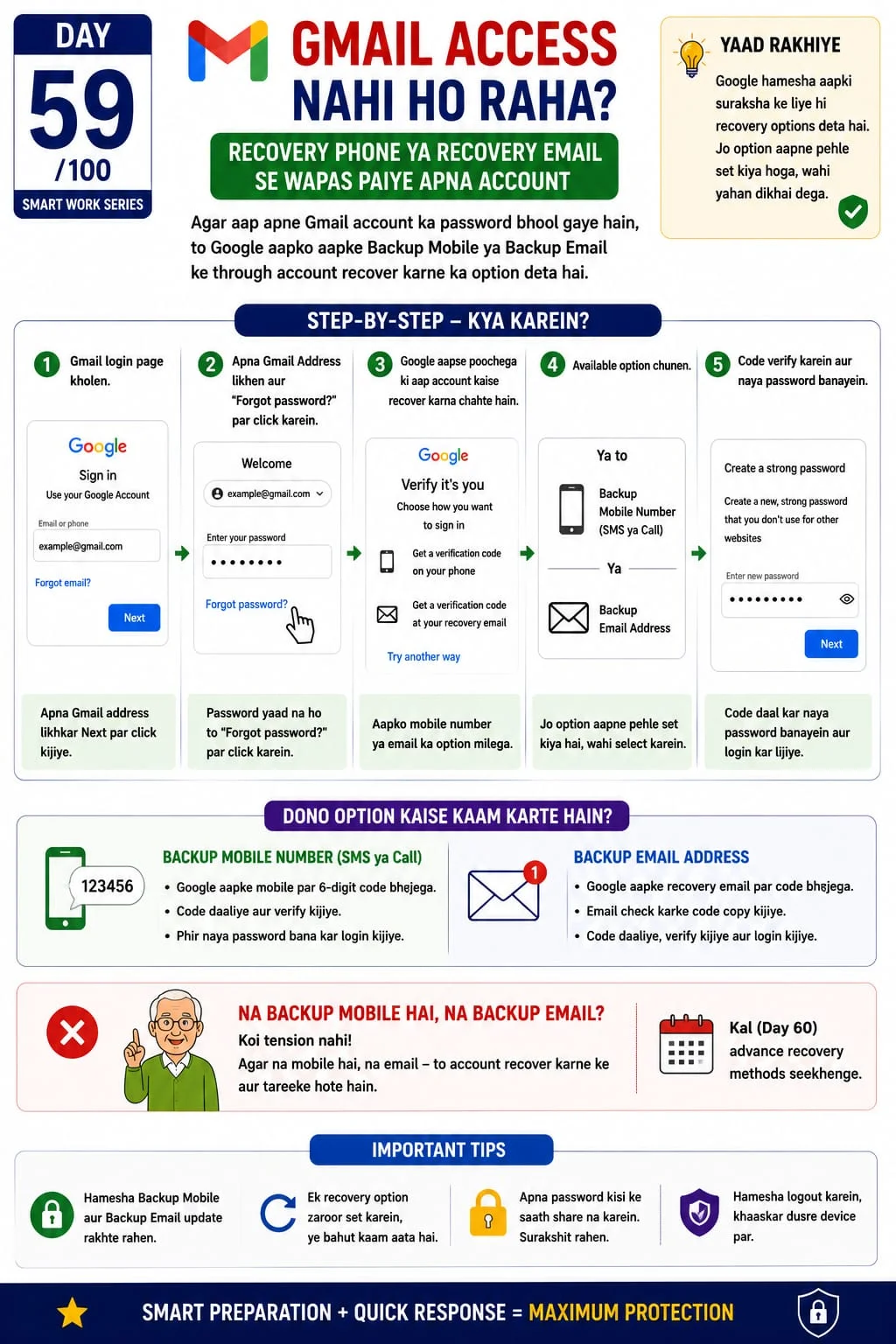
Troubleshoot Gmail login issues
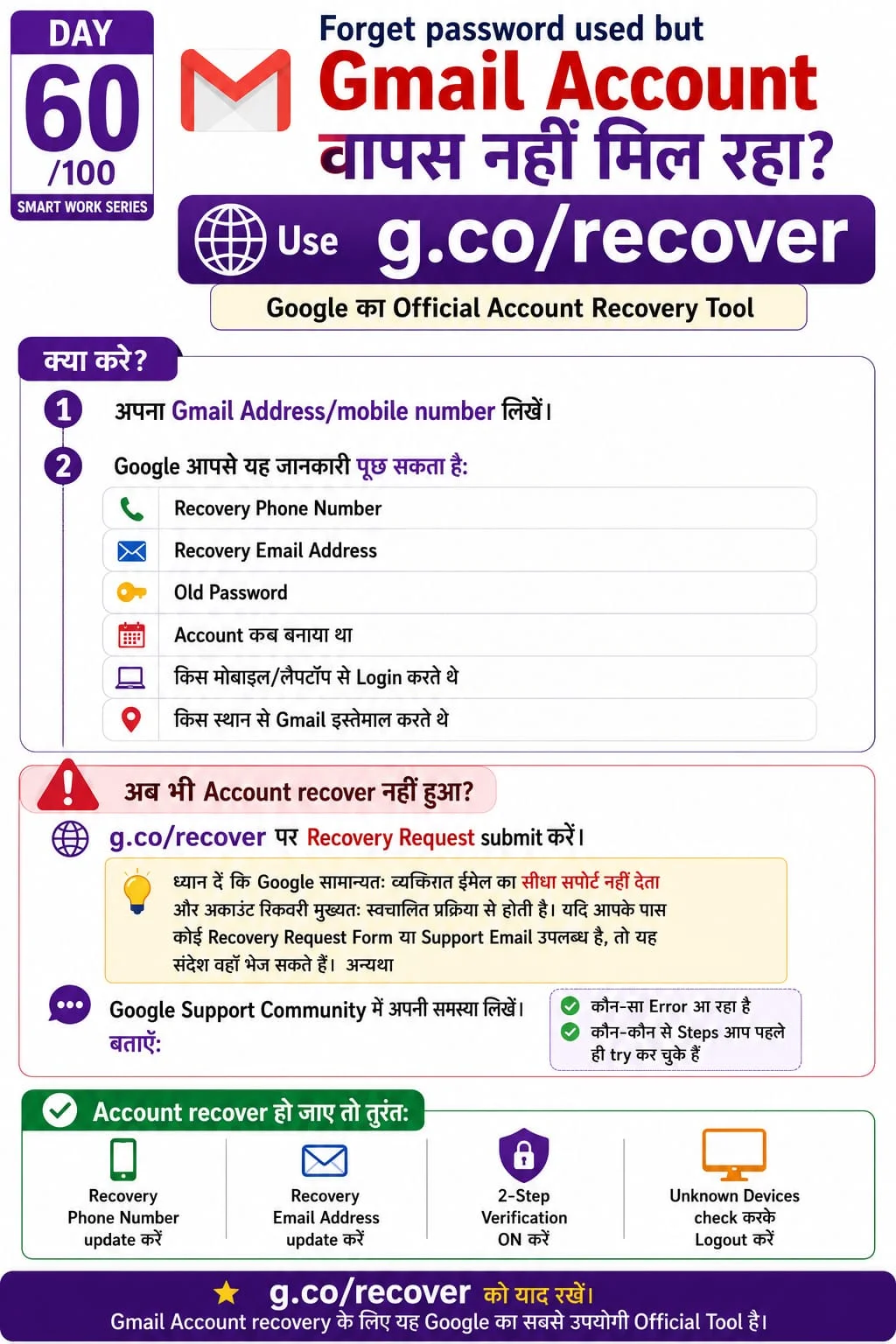
Recover hacked or lost Gmail account
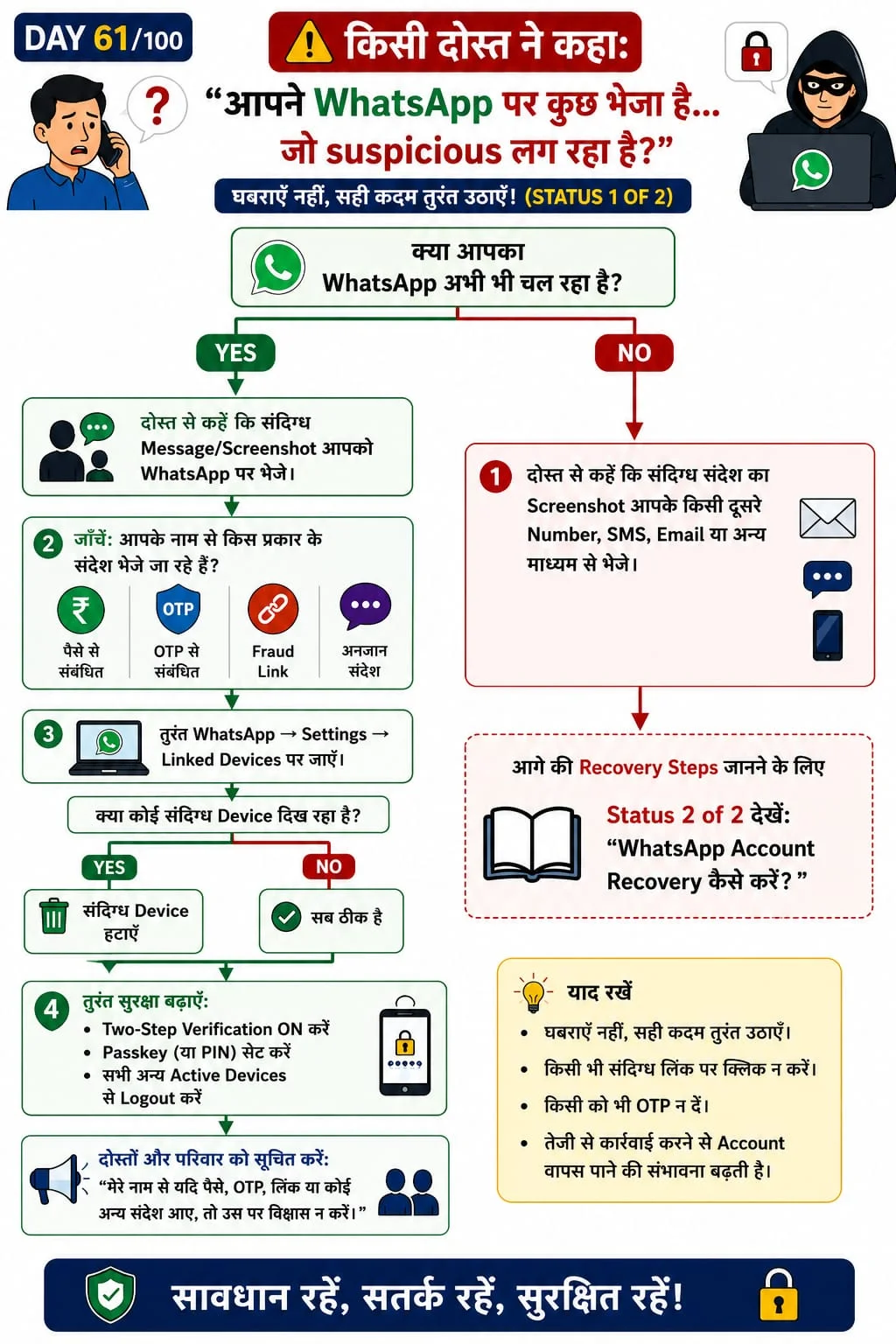
Identify fake WhatsApp messages
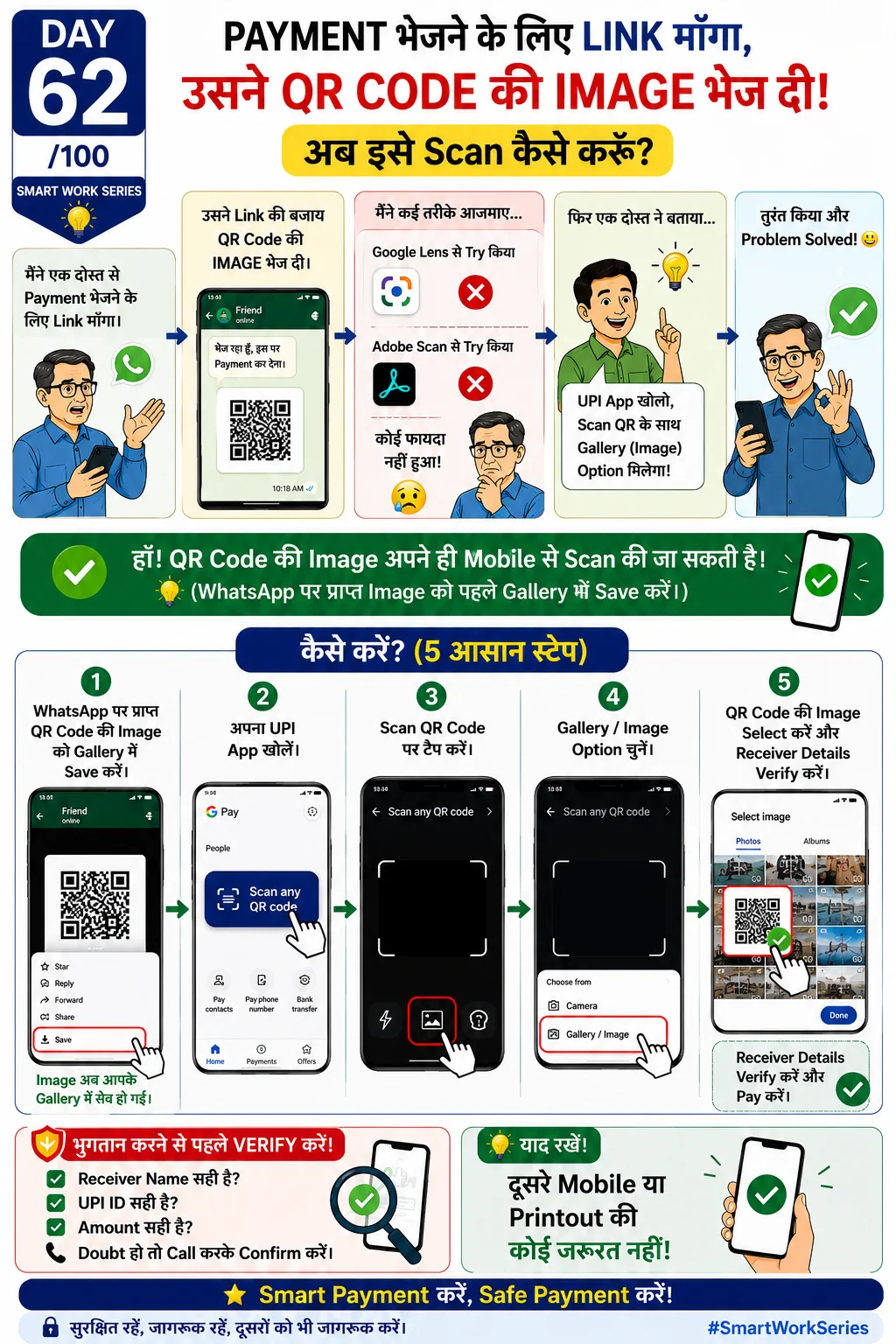
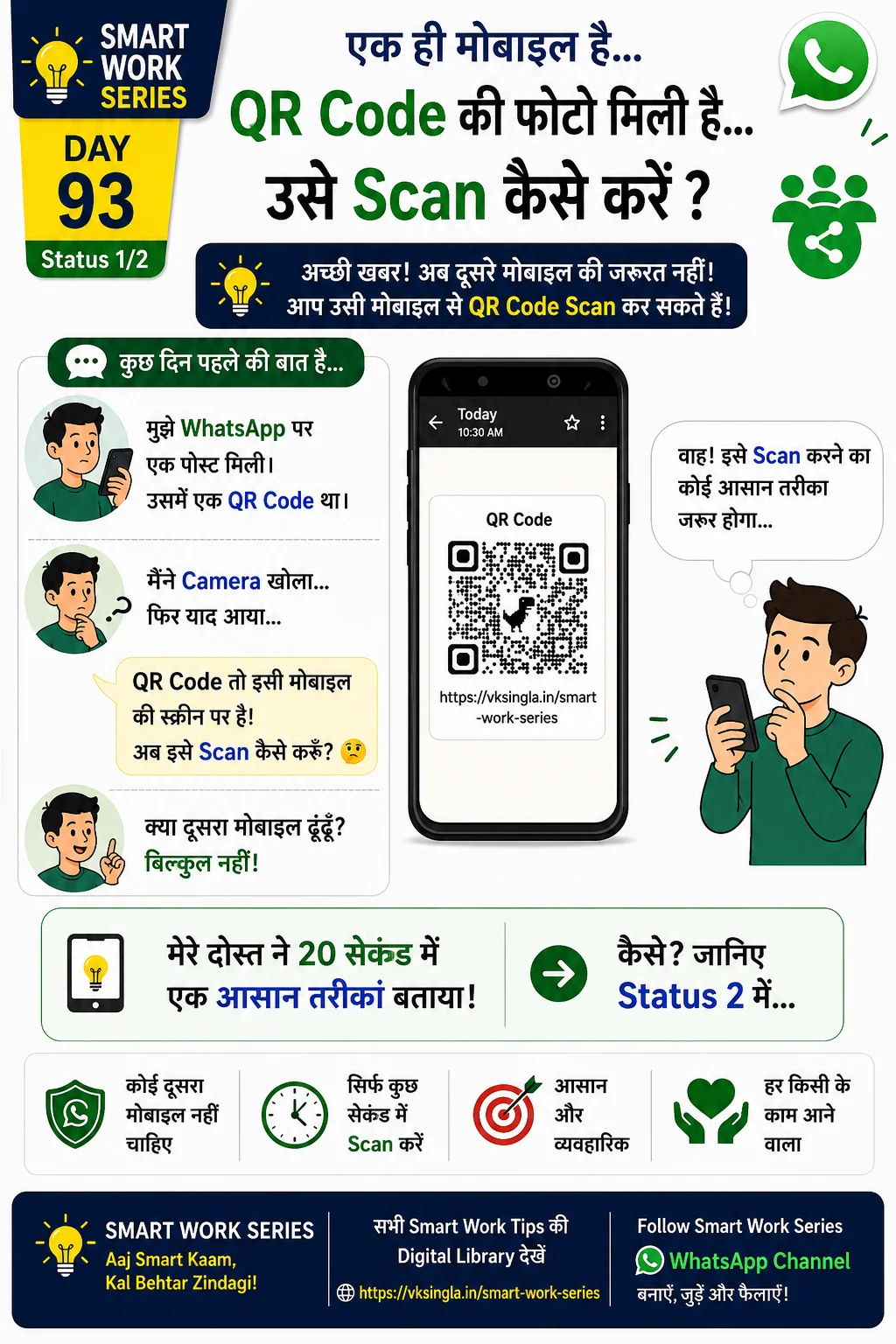
Scan QR code from image safely
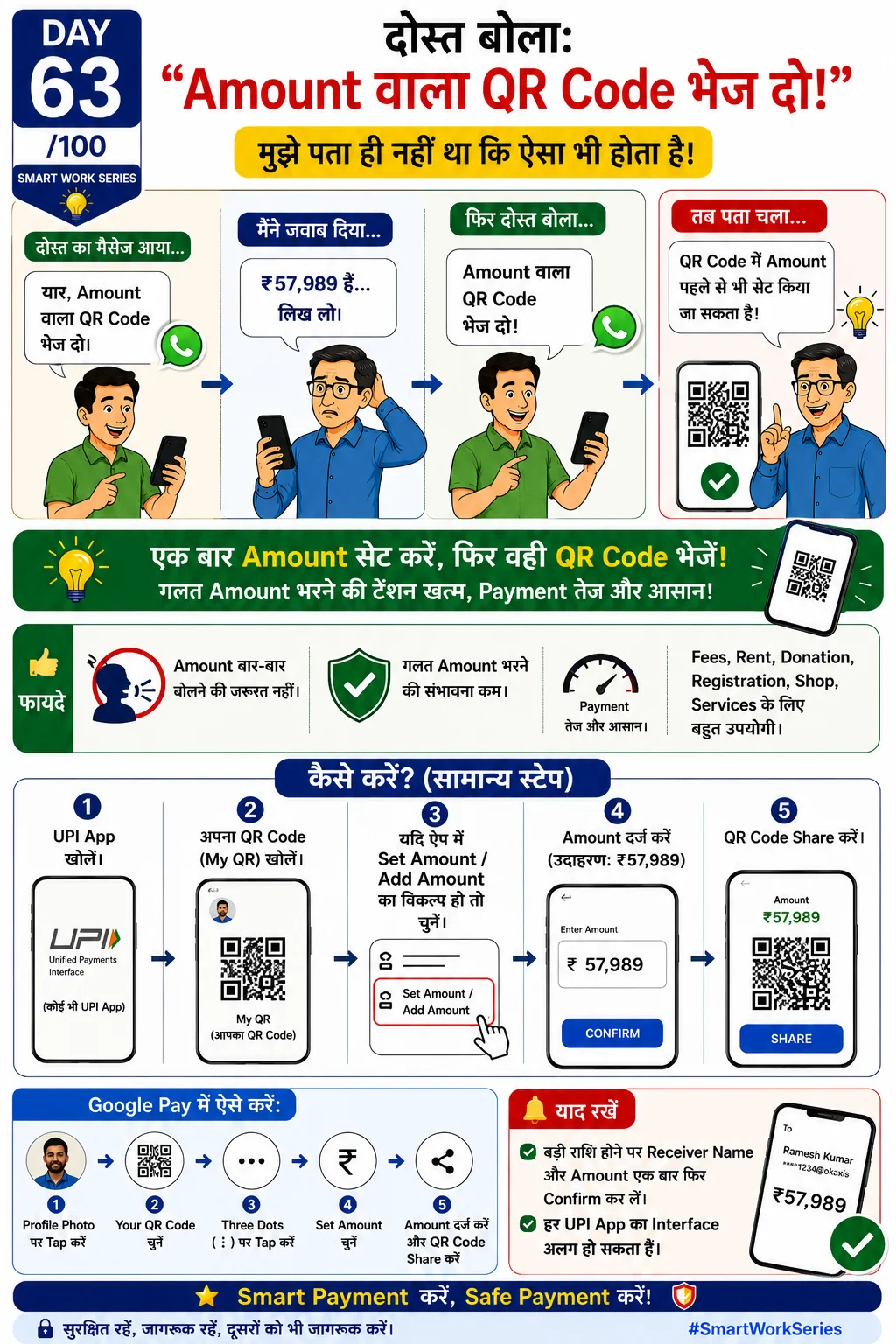
Understand static vs dynamic QR codes
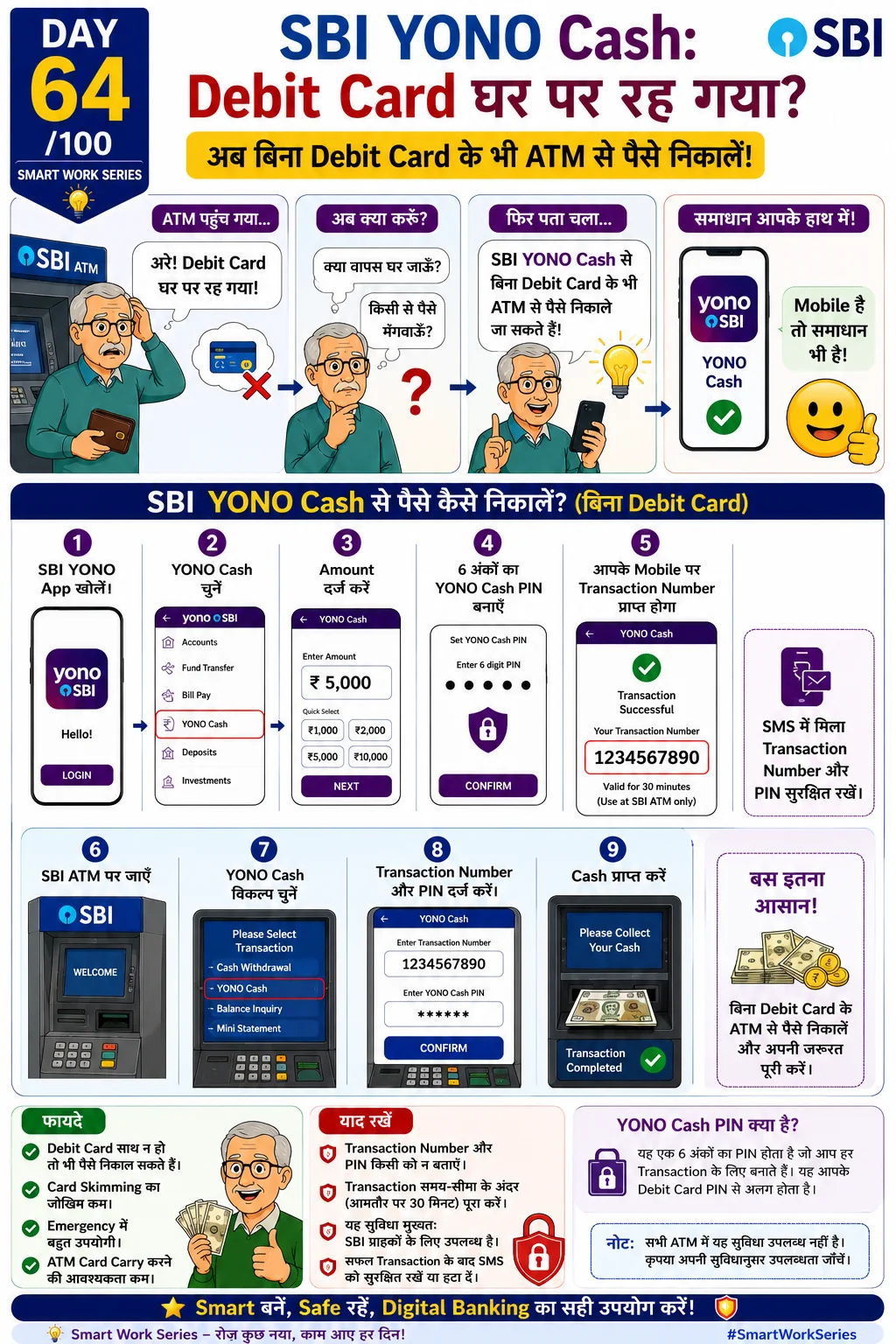
Withdraw cash without ATM card
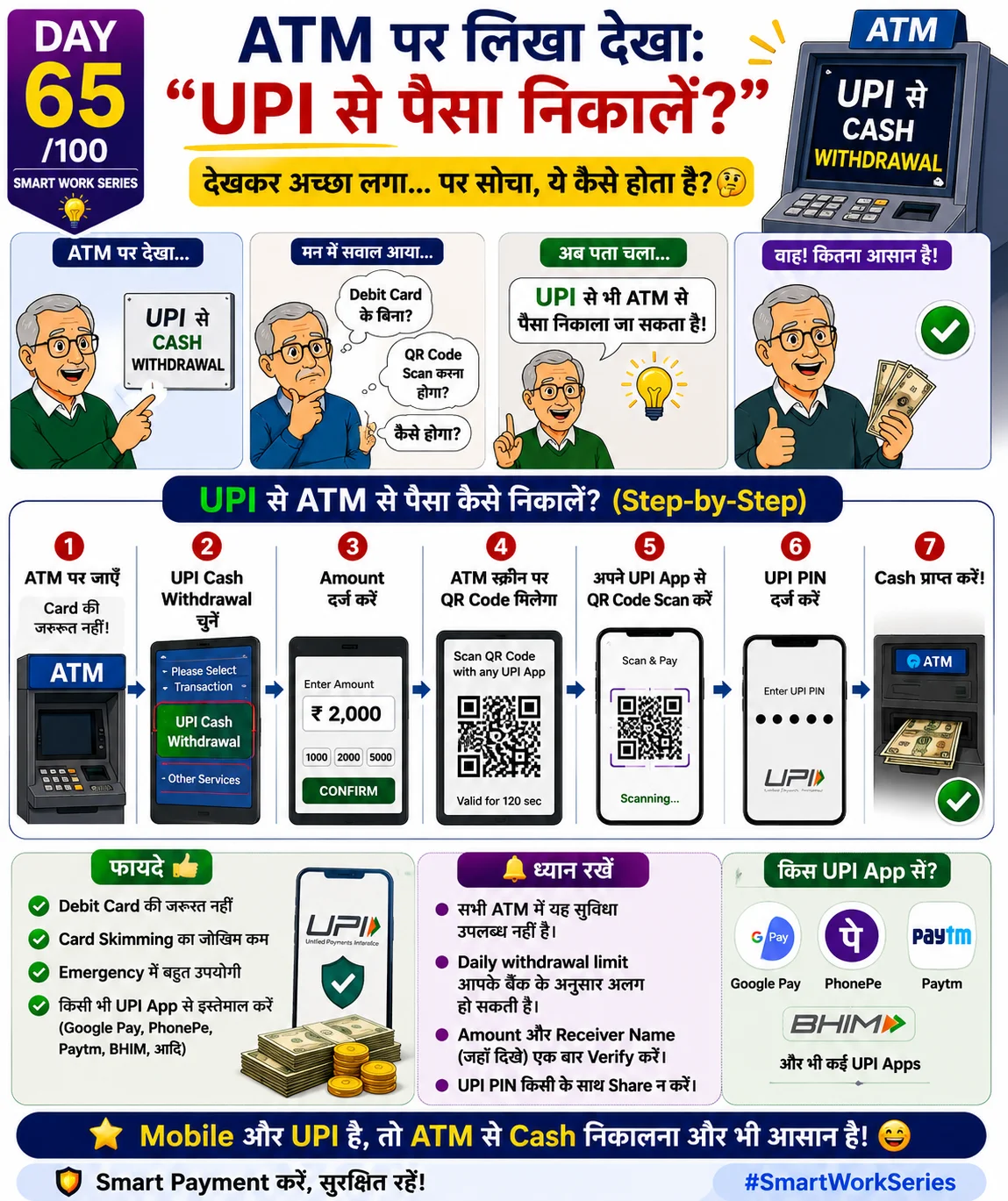
Cardless cash withdrawal using UPI
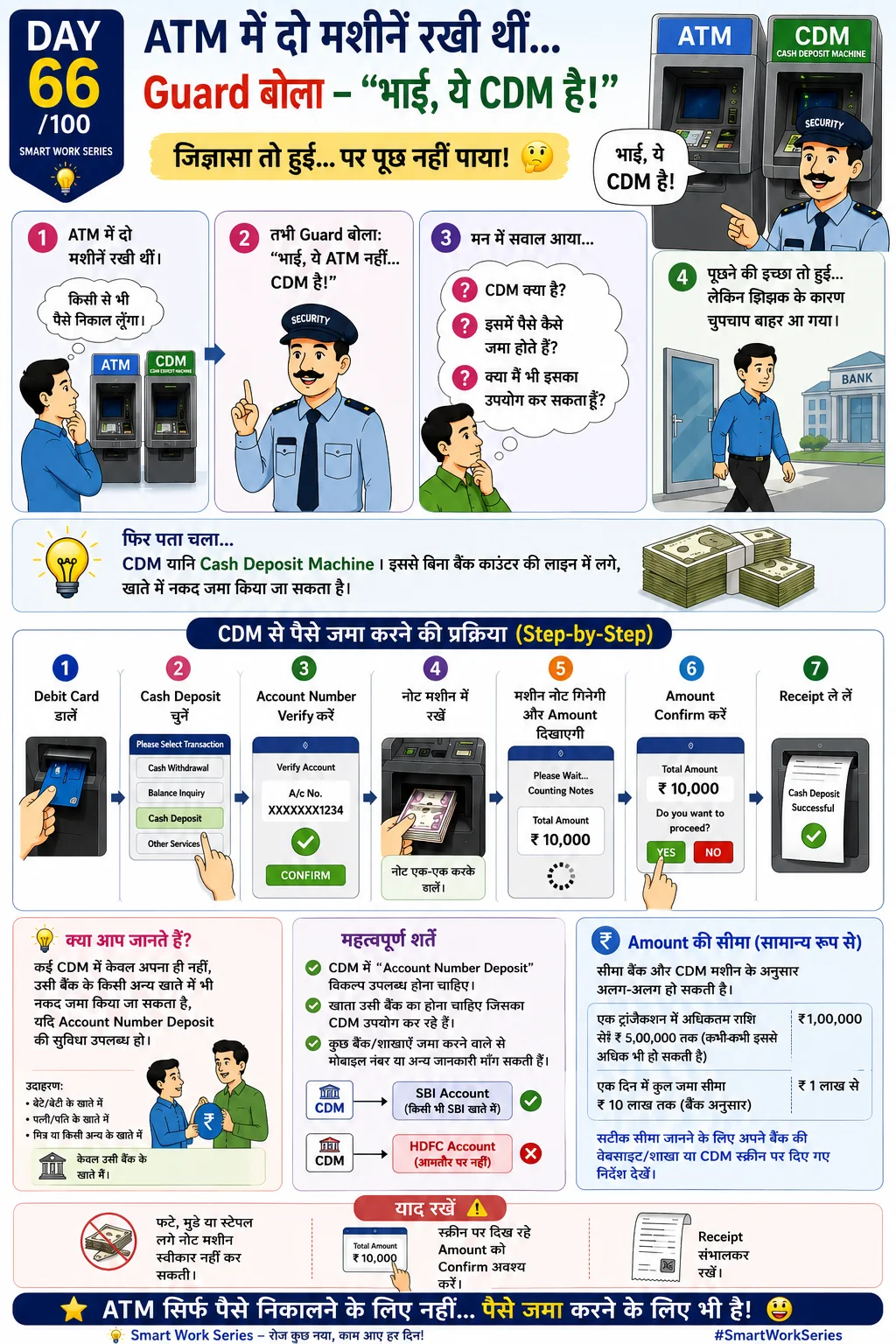
Deposit cash without standing in queue
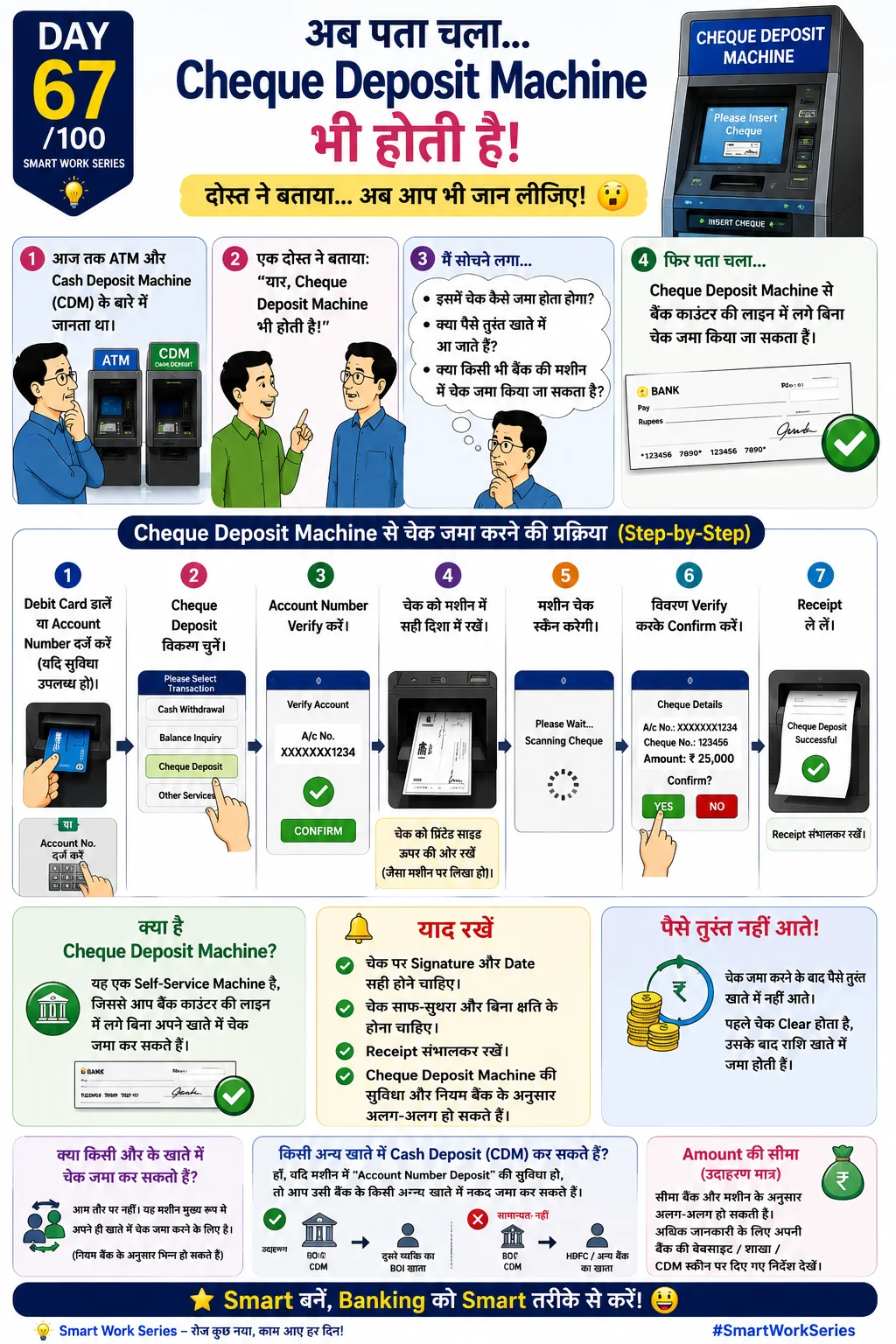
Deposit cheque using CDM
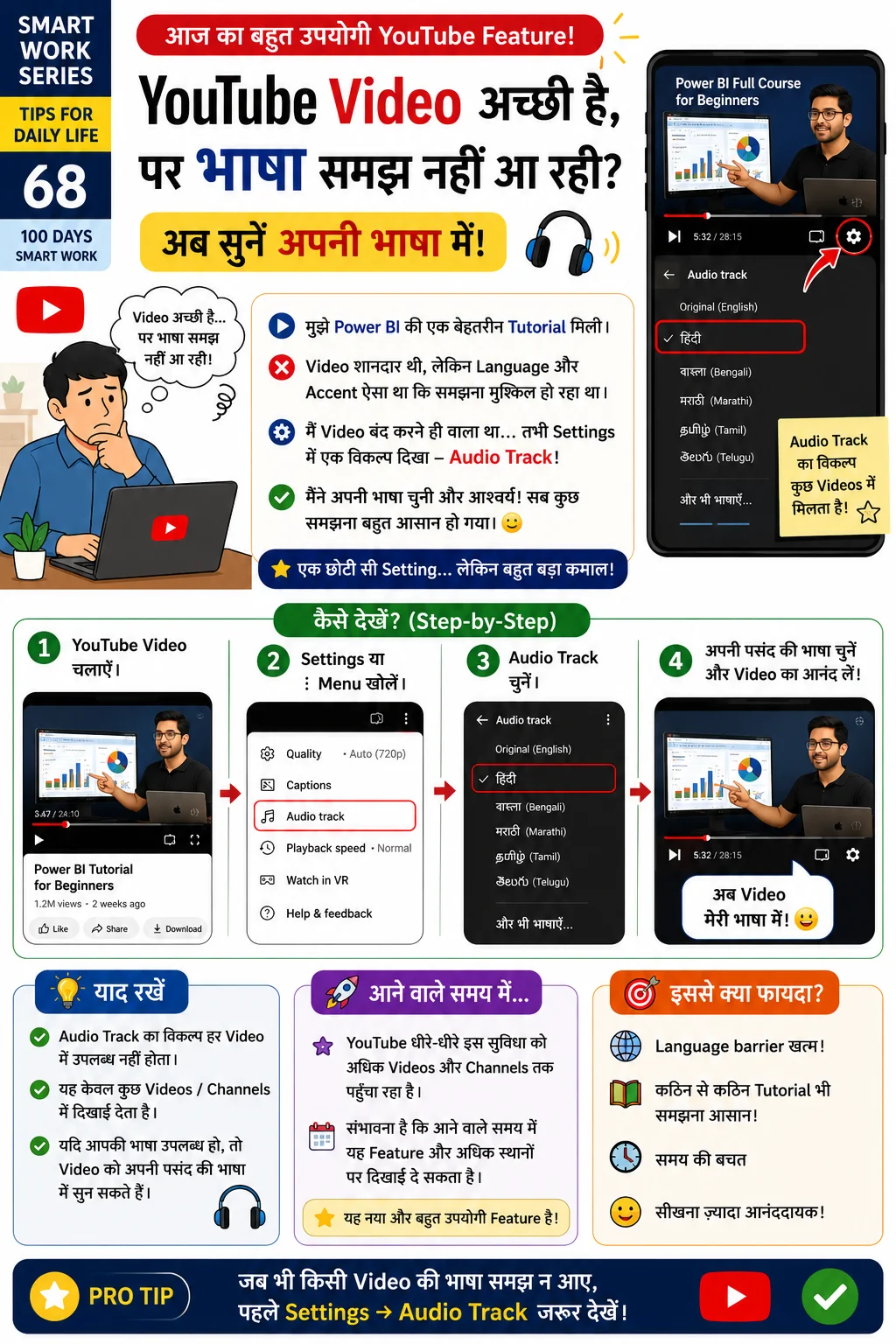
Listen to videos in your preferred language
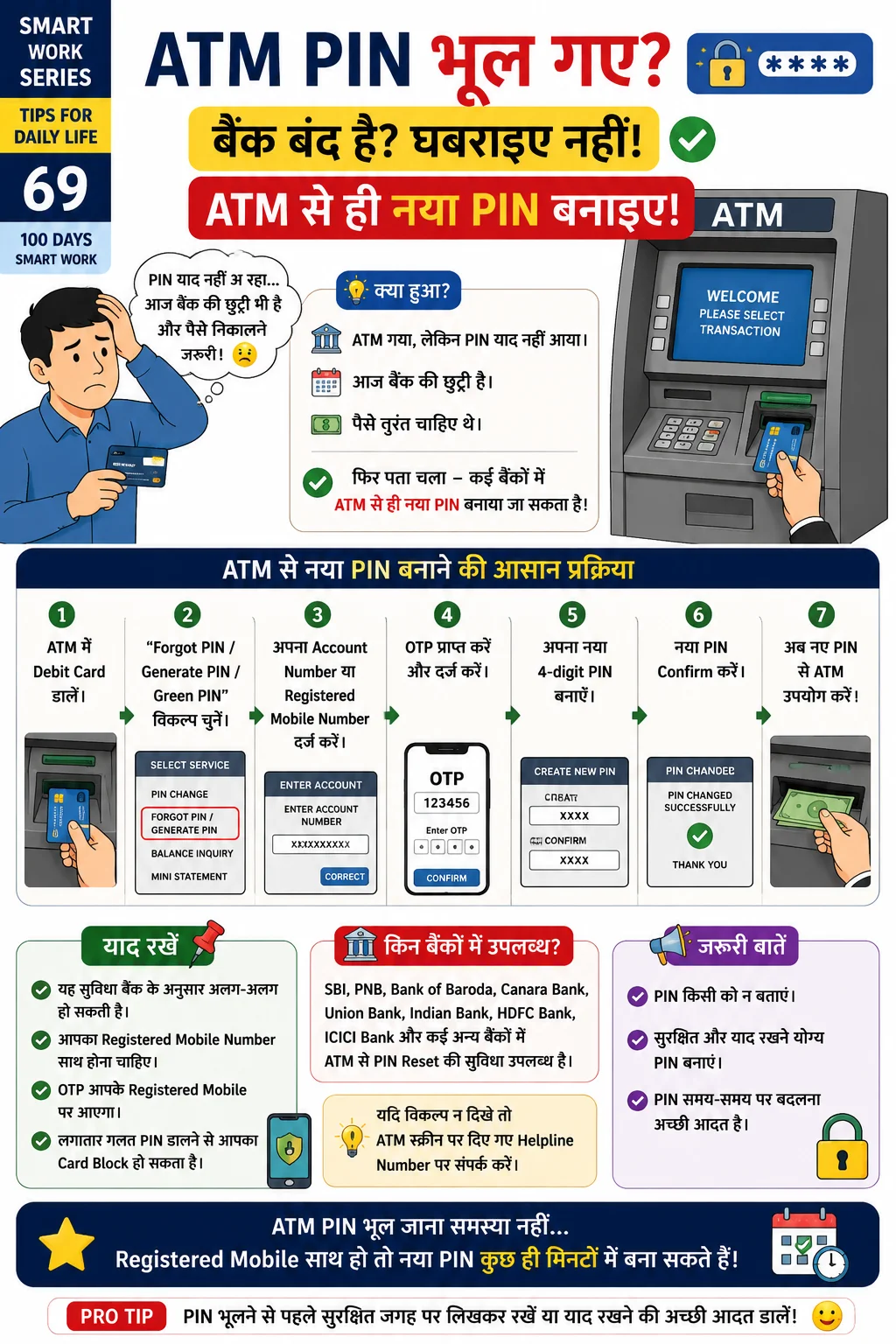
Generate/reset ATM PIN at ATM
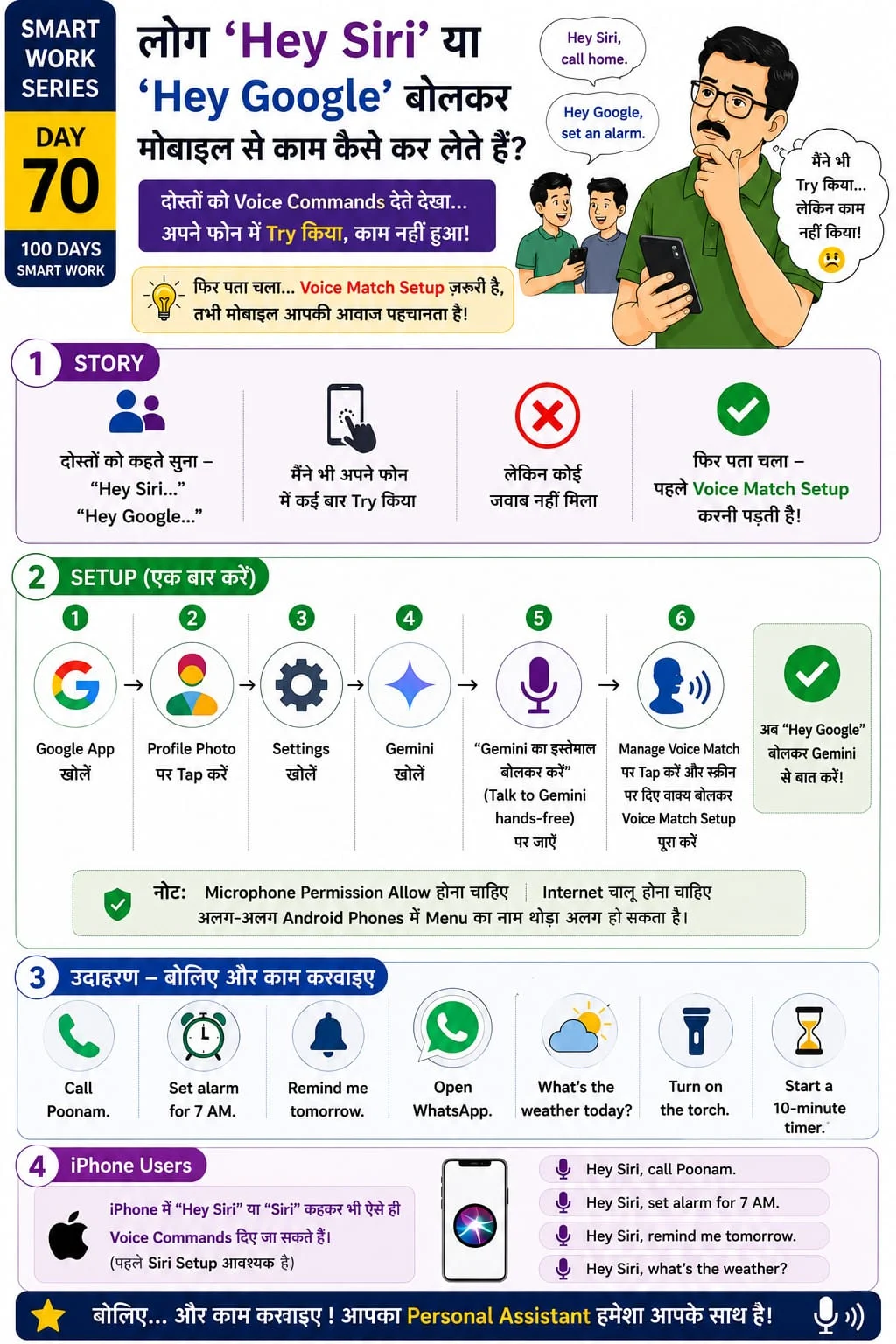
Enable Voice Match and use voice commands
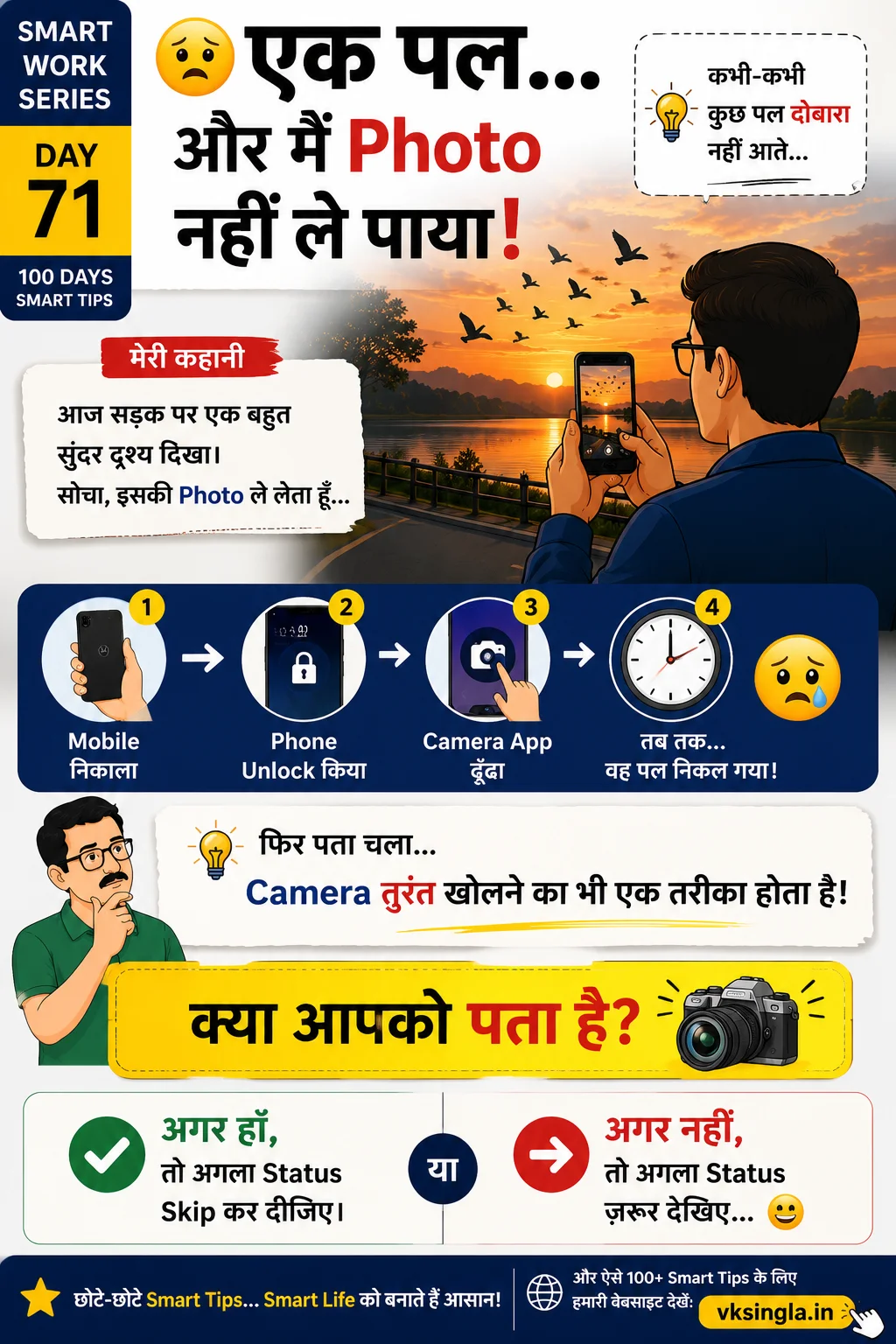
Open camera instantly using hardware shortcuts
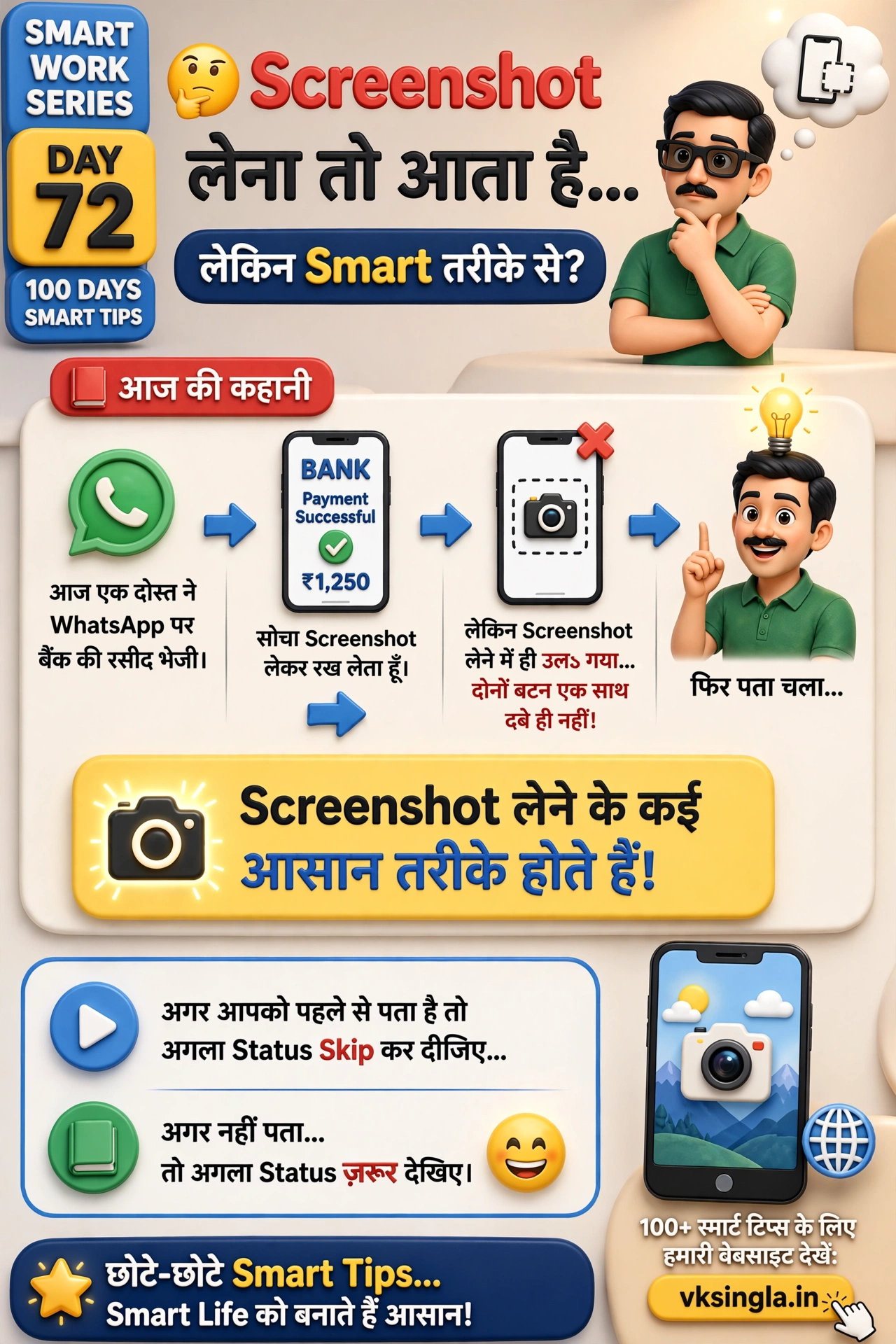
Take screenshots using multiple methods
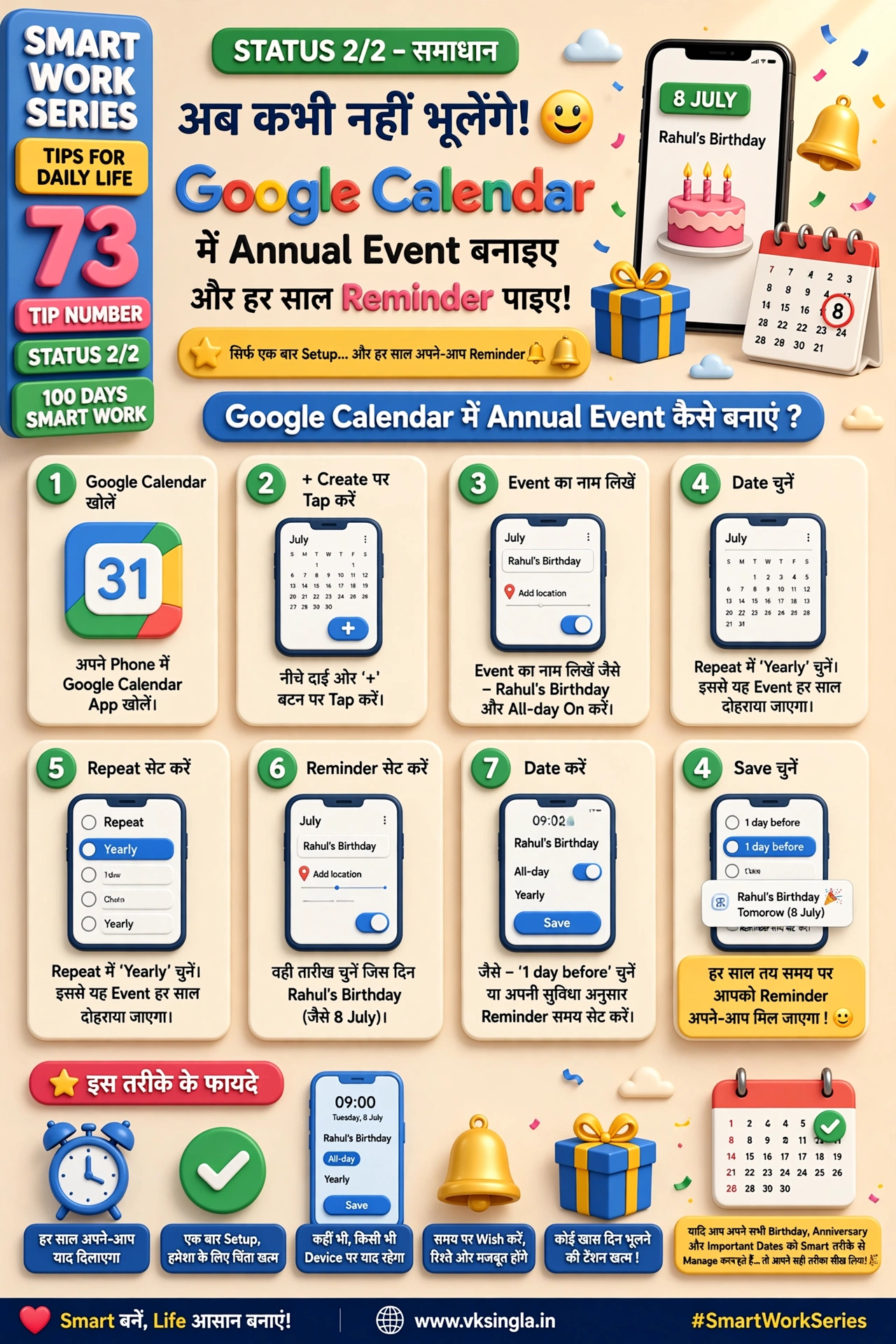
Never forget birthdays using Google Calendar
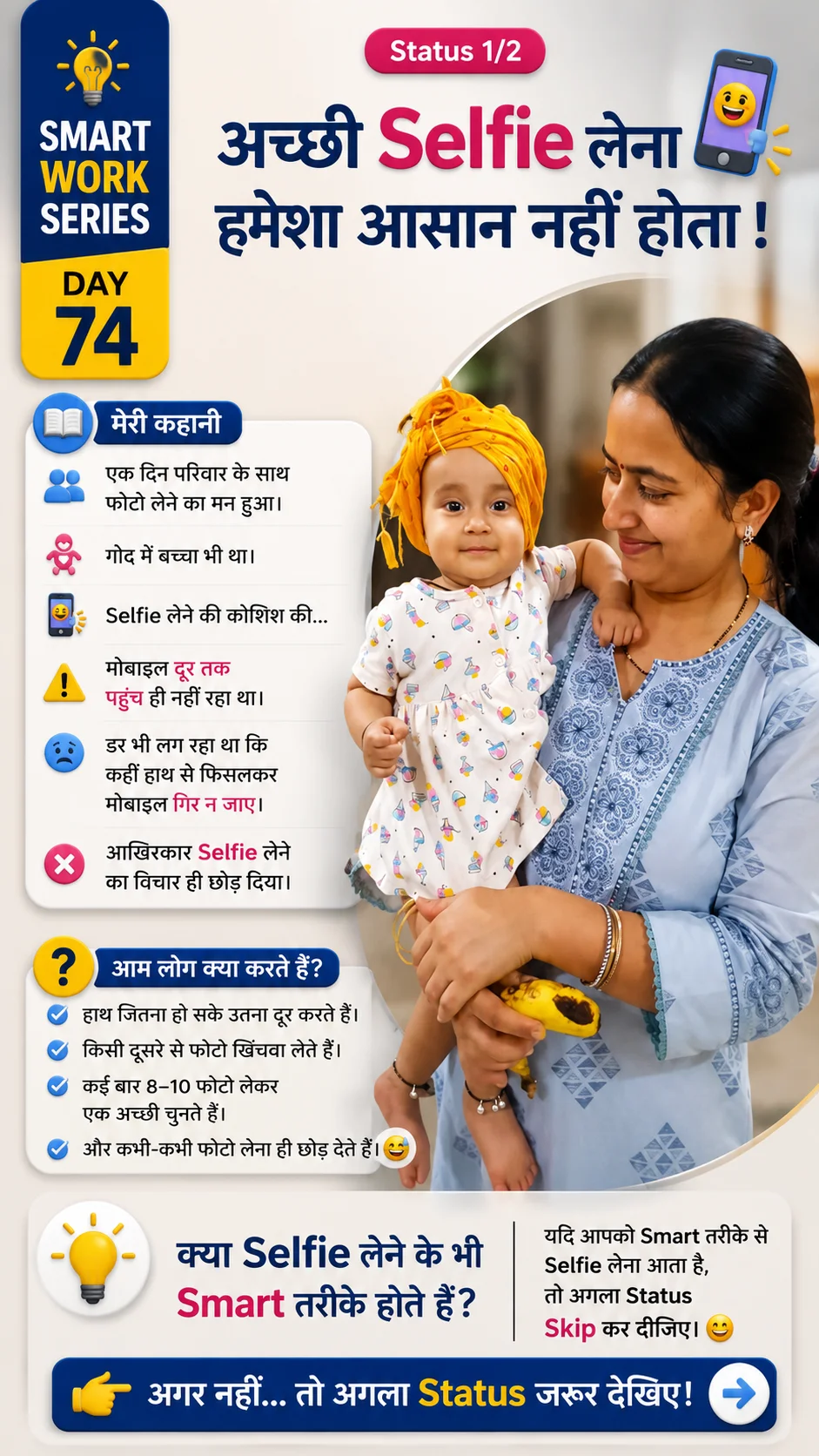
Timer, Palm, Smile, Voice & Volume button
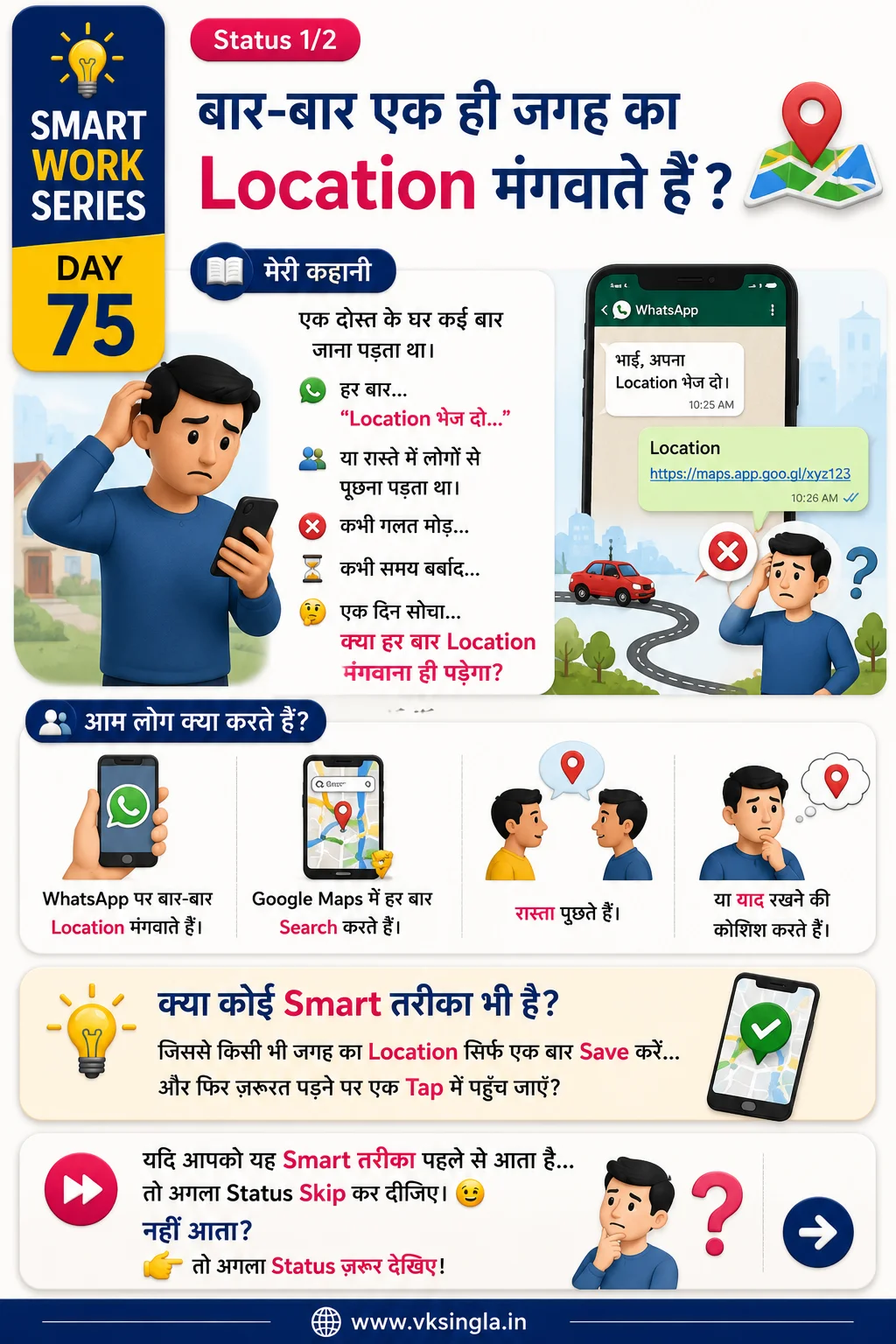
Save frequently visited places for one-tap navigation
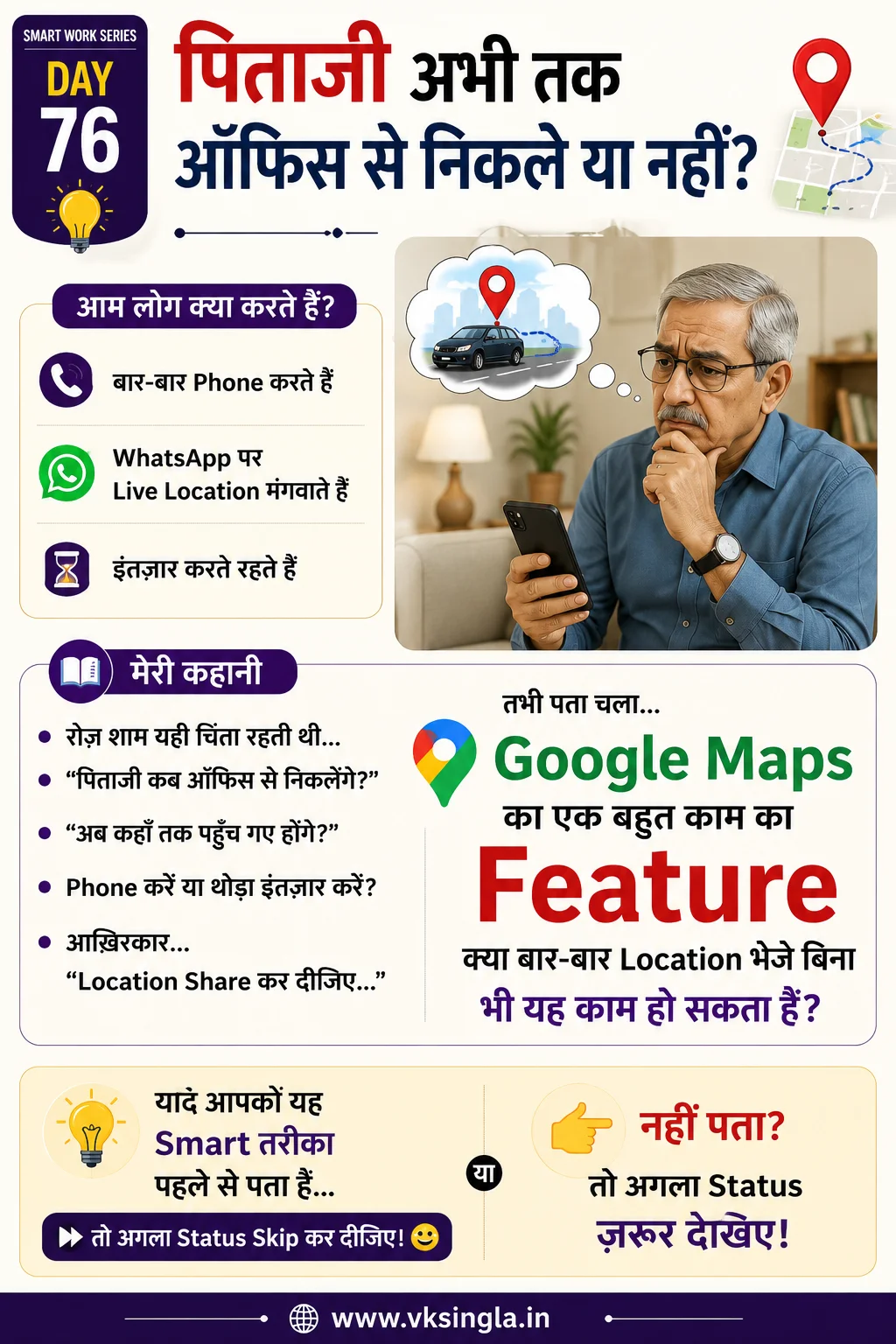
Share real-time location with family and friends
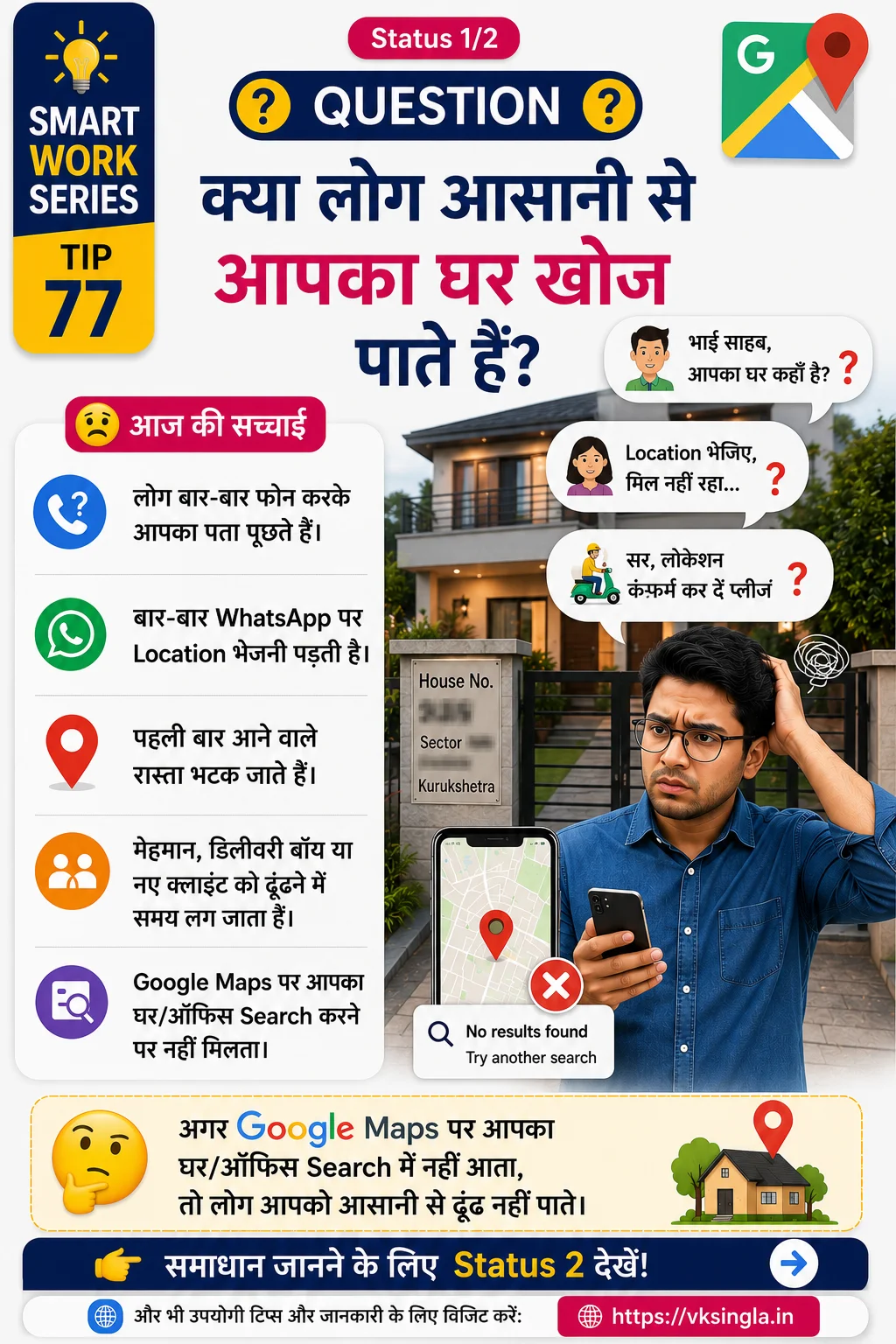
Add missing businesses, roads or landmarks to Google Maps
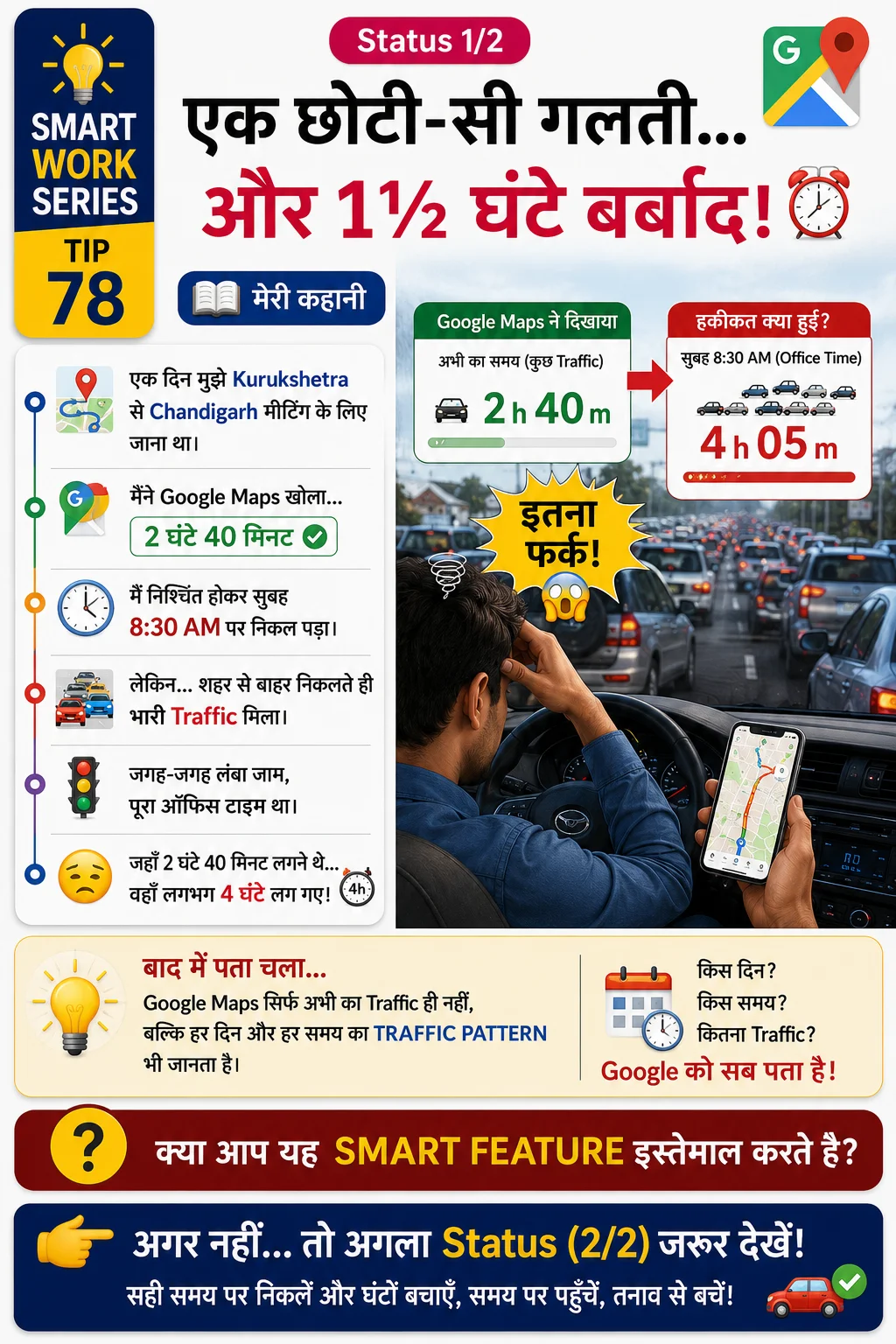
Plan your journey based on traffic and expected arrival/departure time
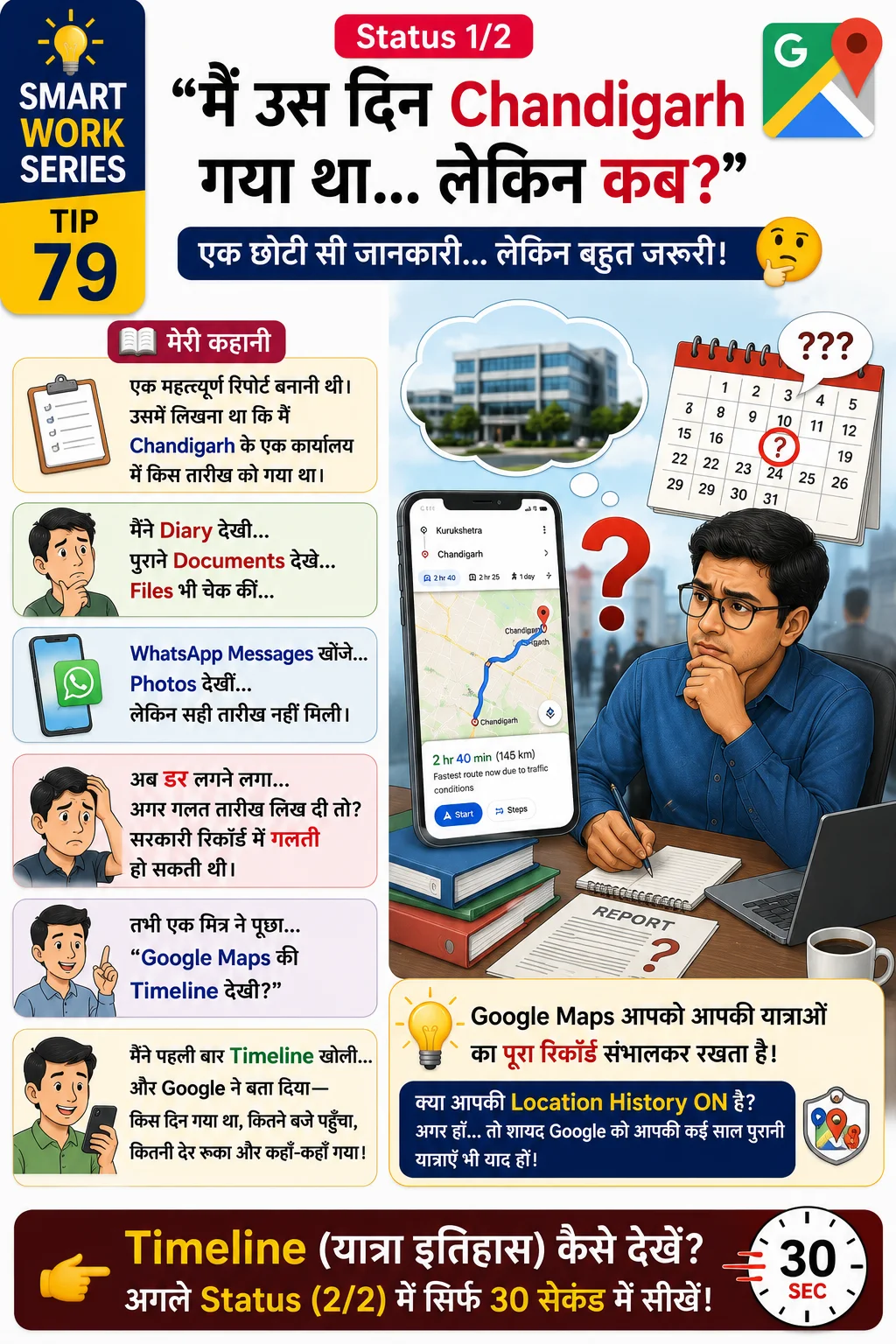
View your travel history and previously visited places
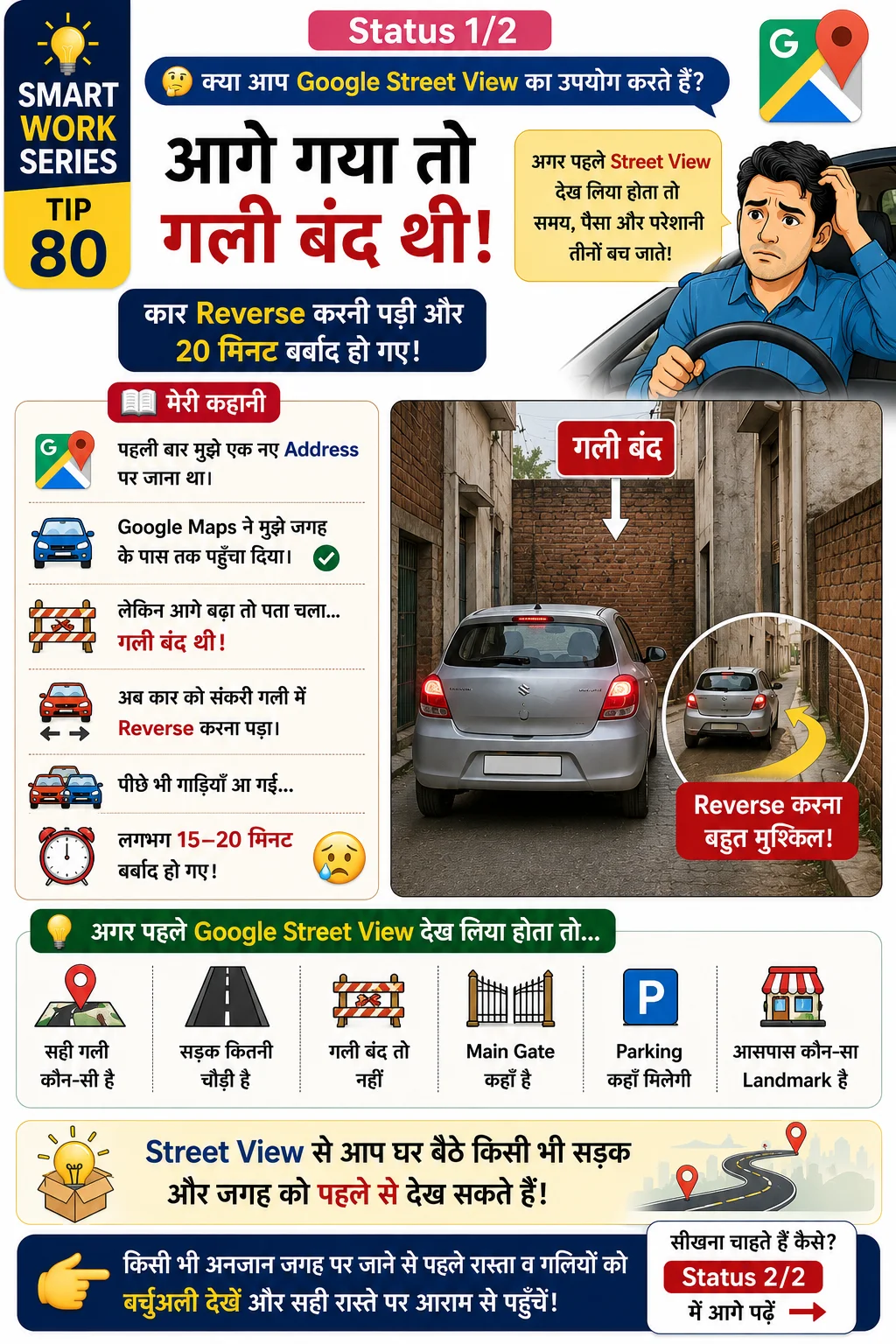
Preview roads and destinations before visiting
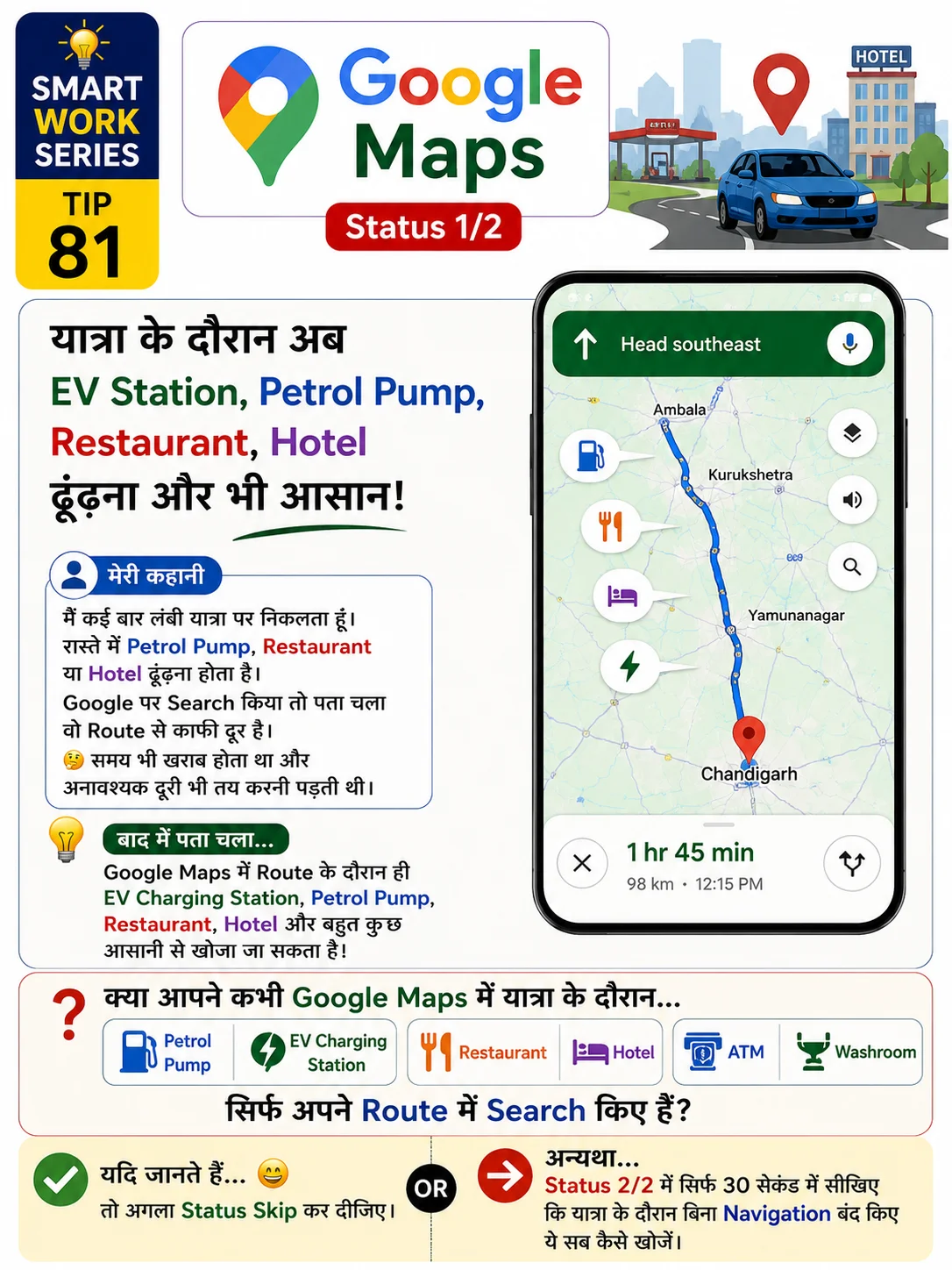
Find Petrol Pump, EV Station, Restaurants & Hotels during travel
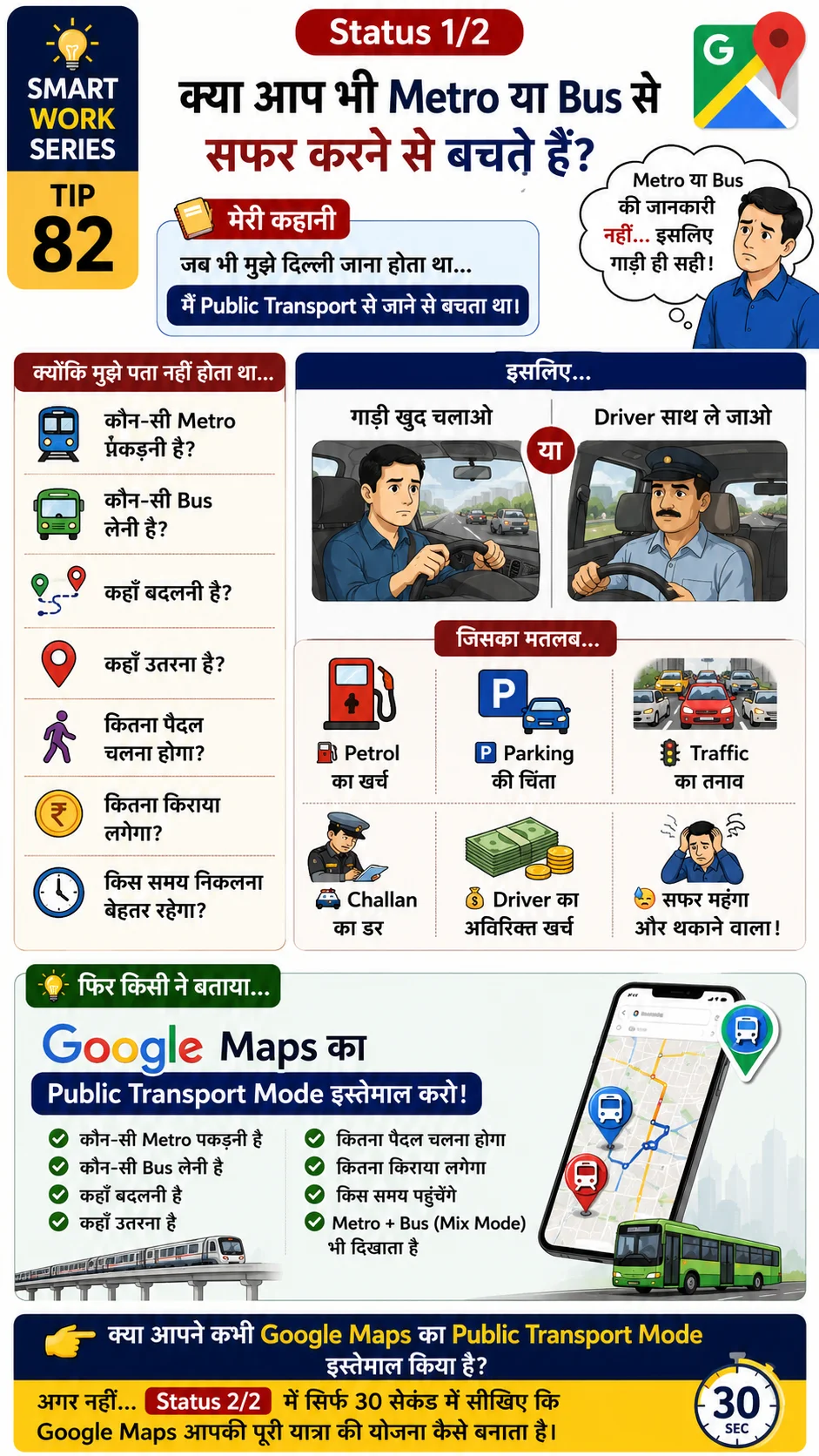
Compare Bus, Metro, Train and Walking routes
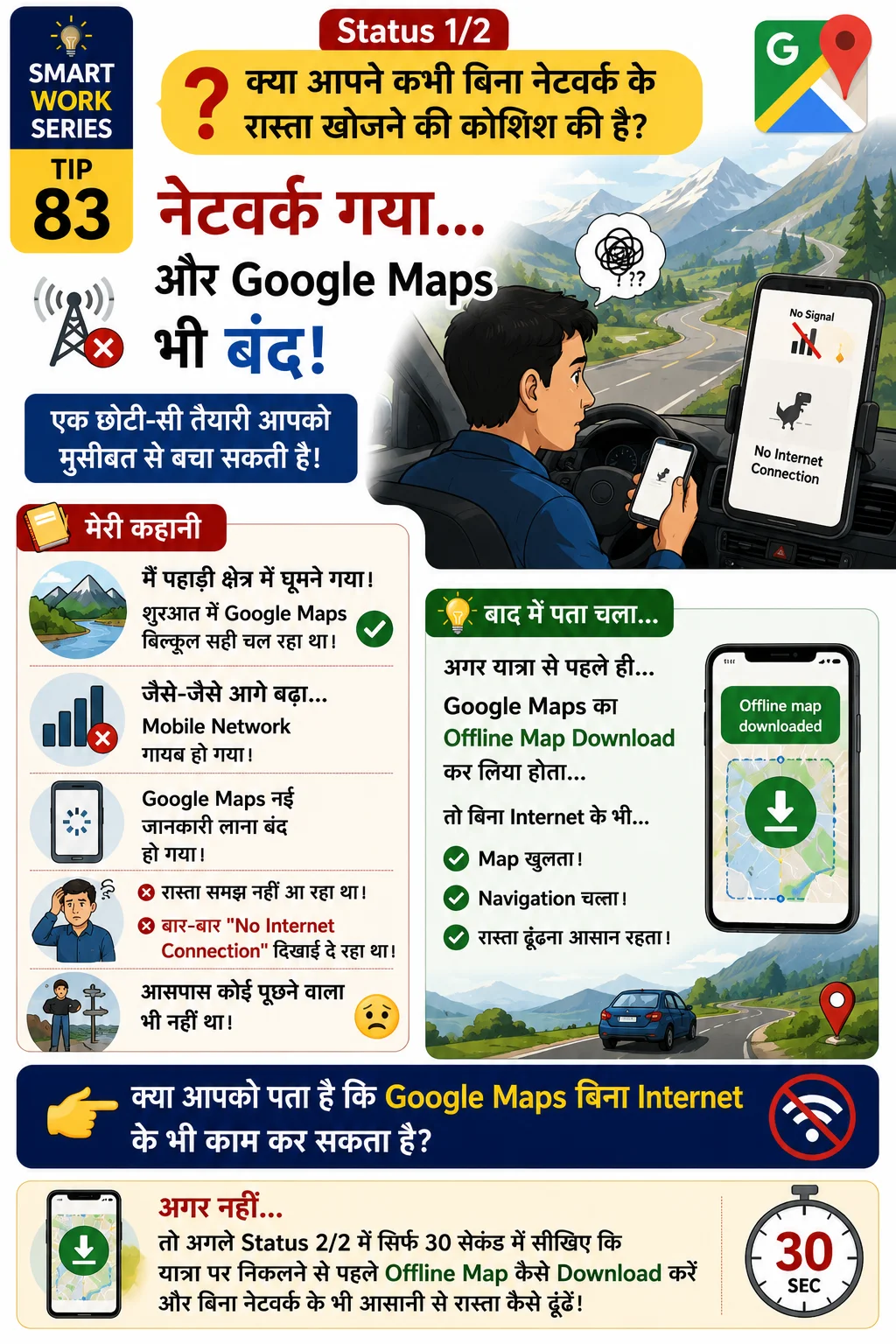
Download maps for use without Internet
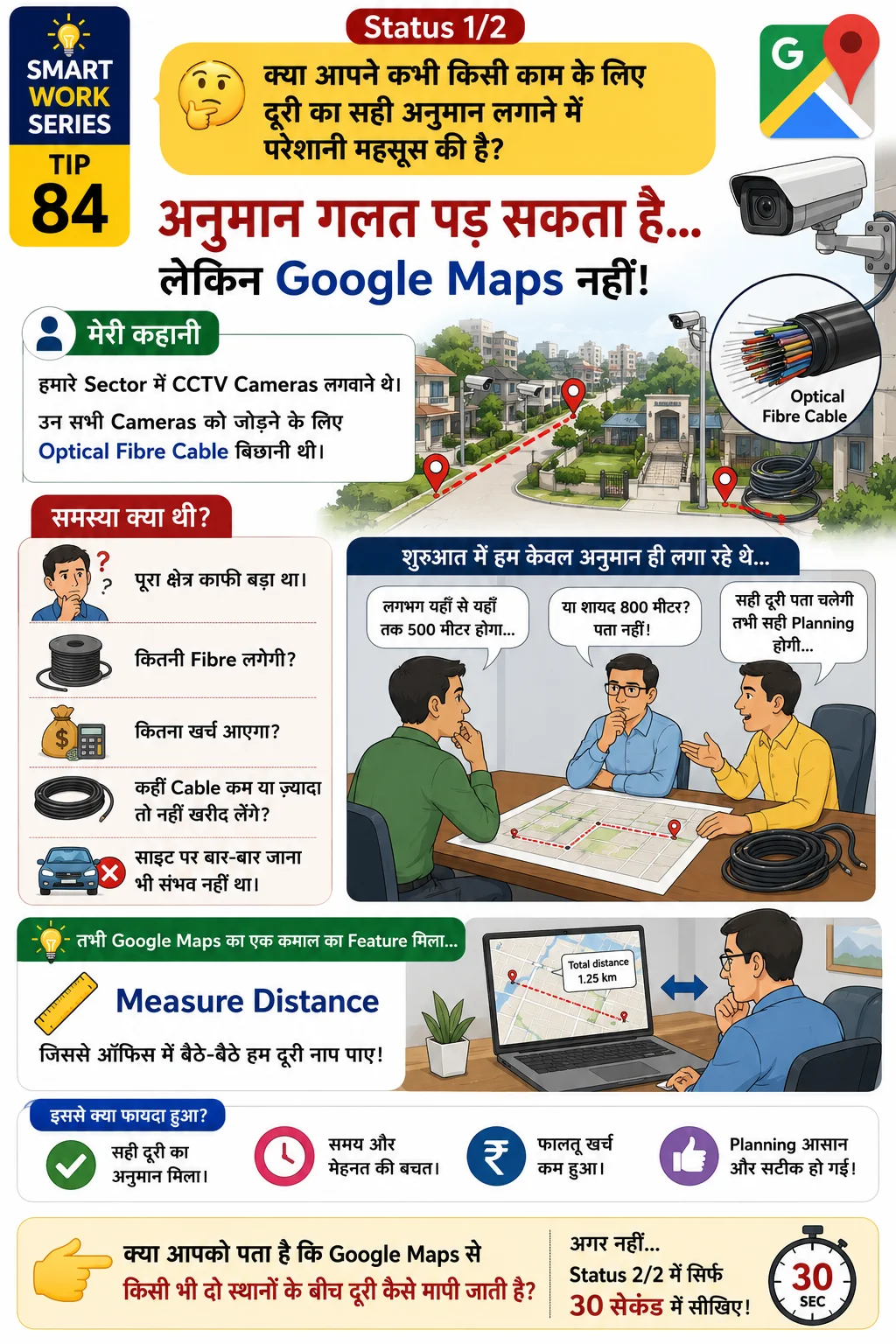
Measure cable length, land, walking path and planning distances
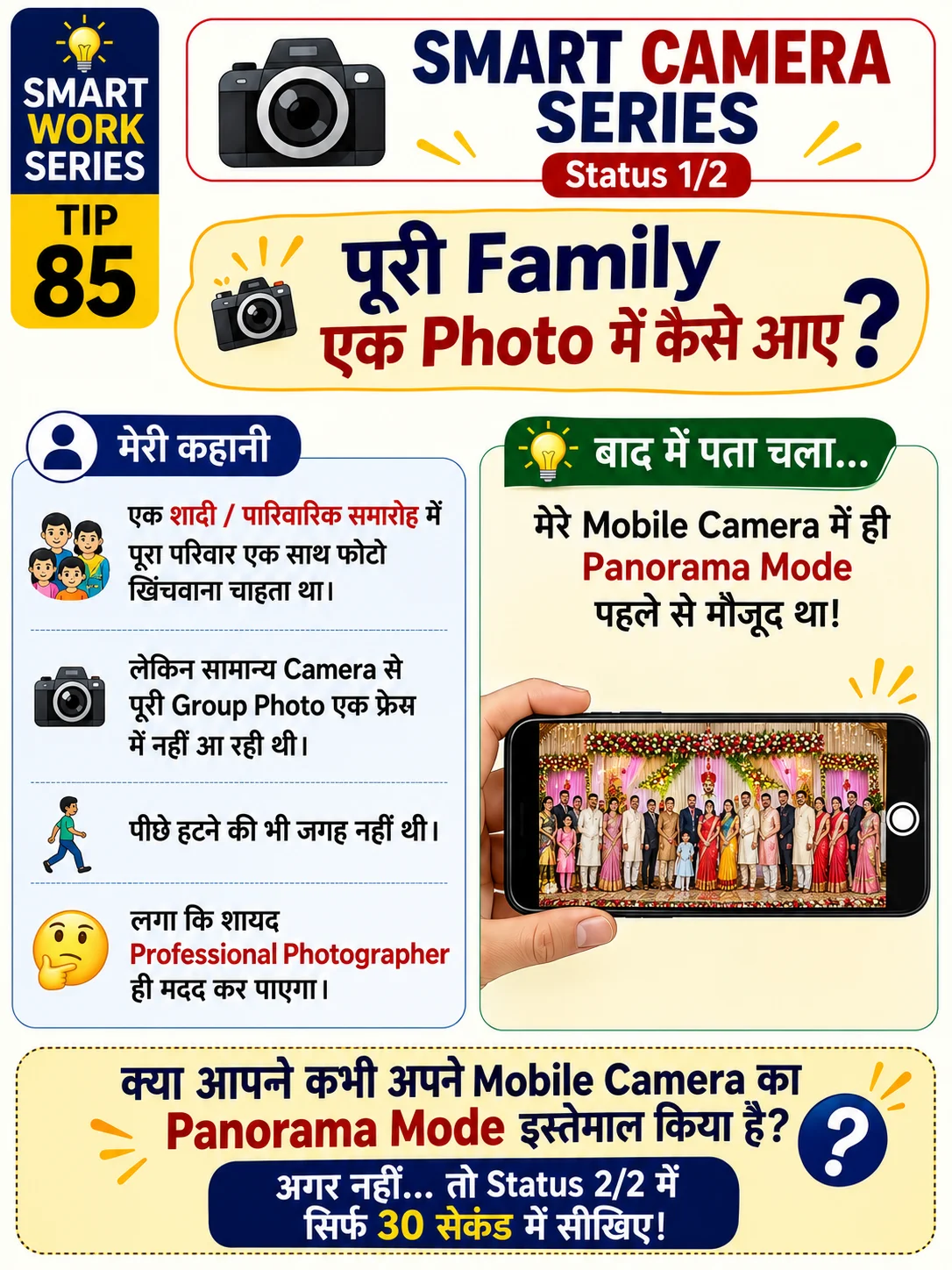
Capture wide landscapes and large group photos
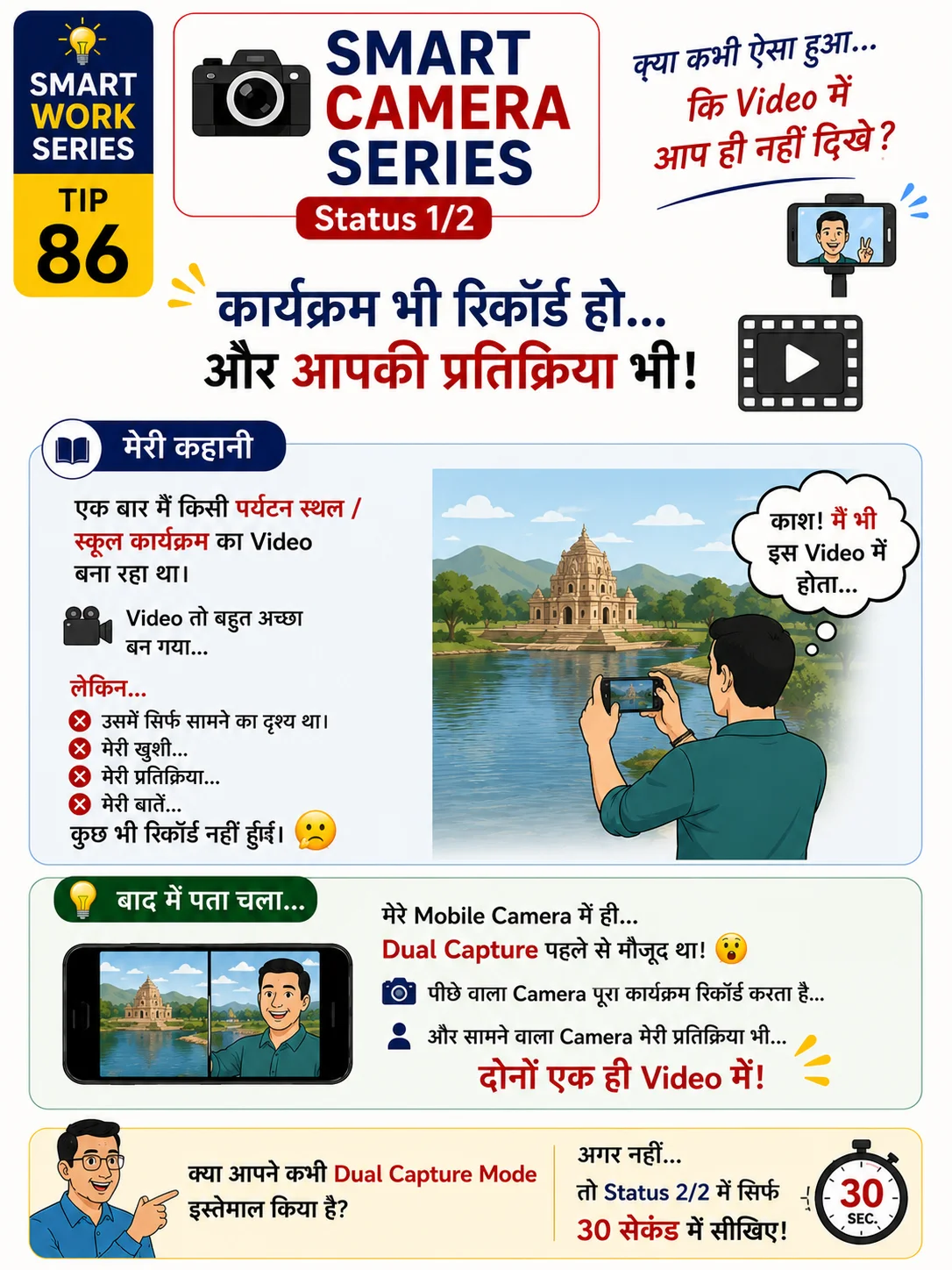
Record using front and rear cameras simultaneously
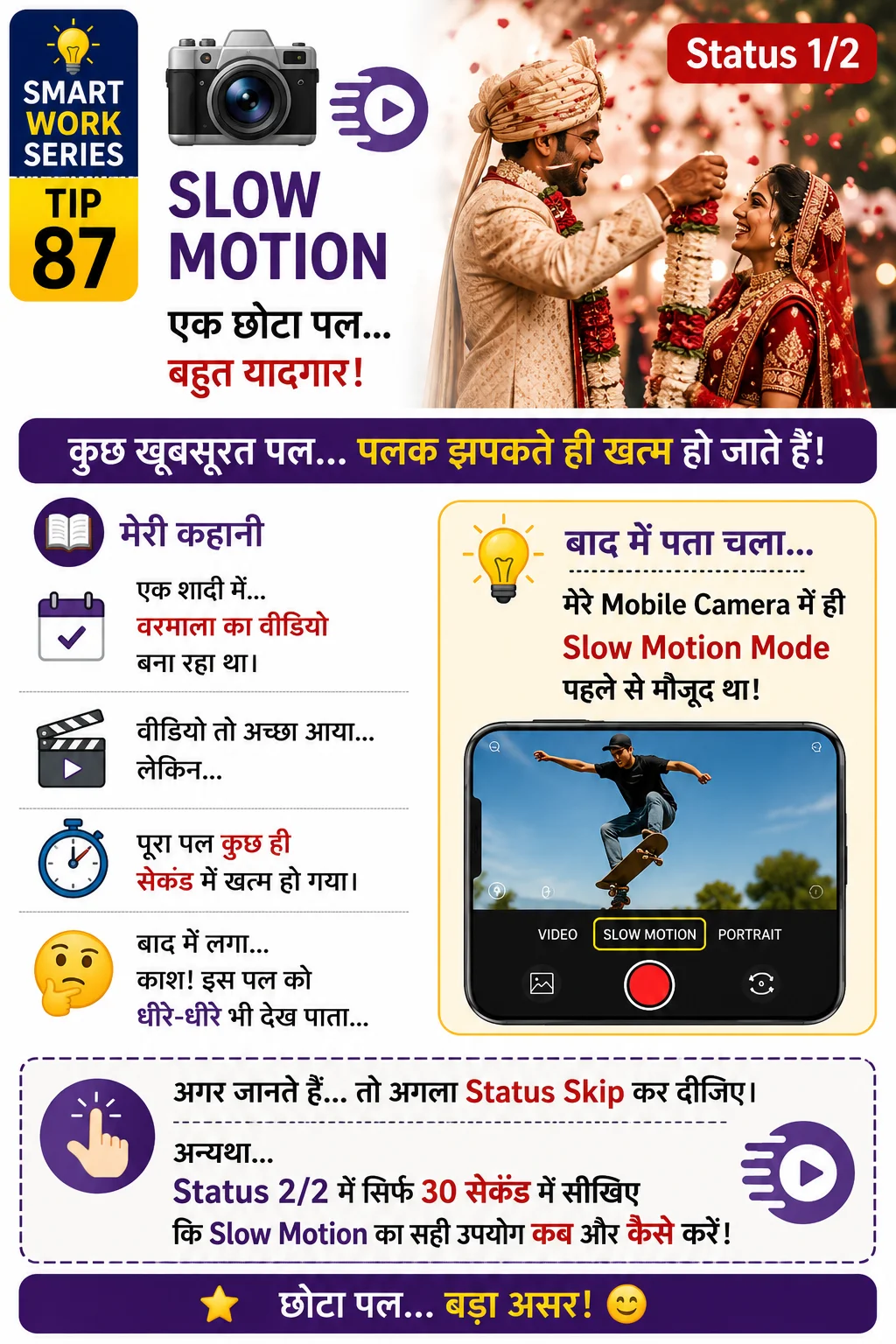
Create impressive slow-motion videos
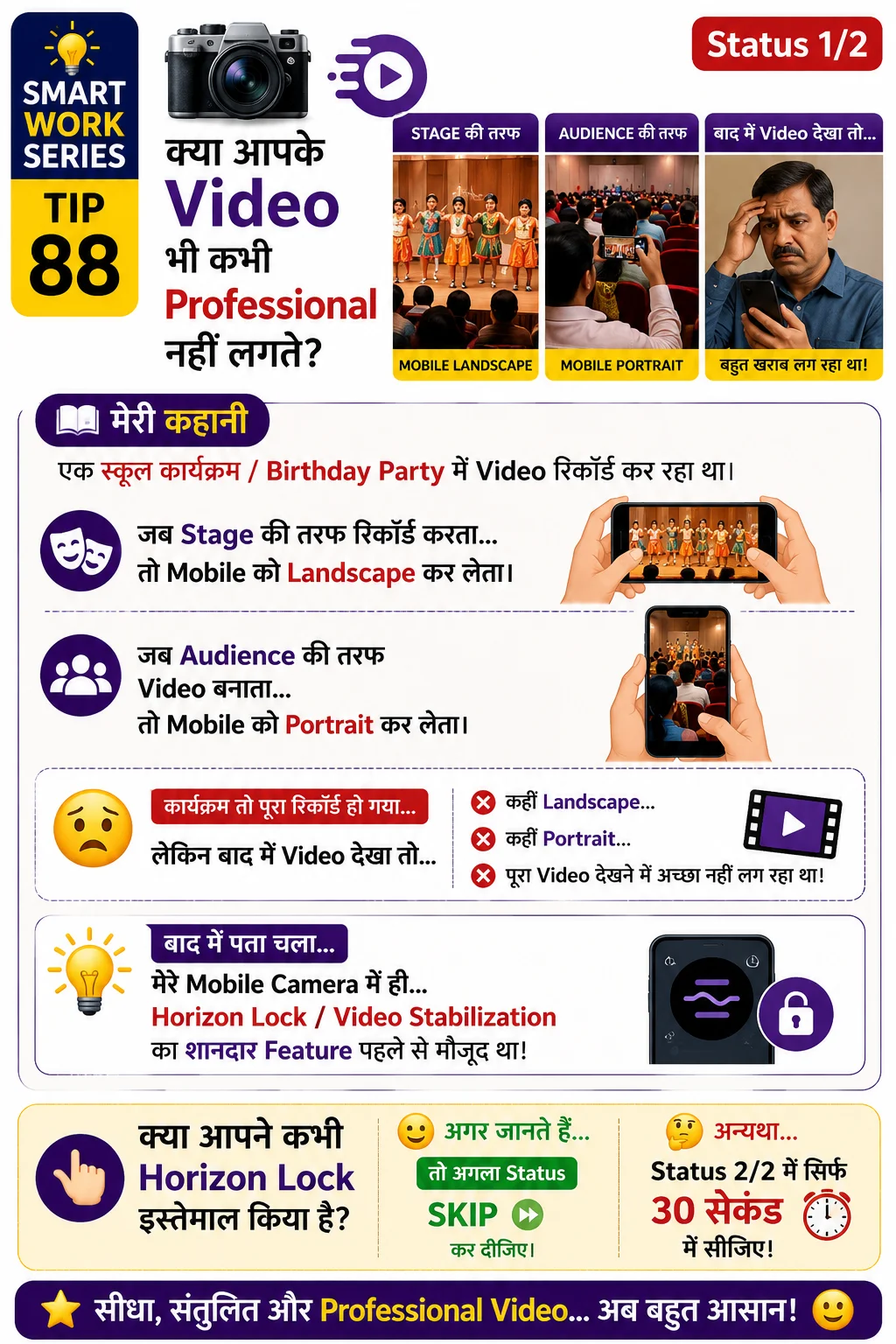
Record smooth, professional-looking videos while moving
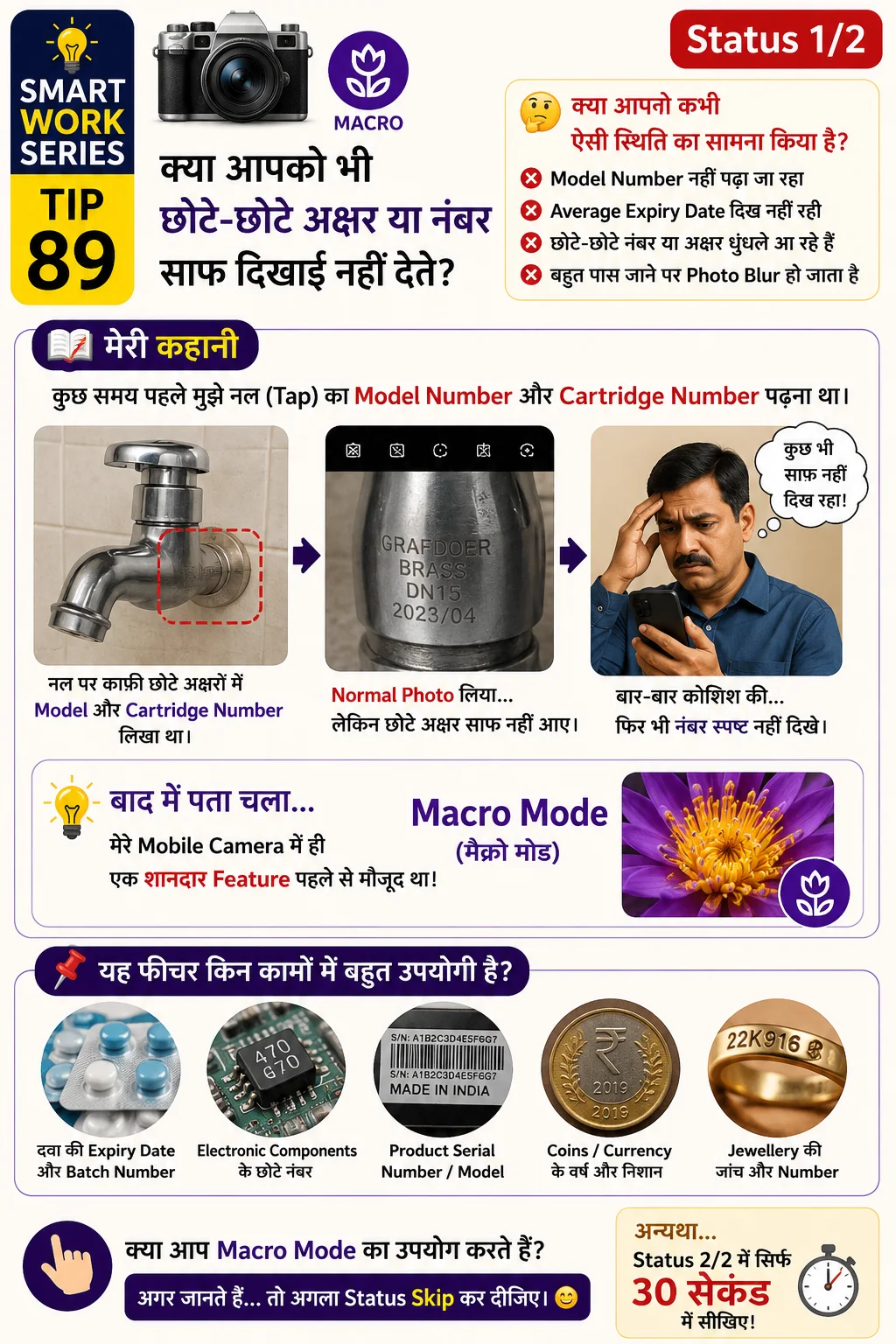
Capture tiny details and read very small text clearly
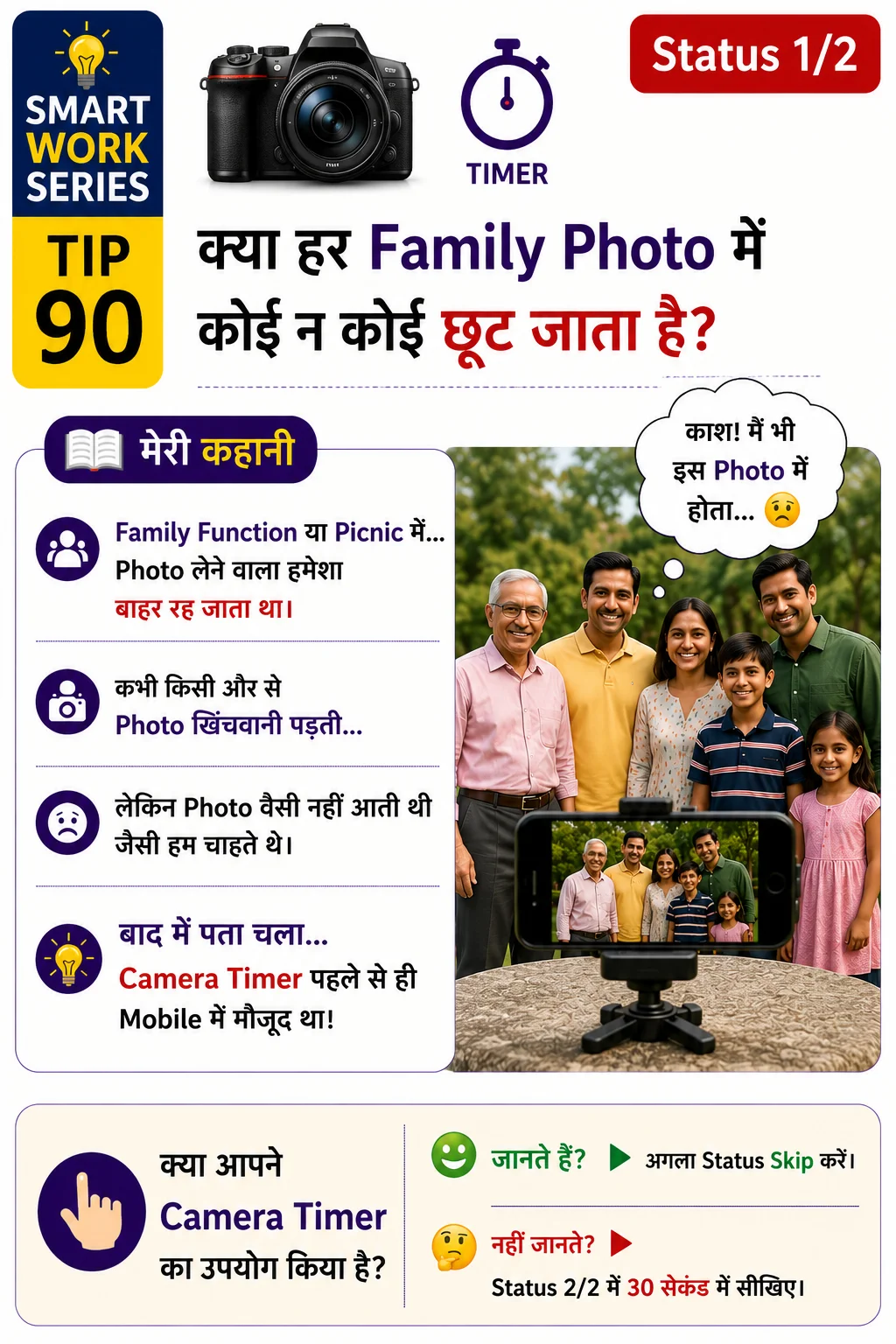
Everyone can be included in family and group photos
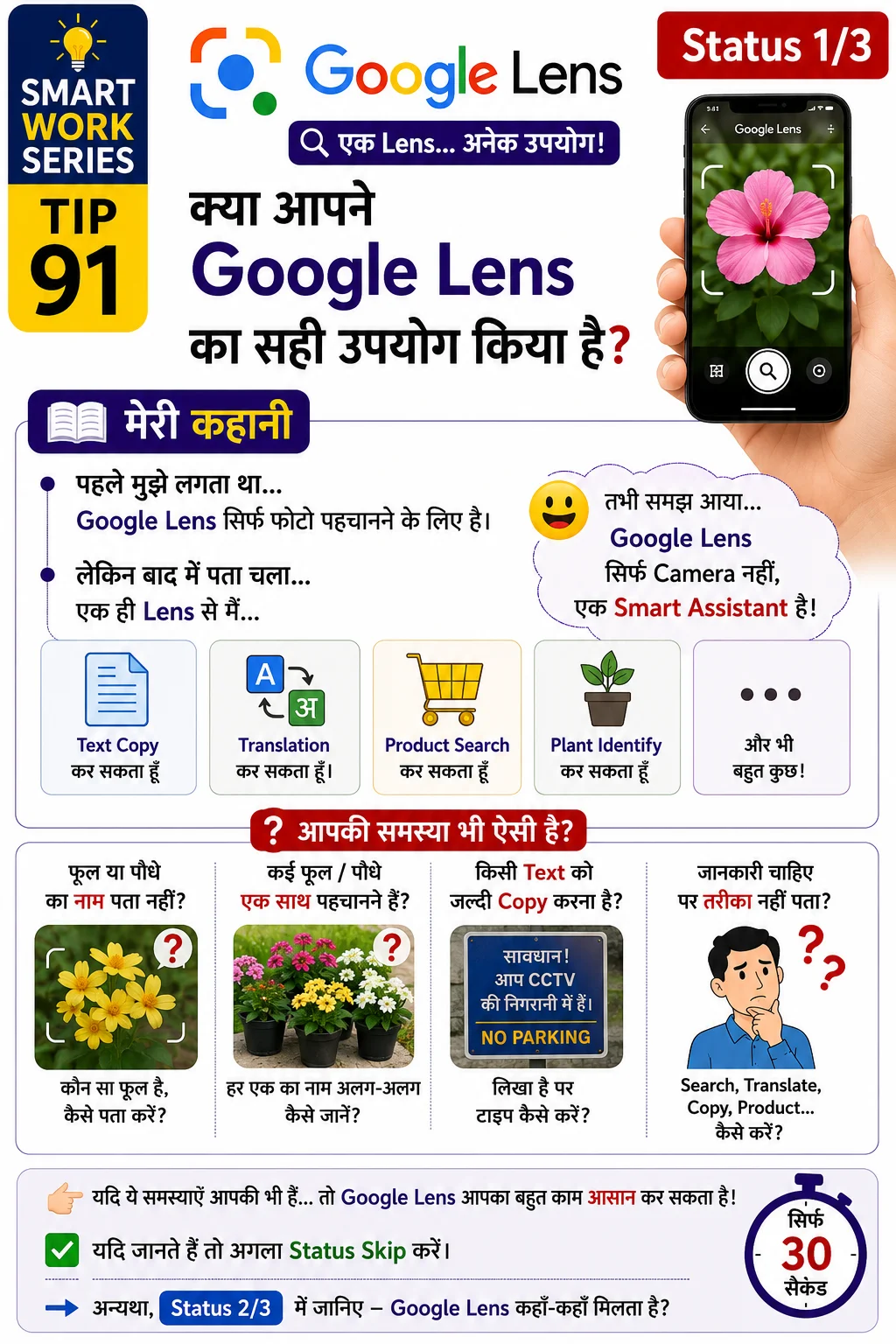
Search, Translate, Copy Text, Product Search & Plant Identification
Remove unwanted objects from photos instantly
Keep sensitive photos secure with passcode
Group and find photos by people
Search text inside images
Safely clear backed-up photos to free device space
Digitally scan physical paper photos
Combine multiple photos into layout
Collaborate and share photo albums with family
Transform photos using advanced AI enhancements
Try searching for a different keyword or clear your active filters.
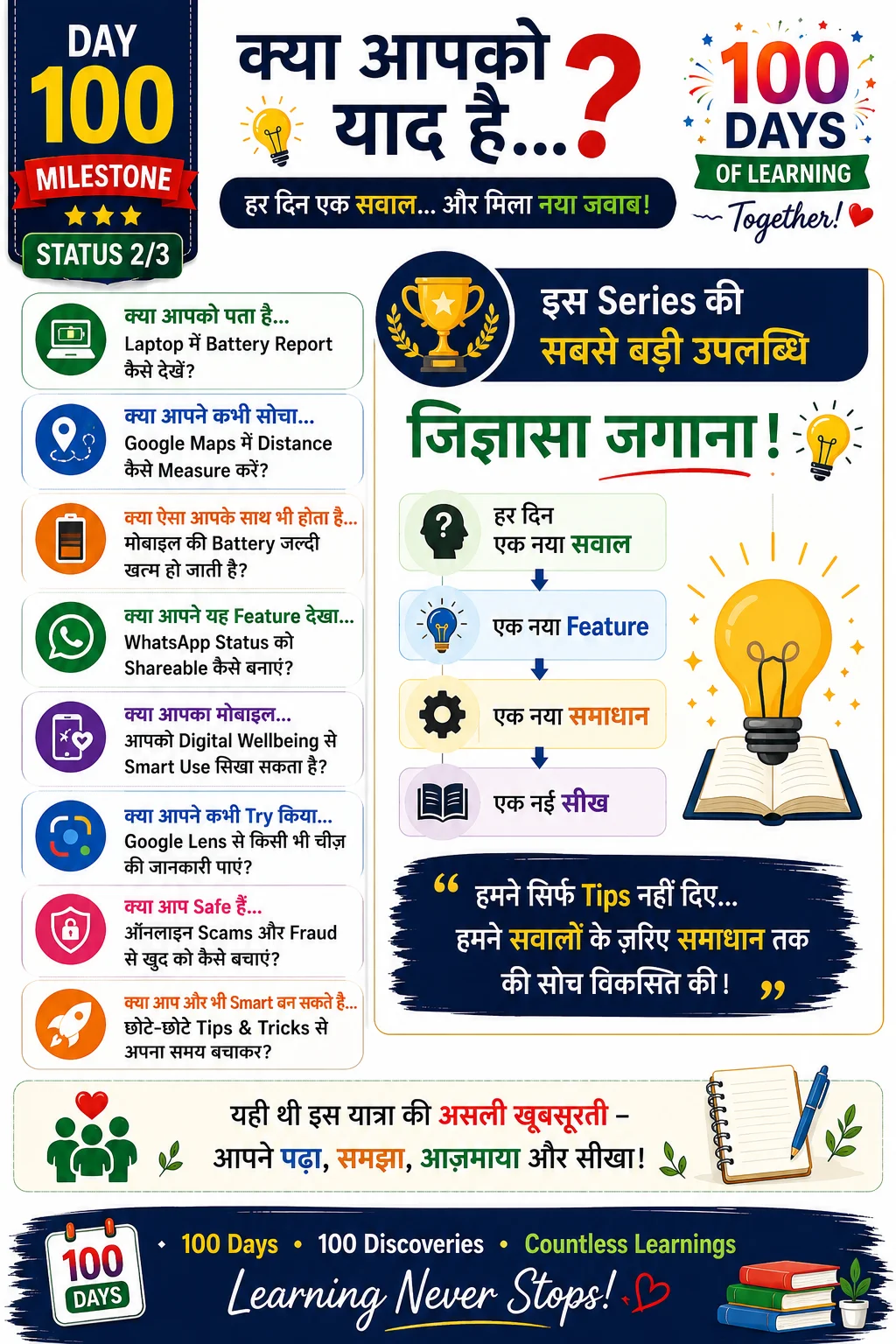
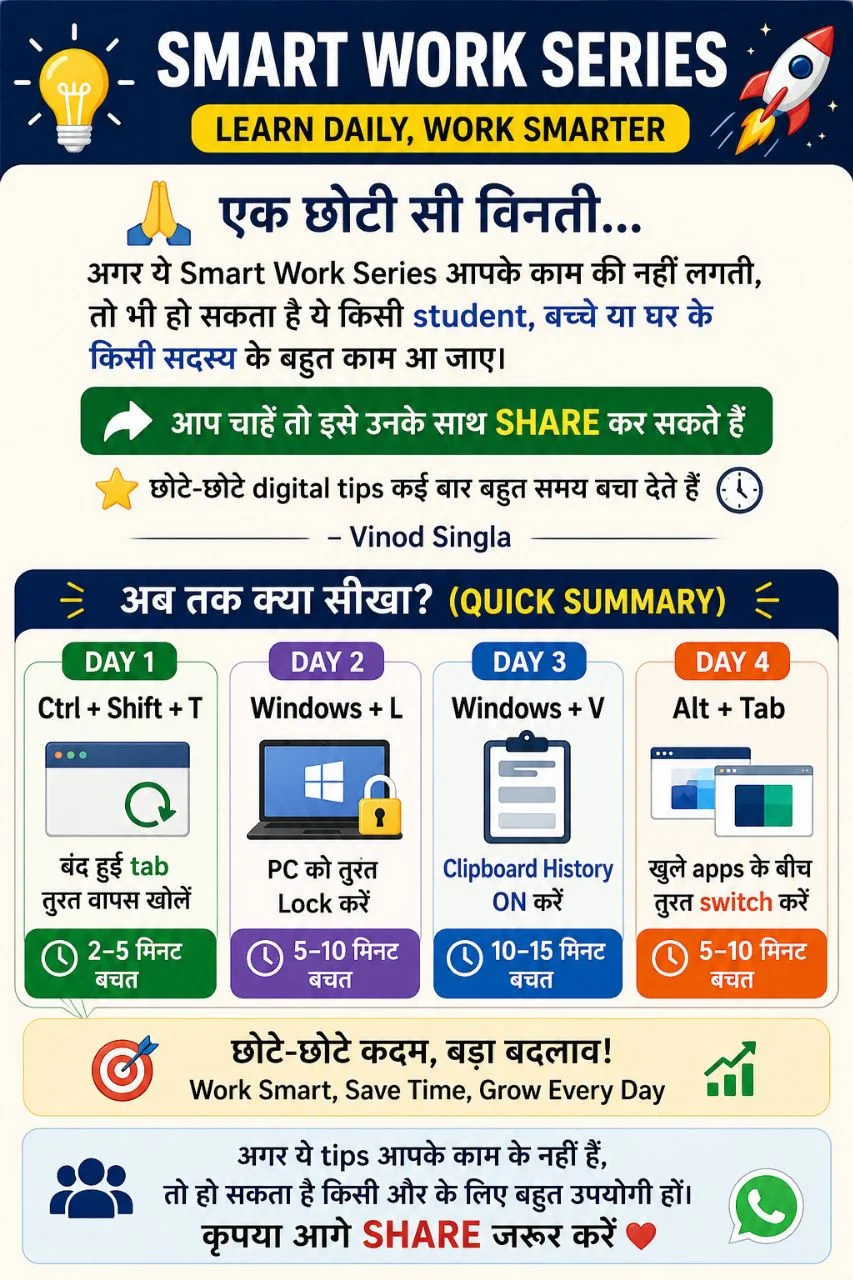
Consolidated recap cards summarizing key learnings across days

"Our goal is to eliminate digital complexity. Every tip in this 100-day series is crafted to ensure that citizens, students, and seniors can harness everyday technology with confidence."
Scan this QR code with your mobile camera to instantly bookmark the complete Smart Work Digital Library.